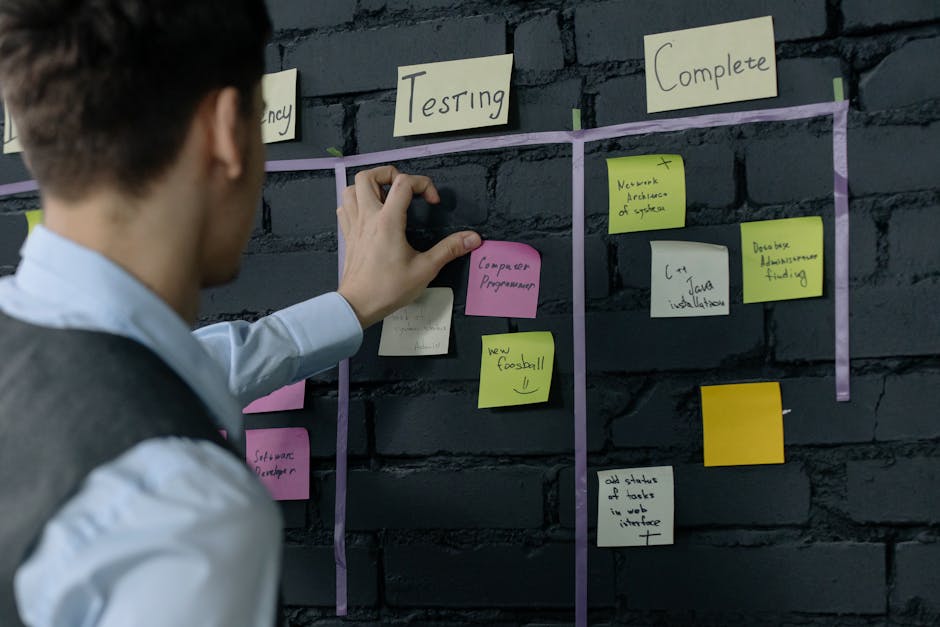
In today’s fast-paced work environment, staying organized and efficient is more important than ever. A task tracking application can be your secret weapon to manage projects, track deadlines, and collaborate seamlessly with your team. Whether you’re juggling multiple tasks or aiming to boost productivity, this article will explore the myriad benefits of utilizing a task tracking app, helping you make informed choices that align with your goals. Get ready to transform the way you work and achieve more with less stress.
What is a Task Tracking Application?
A task tracking application is a tool designed to help individuals and teams manage their tasks efficiently. These apps enable users to organize, prioritize, and monitor the progress of their work. Whether you’re managing a small project or a large team, a task tracking application can streamline your workflow.
By utilizing a task tracking app, you can break down larger projects into manageable tasks. This makes it easier to assign responsibilities and deadlines, ensuring that no important detail slips through the cracks. After all, who hasn’t felt overwhelmed by a long to-do list?
- Organize tasks by priority
- Set deadlines and reminders
- Track progress in real-time
- Collaborate with team members
One of the key benefits of a task tracking application is its ability to provide visibility into your work. Teams can see who is responsible for each task and how far along they are. This transparency fosters accountability and encourages collaboration among team members.
Most task tracking apps come equipped with features like time tracking, which allows users to log how much time they spend on each task. This can be invaluable for understanding productivity and identifying areas for improvement. Have you ever wondered where your time goes during a busy workday?
| Feature | Benefit |
|---|---|
| Task Assignment | Clarifies responsibilities |
| Deadline Alerts | Keeps projects on track |
| Progress Tracking | Identifies bottlenecks |
With tools like Taskopad, you can easily manage your tasks and projects in one place. This application is particularly user-friendly, making it accessible for teams of all sizes. The intuitive interface allows users to quickly adapt, which is crucial when time is of the essence.
A good task tracking application also integrates with other tools you already use. This means you can keep all your work in sync without having to switch between multiple platforms. Isn’t it nice when everything just works together?
In summary, a task tracking application is more than just a digital to-do list. It’s a comprehensive solution for managing tasks and enhancing productivity. By leveraging its features, teams can collaborate more effectively and ensure that everyone is on the same page.
So, if you’re looking to improve your workflow, consider exploring the options available in the realm of task tracking applications. You might just find the perfect fit for your team’s needs!
Benefits of Using a Task Tracking App
Using a task tracking application can significantly enhance your productivity. Whether you’re managing personal projects or collaborating with a team, these apps streamline how you handle tasks. They help ensure that nothing slips through the cracks.
One of the primary benefits is improved organization. A task tracking app allows you to break down projects into manageable tasks. This way, you can prioritize what needs to be done first, making your work more efficient.
- Enhanced organization of tasks
- Better prioritization of work
- Increased accountability among teams
Another advantage is the ability to track your time effectively. With a task tracking app, you can see how long each task takes. This insight is invaluable for assessing where you might need to improve your efficiency.
Imagine being able to analyze your work habits. You could identify tasks that consume more time than expected and adjust your approach accordingly. This not only saves time but also reduces stress.
| Task Tracking App Benefits | Description |
|---|---|
| Time Management | Helps you understand where your time goes |
| Collaboration | Facilitates teamwork and communication |
| Task Prioritization | Enables you to focus on what matters most |
When you use a task tracking app, you also foster better communication within your team. Everyone can see what tasks have been assigned and their current status. This transparency helps reduce misunderstandings and keeps everyone on the same page.
Additionally, many task tracking applications, like Taskopad, come with features that allow for easy updates and notifications. You can receive reminders about upcoming deadlines, ensuring you stay on track.
- Improved team communication
- Real-time updates on task status
- Notifications for deadlines and milestones
Ultimately, using a task tracking app can transform how you manage your work. It not only helps you keep track of tasks but also enhances your overall productivity. So, why not give it a try? You might just find that your work life becomes a lot more manageable and enjoyable.
How to Choose the Right Task Tracking Software
Choosing the right task tracking application can feel overwhelming, especially with so many options available. But don’t worry! With a little guidance, you can find the perfect fit for your team and its unique needs.
First, consider the size of your team. Different task tracking apps cater to various team sizes. A small team might benefit from a simple, user-friendly interface, while larger teams may require more robust features for project management.
- Assess your team size
- Identify essential features
- Consider integration capabilities
Next, think about the specific tasks your team needs to manage. Are you overseeing multiple projects simultaneously? Or do you need a straightforward app for daily to-do lists? Understanding your task management requirements will help narrow down your choices.
Another crucial factor is the time it takes to set up and learn the software. Some applications are intuitive and allow for quick onboarding, while others may require more extensive training. Make sure to choose an app that your team can adopt without too much disruption.
| Feature | Importance |
|---|---|
| User-Friendly Interface | High |
| Integration with Other Tools | Medium |
| Mobile Access | High |
One of the most significant aspects of a task tracking application is its ability to manage deadlines. Look for software that allows you to set due dates and send reminders. This feature can keep your team on track and ensure that important tasks don’t slip through the cracks.
Moreover, consider how the application handles collaboration. Does it allow team members to comment on tasks? Can you assign tasks to different people? Effective collaboration features can significantly enhance your team’s productivity.
- Look for deadline management features
- Check for collaboration tools
- Evaluate reporting and analytics options
Lastly, don’t forget to factor in your budget. While many task tracking applications offer free trials, their pricing can vary widely. Determine what features are essential for your team and see if they fit within your budget.
In summary, choosing the right task tracking software involves evaluating your team’s size, task requirements, ease of use, collaboration features, and budget. By taking the time to analyze these aspects, you’ll find an app that not only meets your needs but also enhances your team’s workflow.
Top Features to Look for in Task Management Apps
When searching for the perfect task tracking application, it’s essential to identify features that enhance your workflow and boost productivity. A well-rounded app can make all the difference in how you manage your tasks and collaborate with your team.
First and foremost, look for robust task creation options. Can you easily add tasks, assign them to team members, and set deadlines? An intuitive interface is crucial for keeping everything organized. You want a task management app that allows you to categorize tasks by projects or priorities.
- Task creation and assignment
- Deadline setting
- Project categorization
Another vital feature is time tracking. How much time are you spending on each task? A good task tracking application should offer built-in time tracking or integration with time management tools. This helps you analyze productivity and make informed decisions about your workload.
Additionally, consider collaboration features. Is your team able to communicate effectively within the app? Look for options like comments, file sharing, and real-time updates. This can streamline communication and ensure everyone is on the same page.
| Feature | Importance |
|---|---|
| Task Creation | Essential for organization |
| Time Tracking | Helps analyze productivity |
| Collaboration Tools | Improves team communication |
Don’t forget about reporting features. A good task management app should provide insights into task progress and team performance. This can help you identify bottlenecks and adjust your strategies accordingly. After all, understanding how your team works is key to optimizing productivity.
Lastly, ensure the app you choose is mobile-friendly. Can you manage your tasks on the go? A mobile app is invaluable for keeping up with your workload, especially when you’re away from your desk. Flexibility in managing tasks can enhance your overall productivity.
- Reporting and analytics
- Mobile access
- Integration with other tools
In summary, when selecting a task tracking application, prioritize features that will enhance your team’s efficiency. By focusing on task creation, time tracking, collaboration, reporting, and mobile access, you can find an app that truly meets your needs and helps your team thrive.
Task Tracking Applications for Teams of All Sizes
Task tracking applications have become essential tools for teams of all sizes. They help manage tasks, streamline workflows, and enhance productivity. Whether you’re a small startup or a large corporation, having the right app can make a significant difference in how your team works together.
These applications allow teams to break down large projects into manageable tasks. This way, every team member knows what they need to do and by when. But what features should you look for in a task tracking application?
- Task assignment and delegation
- Time tracking capabilities
- Collaboration tools
- Customizable workflows
One of the standout tools in this space is Taskopad. It offers a user-friendly interface that makes it easy to manage tasks and track progress. With Taskopad, you can create tasks, assign them to team members, and monitor their completion in real-time.
Time management is another critical aspect of any task tracking application. By keeping tabs on how much time is spent on each task, teams can identify bottlenecks and improve efficiency. Do you often find your team overwhelmed by deadlines?
| Feature | Benefit |
|---|---|
| Task Assignment | Ensures accountability |
| Time Tracking | Helps in estimating future tasks |
| Collaboration Tools | Fosters teamwork |
Effective task management goes beyond just tracking tasks. It involves creating a culture of transparency and communication within the team. When everyone knows their responsibilities, it reduces confusion and promotes a sense of ownership.
Moreover, many task tracking applications integrate with other tools, such as calendars and communication platforms. This integration helps keep all your work in one place, making it easier to manage projects.
- Integrations with popular tools
- Mobile accessibility for on-the-go management
- Reporting features for performance analysis
Are you ready to choose the right task tracking application for your team? Remember, the best app is the one that fits your specific needs. Consider what features are most important for your workflow.
In conclusion, a task tracking application can significantly enhance how your team operates. With tools like Taskopad, you can manage tasks effectively, track time, and foster collaboration. The right application not only helps in managing tasks but also in achieving your team’s goals more efficiently.
In conclusion, a task tracking application is an invaluable tool for individuals and teams looking to enhance their productivity and streamline their workflows. By effectively managing tasks, setting priorities, and tracking progress, these applications not only help in meeting deadlines but also foster a sense of accountability and collaboration among team members. Whether you are a freelancer managing multiple projects, a small business owner coordinating with your team, or a large corporation looking to optimize operations, a task tracking application can adapt to your unique needs and significantly improve your efficiency.
As you explore the various options available in the market, consider the specific features that will best support your goals, such as integration capabilities, user-friendliness, and customization options. Many applications offer free trials, allowing you to assess their functionality and see how they align with your workflow before making a commitment. Remember, the ultimate aim of adopting a task tracking application is not just to keep track of what needs to be done, but to create an environment where tasks are completed efficiently and effectively, leading to greater overall success.
Moreover, as technology continues to evolve, the future of task tracking applications looks promising with advancements in artificial intelligence and automation. These innovations will likely enhance how we manage our tasks, making it easier to predict workloads and allocate resources effectively. By staying informed about these developments, you can ensure that you are utilizing the most effective tools available to maximize your productivity.
Ultimately, investing time and resources into a task tracking application can yield significant returns in terms of both personal and organizational efficiency. Embrace the change, implement these tools, and watch as your task management transforms from a chaotic process into a streamlined, manageable workflow that drives results and supports your long-term goals. With the right task tracking application by your side, you can tackle any challenge that comes your way, ensuring that nothing falls through the cracks and every project reaches its successful conclusion.
Leave a Reply