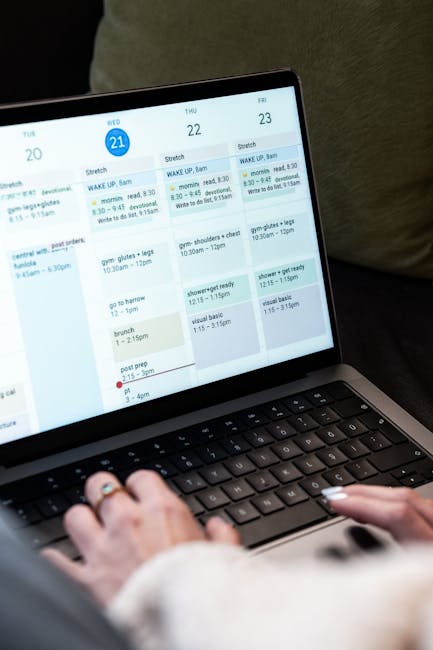
In today’s fast-paced world, managing tasks efficiently can feel overwhelming, but the right task management software can transform chaos into clarity. Imagine a tool that not only organizes your to-do list but also enhances collaboration and ensures deadlines are met with ease. This article will guide you through the top task management solutions available, highlighting their features, benefits, and how they can elevate your productivity. Whether you’re a freelancer juggling multiple projects or a team leader coordinating efforts, you’ll find the perfect software to meet your needs. Dive in to discover how to take control of your tasks and achieve your goals effortlessly.
What Is Task Management Software and Why Use It?
Task management software is a powerful tool designed to help individuals and teams organize, track, and manage their tasks effectively. It streamlines the process of planning, executing, and monitoring tasks within a project, making it easier to meet deadlines and achieve goals.
But why is task management software so essential in today’s fast-paced work environment? As projects become more complex and teams grow larger, managing tasks manually can lead to confusion and missed deadlines.
- Improves team collaboration
- Enhances productivity
- Provides clear visibility of project progress
One of the key benefits of using task management software is that it allows users to prioritize their tasks. This means you can focus on what’s most important, ensuring that critical tasks are completed on time.
Additionally, these tools often come with features like deadlines, reminders, and progress tracking, which help keep everyone accountable. Have you ever missed a deadline? With the right software, that can become a thing of the past.
| Feature | Benefit |
|---|---|
| Task Prioritization | Focus on what matters most |
| Collaboration Tools | Enhance teamwork and communication |
| Progress Tracking | Stay on top of deadlines |
Moreover, task management software can significantly reduce the time spent on administrative tasks. Instead of juggling multiple spreadsheets or sticky notes, everything is centralized in one platform. This not only saves time but also reduces the risk of errors.
For teams working remotely, these tools are invaluable. They facilitate communication and ensure everyone is on the same page, regardless of location. How often have you felt lost in a project because of a lack of communication?
- Centralized task organization
- Real-time updates and notifications
- Customizable workflows
In conclusion, investing in task management software is a smart move for any team or individual looking to enhance their productivity and efficiency. Whether you’re managing a small project or overseeing a large team, the right tools can make all the difference. Are you ready to take your task management to the next level?
Top Features to Look for in Task Management Software
Choosing the right task management software can significantly enhance your team’s productivity. But what features should you prioritize? Here are some key elements to look for.
First and foremost, user-friendly interfaces are crucial. The best task management tools should allow users to navigate effortlessly. A clean design not only makes it easier to assign tasks but also helps in tracking progress without overwhelming your team.
Another essential feature is task prioritization. This allows users to categorize tasks based on urgency or importance. With clear priorities, your team can focus on what truly matters.
- User-friendly interface
- Task prioritization
- Collaboration tools
Collaboration tools are also integral. Look for software that enables team members to communicate directly within tasks. This can reduce the need for endless email threads and keep all relevant information in one place.
Time tracking capabilities are another must-have. Being able to monitor how long tasks take can provide insights into productivity and help with future project planning. After all, understanding time spent on tasks can lead to better resource allocation.
| Feature | Benefit |
|---|---|
| User-friendly interface | Easier navigation and task management |
| Task prioritization | Focus on urgent tasks |
| Time tracking | Insights into productivity |
Integration capabilities are worth considering, too. The ability to connect your task management software with other tools like calendars or file storage can streamline your workflow. Imagine not having to switch between multiple apps!
Lastly, assess the reporting features. Good task management software should offer analytics that help you understand team performance over time. This information can be invaluable for making informed decisions about future projects.
- Collaboration tools
- Time tracking
- Integration capabilities
- Reporting features
In conclusion, when searching for task management software, prioritize features that enhance usability, collaboration, and insight. These elements not only improve efficiency but also foster a more engaged team. What features do you find most valuable in your current tools?
How to Choose the Best Task Management Software
Choosing the right task management software can significantly impact your team’s productivity. With so many options available, it’s essential to consider a few key factors before making a decision.
First, think about the specific tasks your team needs to accomplish. Are you managing complex projects or simple daily tasks? Different software caters to different needs.
- Identify your team’s workflow.
- Consider the types of tasks you handle.
- Evaluate the features you truly need.
Next, assess the usability of the software. A user-friendly interface is crucial for ensuring that all team members can easily navigate the tool. If the software is too complicated, it may lead to frustration and decreased productivity.
You should also look at the integration capabilities. Does the software work well with other tools your team already uses? Seamless integration can save time and help keep all your tasks organized.
Another important factor is the pricing model. Some task management software offers free versions or trials, while others require a subscription. Make sure to evaluate what fits within your budget while still meeting your team’s needs.
| Software | Pricing Model |
|---|---|
| Asana | Free & Paid Plans |
| Trello | Free & Paid Plans |
| Monday.com | Subscription Only |
Once you have narrowed down your options, consider testing a few different tools. Many task management software solutions offer free trials. This hands-on experience will help you determine which software aligns best with your team’s workflow.
Finally, gather feedback from your team. After all, they are the primary users of the software. Their insights can help you make a more informed decision.
In summary, choosing the best task management software involves understanding your team’s unique needs, evaluating usability and integration, and considering both pricing and user feedback.
With the right approach, you can find a tool that not only helps manage tasks effectively but also enhances overall productivity. Are you ready to streamline your team’s task management?
Benefits of Using Task Management Software for Teams
In today’s fast-paced work environment, effective task management is crucial for team success. Task management software provides tools that streamline workflows, enhance collaboration, and improve productivity. But what exactly are the benefits of using such software?
First and foremost, task management software helps teams prioritize their tasks. With a clear view of what needs to be done, users can allocate resources more effectively. This ensures that critical projects get the attention they deserve while less urgent tasks don’t fall through the cracks.
- Enhanced visibility of tasks
- Better resource allocation
- Improved team collaboration
Moreover, these tools often come with features that allow for real-time updates. This means that as tasks evolve, everyone on the team stays informed about changes. Imagine a project where all team members are on the same page, reducing the chances of miscommunication!
Another significant advantage is the ability to track time spent on tasks. Many task management software options include time-tracking features, which help users understand where their efforts are going. This can lead to better time management and more efficient workflows.
| Feature | Benefit |
|---|---|
| Real-time updates | Keeps team informed |
| Time tracking | Improves time management |
Additionally, task management software can facilitate better project planning. Users can break down projects into smaller, manageable tasks. This not only makes large projects feel less overwhelming but also allows teams to set realistic deadlines.
Have you ever felt lost in a huge project? With task management tools, you can visualize your progress and adjust your plans as needed. This adaptability is key in today’s dynamic work settings.
- Break projects into manageable tasks
- Set realistic deadlines
- Visualize project progress
Finally, many task management solutions come with integrations for other tools. Whether it’s communication apps, document storage, or calendar services, these integrations create a seamless workflow. Teams can spend less time switching between apps and more time focusing on their tasks.
In summary, task management software offers numerous benefits for teams looking to enhance their productivity and collaboration. From improved visibility and time tracking to better project planning and integrations, these tools are invaluable in today’s work landscape. Are you ready to elevate your team’s task management?
Comparison of the Best Task Management Software in 2026
In 2026, the landscape of task management software has evolved significantly. With countless options available, it can be daunting to choose the right tool for your needs. Whether you’re managing a small team or leading a large project, the right software can streamline your workflow and enhance productivity.
When comparing task management software, consider factors like usability, features, and pricing. Many tools now offer advanced capabilities such as time tracking, collaboration features, and integrations with other applications. This ensures that users can tailor their task management experience to fit their unique requirements.
- Usability: How easy is it to navigate the software?
- Features: What tools are available for task and project management?
- Pricing: Does it fit within your budget?
Let’s dive into some of the best options available.
1. Asana: This is a popular choice among teams for its intuitive interface and robust project management features. It allows users to assign tasks, set deadlines, and track progress with ease.
2. Trello: Known for its visual approach, Trello uses boards and cards to help users organize tasks. It’s great for smaller teams or personal projects.
3. Monday.com: This platform offers a highly customizable experience that can adapt to various workflows. It’s particularly useful for larger teams managing multiple projects simultaneously.
| Software | Key Features |
|---|---|
| Asana | Task assignment, deadlines, progress tracking |
| Trello | Boards, cards, visual task organization |
| Monday.com | Customizable workflows, multiple project views |
Next, consider ClickUp. This tool has gained traction for its all-in-one approach, combining task management, docs, and goals into one platform. It’s a great choice for teams looking to consolidate their tools.
Another noteworthy mention is Notion. While it’s not exclusively a task management tool, it offers flexible project management capabilities that can cater to various workflows. Many users appreciate its versatility.
What about cost? Most task management software options provide a free tier, which is perfect for small teams or individuals just starting out.
- Asana: Free for basic features, premium plans available.
- Trello: Free version with essential features; paid options for advanced tools.
- Monday.com: Offers a free trial, then various pricing tiers.
In conclusion, the best task management software for your team in 2026 will depend on your specific needs. The tools mentioned here are just a starting point. Experiment with a few to find the perfect fit for your workflow!
Free vs. Paid Task Management Software: Which Is Better?
When it comes to choosing task management software, one of the first decisions you’ll face is whether to go for a free option or invest in a paid solution. Both have their merits, but which is truly better for your needs?
Free task management software often offers basic features that can help you track tasks and manage projects. These tools are great if you’re just starting out or if your team is small. However, they can come with limitations that might hinder your productivity as your needs grow.
- Limited functionality
- Fewer integrations
- Basic reporting features
On the other hand, paid task management software usually provides a more robust set of features. You’ll find advanced tools for collaboration, reporting, and integrations that can streamline your workflow. If your team is larger or your projects are more complex, these features can be invaluable.
Consider this: How often do you find yourself needing to collaborate with others or generate reports on your team’s progress? If these tasks are frequent, investing in paid software might save you time and headaches in the long run.
| Feature | Free Software | Paid Software |
|---|---|---|
| Task Tracking | Basic | Advanced |
| Collaboration Tools | Limited | Comprehensive |
| Integrations | Few | Many |
While free tools can be a great starting point, they often lack the depth that more complex projects require. Paid options generally offer better support and more frequent updates, which can be crucial as your team grows.
It’s also worth noting that some paid task management software operates on a subscription basis. This means you can scale your investment according to your team’s needs. If your team expands or your project requirements change, you can adjust your plan accordingly.
In summary, the choice between free and paid task management software largely depends on your specific needs. If you’re just managing a few tasks, a free tool might suffice. But for teams that require more robust features and support, a paid solution often proves to be a smarter investment.
Ultimately, it’s about finding the right balance that meets your team’s needs without stretching your budget too thin. So, what will you choose?
Key Differences Between Task Management and Project Management Software
Task management software and project management software are often used interchangeably, but they serve different purposes. Understanding these differences can help you choose the right tools for your needs.
Task management software focuses on individual tasks. It’s designed to help users break down their workload into manageable components. This kind of software allows teams to assign, track, and prioritize tasks efficiently.
On the other hand, project management software encompasses a broader scope. It not only handles tasks but also manages the overall project timeline, resources, and collaboration among team members.
Here’s a quick comparison of the two:
| Feature | Task Management Software | Project Management Software |
|---|---|---|
| Focus | Individual tasks | Overall project |
| Collaboration | Limited | Extensive |
| Time Tracking | Basic | Advanced |
When considering task management software, think about the specific needs of your team. Are you looking for a simple way to assign tasks and track progress? Or do you need more robust features to manage multiple projects simultaneously?
Task management tools often include features like due dates, reminders, and simple reporting. These features help users stay on top of their tasks without overwhelming them with unnecessary complexity.
In contrast, project management software provides a comprehensive view of the project. It includes Gantt charts, resource allocation, and budget tracking. This makes it easier to see how each task fits into the larger picture.
Here’s a quick list of features commonly found in each type of software:
- Task Management Software:
- Task assignment
- Priority levels
- Progress tracking
- Project Management Software:
- Resource management
- Timeline visualization
- Collaboration tools
Ultimately, the choice between task management software and project management software depends on your specific needs. If your focus is on managing individual tasks efficiently, go for task management tools. However, if you need to oversee complex projects with multiple moving parts, project management software is the way to go.
Remember, the right software can significantly improve your team’s efficiency and productivity. So, think carefully about what features matter most to you and your team before making a decision.
How Task Management Software Improves Team Productivity
In today’s fast-paced work environment, effective task management is crucial for team productivity. Task management software serves as a powerful tool to streamline workflows and enhance collaboration. But how exactly does it boost productivity?
First, task management software enables teams to organize tasks efficiently. By centralizing task lists, team members can easily see what needs to be done, who is responsible, and deadlines. This transparency helps prevent tasks from slipping through the cracks.
- Improved visibility of tasks
- Clear assignment of responsibilities
- Enhanced deadline management
Moreover, these tools often come with features that allow for prioritization. Teams can categorize tasks by urgency or importance, helping users focus on what matters most. This prioritization can significantly reduce time wasted on less critical activities.
Another advantage is the ability to track progress in real-time. With task management software, teams can monitor how far along they are on projects. This continuous insight fosters accountability and encourages team members to stay on track.
| Feature | Benefit |
|---|---|
| Task Prioritization | Focus on high-impact tasks |
| Progress Tracking | Maintain accountability |
Additionally, many task management tools offer integrations with other software. This means that teams can connect their task lists with calendars, communication platforms, and file storage systems. Such integrations help streamline processes and reduce the need to switch between applications.
Have you ever felt overwhelmed by juggling multiple projects? Task management software can alleviate that stress by providing a clear overview of all ongoing tasks. This holistic view allows teams to allocate time and resources more effectively.
- Seamless app integrations
- Holistic project overview
- Reduced application switching
Moreover, many task management solutions offer collaborative features, such as shared task lists and comment sections. This fosters communication and allows team members to provide updates or ask questions directly within the task environment. It’s a great way to keep everyone informed without cluttering email inboxes.
In conclusion, task management software is more than just a tool for listing tasks. It enhances team productivity by providing organization, prioritization, real-time tracking, and collaboration. As teams adopt these tools, they often find themselves working more efficiently and effectively towards their goals.
Integrating Task Management Software with Other Tools
In today’s fast-paced work environment, task management software plays a crucial role in streamlining workflows. But what happens when you need more than just a standalone solution? Integrating your task management tools with other software can significantly enhance productivity and collaboration.
Imagine a scenario where your project management software syncs effortlessly with your calendar and communication tools. This integration allows team members to see deadlines in real-time and communicate effectively about ongoing tasks. It’s like having a well-oiled machine where every part works in harmony.
- Boosts team collaboration
- Enhances visibility of project timelines
- Reduces manual data entry
Many users find that integrating their task management software with tools like Slack or Microsoft Teams brings a new level of efficiency. Notifications about task updates can be sent directly to your team’s chat, ensuring everyone stays in the loop without jumping between applications.
Another great advantage is the ability to track time spent on tasks directly within your management software. By integrating time-tracking tools, users can get a clear picture of productivity and identify bottlenecks in their workflow.
| Integration Tool | Benefits |
|---|---|
| Slack | Real-time updates and notifications |
| Google Calendar | Sync deadlines with personal schedules |
| Time Tracking Tools | Monitor time spent on tasks |
Moreover, integrating your task management software with file-sharing services like Google Drive or Dropbox can streamline document collaboration. Imagine being able to attach files directly from your cloud storage to specific tasks. This way, your team can access everything they need in one place.
As you explore different integrations, keep in mind the importance of choosing tools that align with your team’s needs. Not every integration will suit every workflow, so consider what adds the most value to your task management process.
- Evaluate your current tools
- Identify gaps in your workflow
- Test integrations before full implementation
In conclusion, integrating task management software with other tools not only enhances productivity but also fosters better communication among team members. By taking the time to set up these integrations, you can create a seamless workflow that keeps everyone on track and focused on their tasks.
In conclusion, task management software serves as an invaluable tool for individuals and teams striving to enhance productivity and streamline their workflow. By providing features such as task assignment, deadline tracking, and collaboration tools, these applications empower users to stay organized and focused on their goals. Whether you are a freelancer managing multiple client projects or a large organization coordinating complex tasks across departments, the right task management software can significantly improve your operational efficiency.
As you consider the various options available, it’s essential to evaluate your specific needs and the features that will benefit you the most. Many platforms offer customizable solutions that can adapt to your unique workflow, ensuring that you can implement a system that aligns with your objectives. Additionally, the integration capabilities of these tools with other software you may already be using can further enhance your productivity, creating a seamless work environment.
Moreover, the rise of remote work has made task management software even more critical. With teams dispersed across various locations, having a centralized platform for communication and task tracking can bridge the gap and foster collaboration, ensuring that everyone stays on the same page. This adaptability not only helps in managing day-to-day tasks but also supports long-term project planning and execution.
Investing in task management software is not merely a trend; it’s a strategic move that can lead to measurable improvements in both individual and team performance. By automating routine tasks and providing clarity on responsibilities, these tools allow users to focus on what truly matters—achieving results. As you embark on your journey to find the right task management solution, remember that the goal is to enhance your productivity and make your work life more manageable. With the right software in hand, you can conquer your to-do list, meet your deadlines, and ultimately drive your success in both personal and professional realms.
Leave a Reply