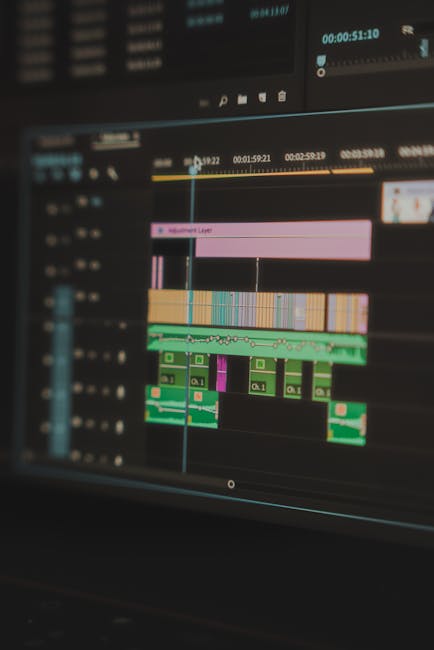
In today’s fast-paced work environment, effectively tracking project time is crucial for success. Whether you’re a freelancer juggling multiple clients or a manager overseeing a team, having the right project time tracking tools can make all the difference. This article will guide you through the best software options available, highlighting their features, pricing, and benefits, so you can choose the perfect solution to streamline your workflow and boost your team’s efficiency. Say goodbye to wasted hours and hello to productive project management!
Best Project Time Tracking Software of 2026
When it comes to project time tracking, choosing the right software can make all the difference for your team. In 2026, several options stand out, offering features that cater specifically to the needs of modern teams and users alike.
The best project time tracking software not only helps you monitor time spent on tasks but also enhances overall project management efficiency. As teams become more distributed, having a reliable tool for tracking time becomes essential.
One of the key features to look for in project time tracking software is ease of use. A user-friendly interface helps users quickly adapt to the system, reducing the learning curve. Additionally, mobile accessibility allows teams to track time on the go, which is crucial for remote work.
Here are some features to consider:
- Time entry options (manual and automatic)
- Reporting and analytics tools
- Integration with other project management tools
Another important aspect is the ability to manage multiple projects simultaneously. The best software allows users to switch between tasks seamlessly, ensuring that time tracking is accurate across all projects. This is particularly beneficial for teams juggling various deadlines and deliverables.
So, which software options should you consider? Here’s a quick overview of some of the top contenders for 2026:
| Software | Key Features |
|---|---|
| Toggl Track | One-click time tracking, reporting |
| Harvest | Invoicing, project budgeting |
| Clockify | Free plan available, team collaboration |
These tools not only simplify time tracking but also provide insights into how your team is spending their time. This can help in making informed decisions about project management and resource allocation.
The right project time tracking software can also foster accountability within teams. When users know their time is being tracked, they’re often more mindful about how they spend it.
Moreover, reporting features allow managers to analyze performance and identify bottlenecks. This can lead to better project outcomes and improved team morale.
In conclusion, investing in the best project time tracking software can significantly enhance your project management processes. As you explore your options, consider the specific features that will best support your team’s workflows and objectives.
After all, effective time tracking is not just about monitoring hours; it’s about optimizing productivity and achieving project success.
Top Features of Project Time Tracking Tools
Project time tracking tools have become essential for teams looking to optimize their workflow. With a plethora of options available, understanding the key features can help users make an informed choice.
One of the standout features of effective project time tracking tools is real-time tracking. This allows users to monitor how much time is spent on various tasks throughout the day. It’s beneficial for identifying where time is being well spent and where it may be wasted.
Another crucial feature is the ability to generate comprehensive reports. These reports can provide insights into project performance, allowing teams to analyze productivity over the month. Isn’t it helpful to see exactly how each project is progressing?
- Real-time time tracking
- Detailed reporting
- Task management integration
Many tools also offer task management capabilities. This means users can not only track time but also manage tasks within the same platform. It streamlines the workflow, making it easier for teams to stay organized.
Additionally, some project time tracking tools come with mobile applications. This feature is especially useful for teams that are often on the go. Imagine being able to log hours or check project status from anywhere!
| Feature | Benefit |
|---|---|
| Real-time tracking | Immediate insights into time spent |
| Reporting tools | Analyze productivity and performance |
| Mobile access | Track time on the go |
Integration with other tools is another feature to consider. Many project time tracking solutions allow for seamless integration with popular project management software. This ensures that tasks and time tracking are synchronized across platforms.
User-friendly interfaces are also vital. A clean, intuitive design can make a significant difference in how effectively teams adopt the tool. After all, if it’s complicated, users may shy away from using it regularly.
- Integration with project management tools
- User-friendly interface
- Customizable settings
Finally, consider customizable features. Different teams have unique needs, and a one-size-fits-all approach often falls short. Customizable settings can help users tailor the tool to their specific project requirements.
In conclusion, selecting the right project time tracking tool involves looking for these essential features. By understanding what each tool offers, teams can enhance their productivity, streamline their processes, and ultimately achieve better project outcomes. So, what features will you prioritize in your search?
How to Choose the Right Time Tracking Software
Choosing the right project time tracking software can feel overwhelming. With so many options available, how do you know which one is best for your team?
Start by identifying your specific needs. Are you managing multiple projects simultaneously? Do you need to track tasks in real-time? Understanding your requirements will help narrow down your choices.
Here are some key features to consider:
- Time tracking accuracy
- Project management capabilities
- User-friendly interface
- Integration with other tools
- Reporting and analytics
Next, think about the size of your team. Some software is designed for small teams, while others cater to larger organizations. Make sure the solution you choose can scale with your projects.
Do you have remote users? If so, look for software that offers mobile access and cloud-based solutions. This flexibility can greatly enhance productivity.
Consider the following factors when evaluating options:
| Feature | Importance |
|---|---|
| User Interface | High |
| Customer Support | Medium |
| Integration Options | High |
Once you have a list of potential software, take advantage of free trials. This allows you to test the project time tracking features firsthand.
Pay attention to how intuitive the software feels. Can your team adapt quickly? A steep learning curve can hinder productivity.
Finally, consider pricing. While it might be tempting to go for the cheapest option, think about the long-term value.
Investing in robust project management features can save your team time and money in the long run.
What works for one team might not work for another, so involve your users in the decision-making process. Their feedback can be invaluable in finding the right fit.
In summary, choosing the right time tracking software involves understanding your needs, evaluating key features, and considering user feedback. With the right tools, you can streamline your project management and enhance team productivity.
Benefits of Using Project Time Tracking Software
Project time tracking software has become essential for businesses looking to optimize their operations. With the right tools, teams can manage their time and tasks more effectively, leading to better project outcomes.
One major benefit is improved productivity. When users can see how much time they’re spending on various tasks, they can identify areas for improvement. This transparency helps teams stay focused and reduces the likelihood of time wastage.
Additionally, project time tracking provides valuable insights into team performance. By analyzing time data, managers can gauge how efficiently their teams are working on different projects. This information is crucial for making informed decisions about resource allocation.
Consider the following features that enhance productivity:
- Real-time tracking of tasks
- Automated reporting for easy analysis
- Integration with project management tools
With these features, users can streamline their workflows, ensuring that every minute spent is accounted for. This leads to better project management and ultimately, successful project completion.
Moreover, project time tracking software can help in budget management. By keeping track of time spent on tasks, teams can better estimate costs and avoid overruns. This is especially important for businesses that bill clients based on hours worked.
To illustrate this, consider a simple breakdown of time tracking benefits:
| Benefit | Description |
|---|---|
| Enhanced Accountability | Users can track their own time, fostering personal responsibility. |
| Better Time Estimates | Historical data helps improve future project time estimates. |
Another significant advantage is the ability to identify bottlenecks in workflows. If a particular task is taking longer than expected, it can signal a need for intervention. This proactive approach can save teams from potential delays.
Have you ever wondered how much time is really spent on administrative tasks? With project time tracking, you can uncover surprising insights that lead to improved efficiency.
In conclusion, using project time tracking software is a game-changer. It not only enhances productivity but also provides critical data for better decision-making. As teams become more aware of their time usage, they can optimize their processes and achieve project goals more effectively.
Comparing Project Management Software with Time Tracking
When it comes to managing projects, one critical aspect that often gets overlooked is the integration of project time tracking. Many users are searching for the best tools to help streamline their workflow. But what should you prioritize when comparing project management software?
First, consider the features offered by various platforms. A robust project management tool should provide not only task management but also time tracking capabilities. This combination allows teams to monitor how long tasks take and adjust their strategies accordingly.
- Time tracking integration
- Task assignment and management
- Reporting and analytics
Next, think about user experience. Software that is intuitive and easy to navigate can significantly enhance team productivity. If users struggle to find basic features, it can lead to frustration and inefficiency. After all, the goal is to make project management as seamless as possible.
Another important factor is the ability to customize your project workflows. Different teams have different needs, and a flexible project management tool can adapt to those requirements. Whether you’re managing a small project or a large-scale operation, being able to tailor the software to your team’s tasks can make a world of difference.
| Feature | Importance |
|---|---|
| Time Tracking | Essential for productivity |
| Task Management | Critical for organization |
Collaboration features are also vital. Look for software that facilitates communication among team members. Whether through comments, file sharing, or real-time updates, effective collaboration can enhance the overall project outcome. Are your teams working together efficiently?
Lastly, consider the reporting capabilities. A good project management tool should provide insights into time spent on tasks and overall project progress. This data can help teams make informed decisions and improve future project planning.
- Time reports
- Progress tracking
- Resource allocation
In summary, when comparing project management software with time tracking features, focus on user experience, customization, collaboration, and reporting. These elements can significantly impact how effectively your team manages tasks and time, ultimately leading to greater project success.
Free vs Paid Project Time Tracking Solutions
When it comes to project time tracking, one of the first decisions you’ll face is whether to go for a free or a paid solution. Each option has its own set of features, benefits, and limitations. Understanding these can help you choose the right fit for your team’s needs.
Free project time tracking tools often come with basic functionalities. They are great for individuals or small teams just starting out. However, they may lack advanced features like detailed reporting, integrations with other software, or support for larger teams.
On the other hand, paid project time tracking solutions typically offer a more robust set of features. These may include:
- Advanced reporting and analytics
- Team collaboration tools
- Integrations with popular project management software
- Customizable dashboards
These features can be crucial for larger teams managing multiple projects. But do you really need all of them? It depends on your specific project management needs.
Free tools can be sufficient for basic time tracking. They usually allow users to log hours and track tasks without much complexity. However, as your projects grow, you might find these tools limiting.
For instance, let’s compare some popular free and paid options:
| Feature | Free Tools | Paid Tools |
|---|---|---|
| Basic Time Tracking | Yes | Yes |
| Advanced Reporting | No | Yes |
| Integrations | Limited | Extensive |
Choosing between free and paid tools often comes down to your current project requirements and future growth. If you foresee your team expanding or your projects becoming more complex, investing in a paid solution might be the better route.
Consider also the type of tasks you need to track. Some free tools may not allow for detailed task management or time entry customization. Paid solutions, however, often excel in this area, providing users with the flexibility to tailor their tracking experience.
In summary, both free and paid project time tracking solutions have their place. If you’re just starting, a free tool might be all you need. But as your projects and teams grow, investing in a paid solution can provide the features necessary to optimize your workflow.
What will you choose for your project time tracking?
User-Friendly Project Time Tracking Software
In today’s fast-paced work environment, effective project time tracking is essential for teams of all sizes. Having a user-friendly project time tracking software can significantly enhance productivity and streamline project management. But what exactly should you look for in such software?
First, consider the features that can make your time tracking effortless. A good software should allow users to easily log hours, categorize tasks, and generate reports. This not only helps in understanding where time is spent but also aids in identifying areas for improvement.
Here are some key features to look for:
- Intuitive user interface
- Real-time tracking
- Reporting capabilities
- Integration with other tools
- Mobile accessibility
When your team can seamlessly track time, it leads to better project management. Imagine being able to see how much time is allocated to different tasks at a glance. This visibility allows for better resource allocation and helps in meeting deadlines.
Think about the importance of collaboration. A project time tracking tool should enable teams to work together effectively. Features like shared dashboards and team notifications can keep everyone on the same page.
| Feature | Benefit |
|---|---|
| Real-time tracking | Immediate visibility of time spent on tasks |
| Reporting | Analyze performance and improve efficiency |
With the right project time tracking software, users can also benefit from automated reminders. This helps teams stay accountable and ensures that no task is overlooked. How often do you find yourself forgetting to log hours? Automation can be a game-changer.
Moreover, consider the scalability of the software. As your projects grow, so do your tracking needs. A flexible solution can adapt to various project sizes and complexities, making it a long-term investment for your team.
In conclusion, choosing a user-friendly project time tracking software can transform your approach to project management. By focusing on essential features, fostering collaboration, and ensuring scalability, you can empower your team to work more efficiently. Are you ready to take your time tracking to the next level?
Project Time Tracking Software for Remote Teams
In today’s fast-paced work environment, effective project time tracking is crucial for remote teams. With team members spread across various locations, keeping tabs on time spent on tasks can be challenging. However, the right project time tracking software can bridge that gap, ensuring seamless management and productivity.
When selecting a project time tracking tool, consider the features that best suit your team’s needs. Look for software that offers intuitive time tracking, reporting capabilities, and easy integration with other project management tools. This way, users can effortlessly log their hours and monitor task progress.
- Time tracking features
- Reporting and analytics
- Integration options
One of the most significant advantages of project time tracking software is its ability to enhance accountability. Team members can see how much time they are dedicating to specific tasks and projects. This transparency encourages better time management and helps users identify areas for improvement.
Moreover, many tools allow for real-time tracking, meaning users can start and stop timers as they work. This flexibility is especially beneficial for remote teams, as it accommodates varying work styles and schedules. But how do you choose the right one?
| Feature | Benefit |
|---|---|
| Real-time tracking | Immediate insights into task progress |
| Reporting tools | Data-driven decisions based on time usage |
Another essential aspect of project time tracking software is its reporting capabilities. Users can generate detailed reports that reflect how time is spent across different projects. This not only aids in evaluating team performance but also helps in forecasting future project timelines and budgets.
When teams can visualize their time allocation, it becomes easier to identify bottlenecks and redistribute workloads as necessary. This leads to a more balanced approach to project management, ensuring that no one team member is overwhelmed.
- Visualize time allocation
- Identify bottlenecks
- Redistribute workloads
Lastly, consider the user experience of the project time tracking software. A user-friendly interface can significantly enhance adoption rates among team members. If the software is easy to navigate, users are more likely to engage with it consistently.
In conclusion, investing in the right project time tracking solution can empower remote teams to manage their time effectively. With the right features, reporting tools, and user experience, these tools can transform how teams approach their projects and tasks. So, what are you waiting for? Explore your options today!
Top 10 Project Management Tools with Time Tracking
Project time tracking is essential for teams aiming to optimize their workflow. With the right tools, you can gain insights into how much time is spent on various tasks, ensuring that every minute counts. Below, we explore ten of the best project management tools that come equipped with robust time tracking features.
1. Trello
Trello is a popular choice among teams for its visual project management approach. With its time tracking integrations, users can easily monitor how long tasks take. It’s perfect for teams looking to enhance productivity through clear organization.
2. Asana
Asana offers a comprehensive platform for project management with built-in time tracking features. Users can break down projects into manageable tasks and track time spent on each. This allows for better resource allocation and deadline management.
3. Monday.com
Monday.com excels in flexibility and customization. Its time tracking capabilities help teams keep a close eye on project timelines. Users appreciate the visual dashboards that make tracking progress straightforward and engaging.
| Tool | Key Feature |
|---|---|
| Trello | Visual task management |
| Asana | Task breakdown and time tracking |
| Monday.com | Customizable workflows |
4. ClickUp
ClickUp is an all-in-one project management tool that includes time tracking as part of its feature set. This allows users to manage tasks while simultaneously keeping tabs on time spent. It’s a great option for teams that juggle multiple projects.
5. Basecamp
Basecamp focuses on simplicity and collaboration. Its time tracking feature helps users log hours spent on tasks, making it easy to see who’s working on what. This transparency fosters accountability within teams.
6. Wrike
Wrike offers powerful project management with detailed time tracking capabilities. Users can create tasks, assign them, and track time all in one place. This tool is particularly beneficial for teams that require extensive reporting.
7. Zoho Projects
Zoho Projects combines project management with time tracking and reporting. Users can easily log hours and generate reports to analyze productivity. Its user-friendly interface makes it accessible for teams of all sizes.
8. Teamwork
Teamwork is designed for collaboration and efficiency. Its time tracking feature allows users to log hours directly on tasks. This integration helps teams stay on schedule and within budget.
9. Smartsheet
Smartsheet blends project management with the power of spreadsheets. Its time tracking capabilities enable teams to monitor progress and resource allocation effectively. This tool is ideal for users who prefer a data-driven approach.
10. Harvest
While Harvest is primarily a time tracking tool, it integrates seamlessly with many project management platforms. Users can track time spent on tasks and projects, making it an excellent addition to any workflow.
- Each tool offers unique features tailored to different team needs.
- Consider your team’s specific requirements before choosing a tool.
- Effective project time tracking can significantly boost productivity.
Choosing the right project management tool with time tracking capabilities can transform how your team works. By leveraging these tools, you ensure that every project is not only completed on time but also optimized for efficiency. Have you considered which tool aligns best with your team’s workflow?
In conclusion, effective project time tracking is not just a luxury but a necessity for businesses aiming to optimize their operations and enhance productivity. By implementing robust time tracking tools and methodologies, organizations can gain valuable insights into how resources are allocated and where improvements can be made. This heightened awareness fosters a culture of accountability, enabling teams to meet deadlines more consistently and reduce the risk of project overruns. Moreover, with the right project time tracking solution, companies can streamline their workflows, making it easier to identify bottlenecks and adjust strategies in real-time. As remote work becomes increasingly prevalent, investing in technology that supports seamless time tracking is essential for maintaining efficiency, ensuring that all team members remain aligned and focused on their goals. Ultimately, the benefits of project time tracking extend beyond simple time management; they pave the way for better decision-making, enhanced client satisfaction, and increased profitability. By embracing these practices, businesses can not only survive but thrive in an ever-evolving landscape, positioning themselves for long-term success.
Leave a Reply