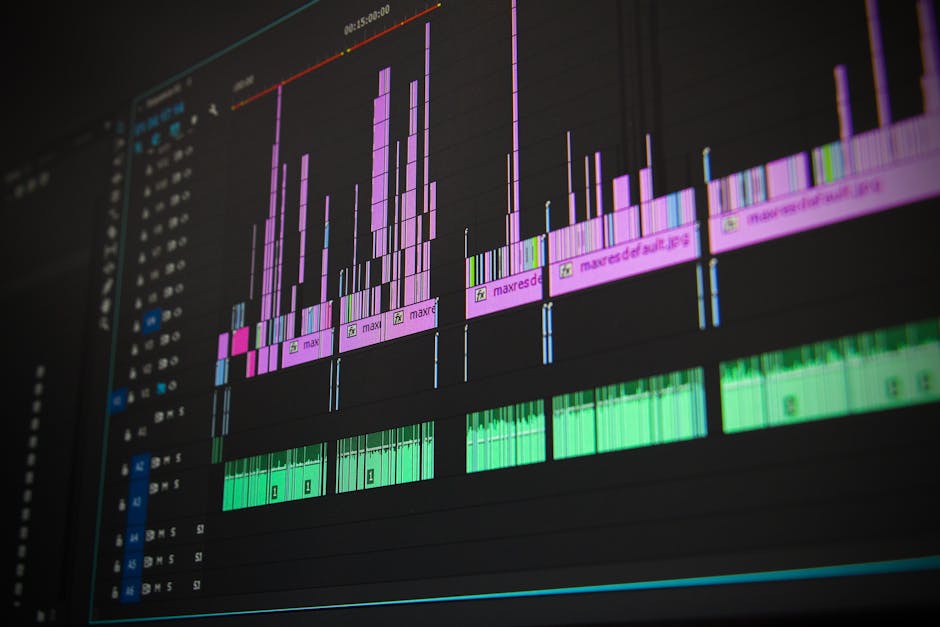
In an era where time is money, effective project scheduling tools have become essential for teams striving to meet deadlines and manage resources efficiently. Whether you’re a project manager overseeing multiple tasks or a team member coordinating efforts, the right scheduling software can transform chaos into clarity, allowing you to focus on what truly matters. This article will explore the top project scheduling tools available, highlighting their unique features, benefits, and how they can elevate your project management game. Get ready to unlock your team’s potential and deliver projects on time and within budget!
What Are Project Scheduling Tools and Their Benefits?
Project scheduling tools are essential for effective project management. They help teams plan, execute, and monitor tasks efficiently, ensuring that deadlines are met and resources are allocated wisely. But what exactly are these tools, and how can they benefit your projects?
At their core, project scheduling tools allow you to visualize your project timeline. They provide a structured way to break down tasks, assign responsibilities, and track progress. This clarity can be a game-changer for teams, especially those juggling multiple projects at once.

One of the main benefits of using project scheduling tools is improved time management. With a clear schedule, teams can prioritize tasks effectively, ensuring that critical milestones are not overlooked. This leads to more efficient workflows and helps avoid last-minute rushes.
Additionally, these tools often come with features like Gantt charts, which provide a visual representation of the project timeline. This makes it easier to see how tasks interconnect and how delays in one area can affect the overall project.
- Enhanced visibility into project timelines
- Better resource allocation
- Improved team collaboration
Another significant advantage of project scheduling tools is their ability to foster collaboration among team members. When everyone has access to the same scheduling information, communication improves, and team members can easily coordinate their efforts. This collaborative environment can lead to a more motivated and engaged team.
Moreover, many project scheduling tools integrate with other software, like task management and communication platforms. This integration streamlines processes and keeps everyone on the same page, regardless of their location.
| Feature | Benefit |
|---|---|
| Gantt Charts | Visualize project timelines |
| Task Assignments | Clarify responsibilities |
| Progress Tracking | Monitor project health |
Ultimately, the right project scheduling tool can significantly impact your project’s success. By choosing a tool that fits your team’s needs, you can enhance productivity and ensure that your projects are delivered on time and within budget.
So, are you ready to streamline your project management processes? Embracing project scheduling tools might just be the key to unlocking your team’s potential!
Key Features of Effective Project Scheduling Tools
Effective project scheduling tools are essential for successful project management. They help teams organize tasks, allocate resources, and track progress. But what should you look for in these tools to ensure they meet your needs?
First and foremost, user-friendly interfaces are crucial. A tool that is easy to navigate allows team members to focus on their tasks rather than struggling with software. Look for intuitive dashboards that provide a clear overview of ongoing projects.
Another key feature is task prioritization. Effective project scheduling tools should allow you to rank tasks based on urgency and importance. This ensures that your team knows what to focus on first, maximizing productivity.
- User-friendly interface
- Task prioritization
- Collaboration features
Collaboration features are vital for any project management tool. These allow teams to communicate seamlessly, share updates, and collaborate in real-time. Whether it’s through comments, file sharing, or integrated chat systems, effective communication can significantly enhance project outcomes.
Additionally, integration capabilities should not be overlooked. The best project scheduling tools can connect with other software your team already uses. This could include time-tracking tools, customer relationship management (CRM) systems, or financial software. Integration saves time and reduces the hassle of switching between different platforms.
When evaluating project scheduling tools, consider their reporting capabilities. Detailed reports on project progress, resource allocation, and team performance provide valuable insights. These reports can help in making informed decisions and adjustments as needed.
Another important feature is the ability to set deadlines and reminders. Timely notifications help keep tasks on track and ensure that nothing falls through the cracks. This is especially important in fast-paced environments where multiple projects are running simultaneously.
| Feature | Benefit |
|---|---|
| User-Friendly Interface | Reduces learning time and increases efficiency |
| Task Prioritization | Helps teams focus on critical tasks |
| Collaboration Tools | Enhances team communication and cooperation |
Lastly, consider the scalability of the project scheduling tool. As your projects grow and evolve, you need a solution that can adapt to your changing needs. A scalable tool can handle more complex projects and larger teams without compromising functionality.
In summary, effective project scheduling tools should offer a user-friendly interface, task prioritization, collaboration features, integration capabilities, robust reporting, deadline reminders, and scalability. Choosing the right tool can make all the difference in managing your projects efficiently and effectively.

7 Best Project Scheduling Tools for 2025 Reviewed
When it comes to managing projects effectively, choosing the right project scheduling tools can make all the difference. In 2025, the landscape of project scheduling is evolving, with innovative software designed to help teams streamline their tasks and enhance productivity. Let’s explore some of the best options available.

One standout tool is Asana. Known for its user-friendly interface, Asana allows teams to organize tasks, set deadlines, and visualize project timelines seamlessly. With features like task dependencies and calendar views, it’s an excellent choice for both small and large teams.
Next up is Trello. This tool employs a card-based system that’s perfect for visual learners. You can easily move tasks across different stages of your project, making it simple to track progress. Plus, its integration capabilities with other software enhance its functionality.
| Tool | Key Features |
|---|---|
| Asana | Task dependencies, calendar view |
| Trello | Card-based organization, drag-and-drop interface |
Another excellent tool is Microsoft Project. This software has long been a go-to for project managers, offering robust scheduling capabilities and detailed reporting features. It’s particularly beneficial for complex projects that require thorough oversight.
Wrike is also worth mentioning. This tool combines project management and scheduling in one platform, allowing teams to collaborate in real time. With its powerful analytics features, you can track project progress and make data-driven decisions.

When evaluating project scheduling tools, consider the following features:
- Task assignment and tracking
- Collaboration tools for teams
- Integration with other software
- Customizable dashboards
ClickUp is another emerging favorite. It’s a versatile tool that adapts to various project management styles, from Agile to Waterfall. Its all-in-one approach means you can manage tasks, documents, and goals without switching platforms.
Lastly, we have Monday.com. This platform is highly visual and customizable, making it ideal for teams that prefer a tailored approach to project scheduling. Its automation features can save time and reduce manual errors.
| Tool | Ideal For |
|---|---|
| Microsoft Project | Complex project oversight |
| Wrike | Real-time collaboration |
| ClickUp | Versatile project management |
| Monday.com | Customizable workflows |
In conclusion, the right project scheduling tools can transform how your teams manage tasks and deadlines. By investing in software that aligns with your project needs, you can enhance productivity and ensure successful project outcomes. Which tool will you try first?
Comparing Project Scheduling Tools: A Comprehensive Guide
When it comes to managing projects, choosing the right project scheduling tools can make all the difference. These tools help teams organize tasks, allocate resources, and track progress efficiently. But with so many options available, how do you know which one is right for you?
First, consider the features that are essential for your project management needs. Some tools offer robust Gantt charts, while others focus on simple task lists. Depending on your team’s workflow, you might prioritize real-time collaboration features or mobile accessibility.
- Gantt charts for visual timelines
- Task dependencies to manage workflow
- Integration with other software
- Time tracking capabilities
Next, think about the size of your team and the complexity of your projects. A small team might thrive with a straightforward tool that covers basic scheduling, while larger teams may require advanced project scheduling tools that can handle multiple projects and complex timelines.
It’s also worth noting the user experience. A tool that is intuitive and easy to navigate can save your team significant time during onboarding and daily use. After all, the goal is to streamline your project management process, not complicate it.
| Project Scheduling Tool | Key Features |
|---|---|
| Asana | Task management, timelines, integrations |
| Trello | Kanban boards, task cards, collaboration |
| Microsoft Project | Gantt charts, resource management, reporting |
Still unsure which tool to choose? You might want to take advantage of free trials. Many project scheduling tools offer trial periods that allow you to test their features. This hands-on experience can help you determine if the software aligns with your team’s needs.
Moreover, consider the long-term costs. Some tools charge per user, while others have a flat fee. Understanding your budget and how it aligns with the pricing structure of the tools you’re considering is critical.

Finally, don’t forget to involve your team in the decision-making process. Their feedback can be invaluable, as they are the ones who will use the tool daily. A project scheduling tool that everyone feels comfortable with can greatly enhance productivity and team morale.
In conclusion, the right project scheduling tools can transform how your team manages tasks and projects. By evaluating features, user experience, and cost, you can make an informed decision that ultimately leads to successful project execution. Happy scheduling!
How AI is Transforming Project Scheduling Tools
The landscape of project scheduling tools is rapidly evolving, largely thanks to advancements in artificial intelligence. AI is not just a buzzword; it’s becoming a game-changer in how teams manage their projects and tasks. By automating routine scheduling processes, AI allows project managers to focus on strategic decision-making rather than getting bogged down in administrative tasks.
Imagine having a tool that can predict project timelines based on historical data. AI algorithms analyze past project performances to provide insights on how long similar tasks might take in the future. This predictive capability helps teams allocate time more effectively and avoid common scheduling pitfalls.
- Automated task prioritization
- Real-time resource allocation
- Enhanced collaboration features
AI-driven project scheduling tools offer features that enable teams to stay aligned on their objectives. For instance, these tools can automatically adjust timelines when a task is delayed, ensuring that all team members are aware of the changes. This flexibility is crucial for maintaining project momentum and meeting deadlines.
Additionally, AI can help in resource management. By analyzing team workloads and availability, these tools suggest optimal resource allocation, reducing the chances of burnout and enhancing productivity.
The integration of AI in project scheduling tools also leads to improved communication among teams. With features like automated updates and notifications, everyone stays in the loop, reducing the chances of miscommunication. This is vital in today’s fast-paced work environments where teams often work remotely.
Moreover, AI can analyze team performance metrics and provide feedback, helping project managers identify areas for improvement. This data-driven approach fosters a culture of continuous improvement and accountability within teams.
| AI Features | Benefits |
|---|---|
| Predictive analytics | Improves accuracy in scheduling |
| Automated task updates | Enhances team communication |
| Resource optimization | Reduces burnout risks |
As we look to the future, the role of AI in project scheduling tools will only grow. The ability to streamline processes, enhance collaboration, and provide actionable insights is invaluable.
Are you ready to embrace these transformative tools? With so many options available, it’s essential to choose the right project scheduling tool that fits your team’s needs. The right software can make all the difference in achieving your project goals efficiently.
Top Calendar-Centric AI Scheduling Tools for Teams
In today’s fast-paced work environment, effective project scheduling tools are essential for teams to stay organized and on track. Calendar-centric AI scheduling tools have emerged as game-changers, enabling teams to manage their time and tasks more efficiently. Let’s dive into some of the top options available.

These tools not only help in planning projects but also facilitate collaboration among team members. With features like automated reminders, integration with other software, and real-time updates, they streamline the scheduling process.
Here are some key features to look for in project scheduling tools:
- Integration with existing software
- AI-driven task prioritization
- Visual calendars and timelines
One standout tool is Asana, which offers a robust project management platform with a calendar view. Teams can easily assign tasks, set deadlines, and track progress. The intuitive interface makes it simple to visualize project timelines.
Another great option is Trello. Its card-based system allows teams to manage tasks flexibly while keeping an eye on deadlines. Trello integrates with various apps, making it a versatile choice for teams of all sizes.
| Tool | Key Feature |
|---|---|
| Asana | Calendar view for task management |
| Trello | Card-based task management |
Next up is Monday.com, which combines project management and scheduling seamlessly. With its customizable dashboards, teams can tailor their views to focus on what matters most. This flexibility makes it easier to adapt to changing project requirements.
Then there’s ClickUp, which is known for its comprehensive feature set. It allows teams to manage tasks, documents, and goals all in one place. The built-in calendar helps teams stay on top of deadlines, making it an excellent choice for those who juggle multiple projects.
So, what should you consider when choosing a scheduling tool? Look for ease of use, integration capabilities, and the specific features that align with your team’s workflow.
In conclusion, the right project scheduling tools can significantly enhance your team’s productivity and collaboration. By investing in the right software, you can ensure that your projects are completed on time and within budget. Remember, the right tool is just a click away!
Comprehensive Project Management Platforms with Scheduling Features
In today’s fast-paced business environment, effective project scheduling tools are essential for any team aiming to enhance productivity. These platforms integrate various features that streamline the management of tasks, resources, and timelines. But what exactly should you look for in a comprehensive project management platform?
One of the most critical aspects is the ability to visualize project timelines. Gantt charts, for instance, provide a clear view of project schedules, allowing teams to track progress at a glance. Additionally, intuitive dashboards can help team members stay updated on their tasks and deadlines.
When evaluating project scheduling tools, consider the following features:
- Task assignment and tracking
- Resource allocation
- Real-time collaboration
- Integration with other software
These features not only facilitate better management of individual tasks but also enhance team collaboration. Imagine a scenario where everyone can see who is responsible for what, reducing the chances of miscommunication and ensuring that deadlines are met.
Moreover, the ability to adjust schedules dynamically is vital. Projects often encounter unexpected hurdles. Having a tool that allows you to shift timelines and tasks seamlessly can be a game-changer for your team.
| Feature | Benefit |
|---|---|
| Gantt Charts | Visual timeline tracking |
| Real-time Updates | Immediate task status visibility |
| Team Collaboration Tools | Enhanced communication |
As you explore various project scheduling tools, think about how these features can directly impact your team’s efficiency. A platform that offers strong integration capabilities can also be a major asset. It allows you to connect with other software your team already uses, creating a seamless workflow.
Don’t underestimate the importance of user experience. A tool that is easy to navigate can significantly reduce the learning curve for team members. After all, if your team spends more time figuring out how to use the software than actually managing their tasks, it defeats the purpose.

Ultimately, the right project management platform with scheduling features can transform how your team operates. By choosing a tool that aligns with your specific needs, you can ensure that your projects are completed on time and within budget. Whether you’re managing a small team or a large organization, investing in quality project scheduling tools is a step towards success.
Understanding the Importance of Effective Project Scheduling
Effective project scheduling is a cornerstone of successful project management. Without it, even the best plans can fall apart. The right project scheduling tools can transform how teams manage their tasks and time, leading to more efficient workflows and better outcomes.
When you think about project scheduling, consider it as the roadmap for your project. It outlines when tasks should be completed and who is responsible for each task. This clarity helps teams stay on track, ensuring that everyone is aligned and aware of their responsibilities.
Why is project scheduling so critical? For starters, it allows teams to allocate resources effectively. When tasks are scheduled properly, it becomes easier to identify potential bottlenecks and address them before they escalate.
Here are some key features that make project scheduling tools essential:
- Task assignment and delegation
- Time tracking and management
- Visual timelines and Gantt charts
- Collaboration tools for teams
Effective scheduling also enhances communication among team members. When everyone knows the timeline and their specific tasks, it reduces confusion and fosters a collaborative environment. This communication is vital for maintaining momentum and ensuring that projects are completed on time.
Consider the impact of poor scheduling. Delays can lead to increased costs and frustration among team members. In contrast, a well-structured schedule can help keep projects on track, allowing teams to meet deadlines and achieve their goals.
| Impact of Poor Scheduling | Benefits of Effective Scheduling |
|---|---|
| Increased costs | Cost savings |
| Frustration among team members | Enhanced team morale |
| Missed deadlines | On-time project delivery |
In conclusion, effective project scheduling is not just about creating a timeline. It’s about ensuring that all team members are aligned, tasks are clearly defined, and resources are utilized efficiently. The right project scheduling tools can make a significant difference in achieving project success.
So, are you ready to explore the best project scheduling tools available? They might just be the game-changer your team needs.
Best Practices for Using Project Scheduling Tools
Using project scheduling tools effectively can transform the way teams manage their tasks and time. But how can you make the most of these tools? Here are some best practices to consider.
First, ensure that all team members are trained on the software. A tool is only as good as its users. If everyone understands how to utilize the features, your project scheduling will be more efficient. Regular training sessions can help keep everyone in the loop.
Additionally, make it a habit to update your project schedules regularly. Stale data can lead to confusion and miscommunication. By keeping schedules current, you empower your teams to make informed decisions and adjust their strategies as needed.
- Train your team on the tool’s features.
- Update schedules frequently.
- Encourage open communication about tasks.
Next, consider using a centralized platform where all project-related information is stored. This not only enhances visibility but also fosters collaboration among team members. When everyone can see the same data, it reduces the chances of misalignment.
Another important practice is to break projects into manageable tasks. Large projects can be overwhelming, but when you divide them into smaller tasks, it becomes easier to track progress and assign responsibilities. This approach also helps in setting realistic deadlines.
| Task | Deadline |
|---|---|
| Design Phase | March 15 |
| Development Phase | April 30 |
Regularly review your project schedules with your team. This encourages accountability and ensures that everyone is aware of their responsibilities. Plus, it provides an opportunity to adjust timelines based on any new developments.
Incorporating these best practices will not only enhance your project management but also improve team dynamics. Are your scheduling tools helping you achieve your project goals? If not, it might be time to reassess your approach.
In conclusion, the importance of project scheduling tools cannot be overstated in today’s fast-paced and ever-evolving work environment. These tools not only streamline project management processes but also enhance collaboration among team members, ensuring that everyone is aligned and working towards the same goals. By utilizing project scheduling tools, organizations can gain better visibility into their workflows, allowing for more accurate forecasting and resource allocation. This leads to increased productivity and ultimately, successful project outcomes.
As you explore the various options available, consider the unique needs of your team and the specific challenges you face in your projects. Whether you opt for a simple Gantt chart tool or a comprehensive project management suite, the right scheduling tool can transform the way you approach project planning and execution. Remember, the key is to select a solution that not only fits your current requirements but also scales with your organization as it grows.
Moreover, staying abreast of the latest trends in project management can provide additional insights into how to leverage these tools effectively. As new features and functionalities are developed, embracing innovation will enable you to stay competitive and responsive to changing project demands. Training your team on how to utilize these tools to their fullest potential will also maximize the return on your investment, ensuring that everyone can contribute effectively to the project’s success.
Ultimately, adopting the right project scheduling tools is about enhancing efficiency, fostering communication, and driving results. By prioritizing the use of these tools, you set your projects up for success, allowing for smoother execution and the capability to adapt to any unforeseen challenges. As you move forward in your project management journey, remember that the right tools can empower your team to not only meet deadlines but to exceed expectations, paving the way for future success.
Leave a Reply