
Managing project expenses can often feel like navigating a minefield, where unexpected costs can derail even the best-laid plans. A reliable project expense tracker not only helps you stay organized but also empowers you to make informed decisions that keep your projects on track and within budget. In this article, we’ll explore the best tools and templates available for effective expense tracking, providing you with the insights needed to maximize your project‘s financial health. Whether you’re a seasoned project manager or new to the field, our comprehensive guide will equip you with the strategies and resources to ensure your project’s success. Get ready to take control of your project expenses and achieve your goals with confidence!
Top 8 Project Expense Tracker Software in 2025
In 2025, managing project costs effectively is more crucial than ever. The right project expense tracker can streamline your budgeting process and keep your expenses in check. Here’s a look at eight top software solutions that can help you track your project expenses seamlessly.
1. Trello
Trello is not just for task management; it also offers powerful expense tracking features. With its customizable templates, you can easily set up a project budget and monitor costs. The visual layout makes it simple to see where your money is going.
2. Asana
Asana integrates expense tracking with project management. You can create tasks for each expense and assign budgets to ensure you stay within limits. It’s a great tool for teams that need to collaborate on budgeting.
3. Monday.com
This platform offers a robust project expense tracker that allows for detailed tracking of costs. You can create visual dashboards to monitor your budget in real-time. Plus, it supports various templates to suit different project needs.

4. Zoho Projects
Zoho offers a comprehensive solution for project management and expense tracking. It provides tools to create budgets, track expenses, and generate reports. The integration with other Zoho apps makes it a versatile choice.
5. QuickBooks
QuickBooks is a well-known financial management tool that includes project expense tracking. You can easily input expenses and monitor your budget over time. Its reporting features are particularly useful for analyzing project costs.
6. Smartsheet
Smartsheet combines project management with expense tracking capabilities. You can use templates to set budgets and track spending. The collaboration features also allow teams to stay updated on financial matters.
| Software | Key Features |
|---|---|
| Trello | Customizable templates, visual layout |
| Asana | Task integration, collaborative budgeting |
| Monday.com | Visual dashboards, real-time tracking |
7. Xero
Xero is another financial tool that excels in tracking project expenses. It allows users to set budgets and monitor various costs associated with projects. Plus, its user-friendly interface makes it easy to navigate.
8. Wrike
Wrike offers an all-in-one solution for project management and expense tracking. You can create detailed budgets, track expenses, and even analyze financial performance. The reporting tools are particularly beneficial for larger teams.
In conclusion, choosing the right project expense tracker can significantly impact your project’s success. Each of these software options offers unique features tailored to help you manage your project costs effectively. Whether you need simple tracking or advanced reporting, there’s a solution out there for you. Have you found the right tool for your project needs yet?
Free Project Cost Templates for Effective Tracking
Keeping track of project expenses can be a daunting task. However, with the right project expense tracker, you can simplify the process and ensure that your budget remains on track. Free project cost templates are an excellent resource for project managers and teams looking to manage their expenses effectively.
These templates allow you to monitor costs in real-time, enabling you to make informed decisions as the project progresses. Imagine being able to visualize where your money is going! A well-structured template can help you categorize expenses, track budget allocations, and highlight potential overruns before they become a problem.
Here are some benefits of using free project cost templates:
- Easy to customize for your specific project needs
- Helps in accurate tracking of expenses
- Reduces the risk of overspending
- Enhances team collaboration by sharing a common document

When selecting a template, consider what features are most important for your project. Do you need to track ongoing costs, or are you focusing on a specific budget period? Some templates are designed for Excel, making them easy to edit and manipulate. Others might be available in Google Sheets or other formats, offering flexibility based on your team’s preferences.
A great project expense tracker template will typically include sections for:
| Section | Purpose |
|---|---|
| Expense Categories | Organizes costs by type |
| Budget Allocation | Sets limits for each category |
| Actual vs. Planned Costs | Tracks deviations from budget |
With these sections, you’ll have a comprehensive view of your project’s financial health. It’s essential to update your tracker regularly to reflect any changes in expenses or budget adjustments. This practice not only keeps your team informed but also helps stakeholders understand the financial landscape of the project.
Have you ever felt overwhelmed by the sheer volume of expenses? A good template can alleviate that stress. By providing a clear structure, it allows you to focus on what truly matters: the successful completion of your project.
Don’t forget to leverage online resources, where you can find a variety of free project cost templates tailored to different industries. Whether you’re in construction, IT, or marketing, there’s likely a template that fits your specific needs.
So, why not take advantage of these free tools? Start tracking your project expenses today, and watch how it transforms your project management experience.
How to Track Project Expenses & Costs Efficiently
Tracking project expenses and costs is crucial for effective budget management. Whether you’re managing a small team or a large organization, having a reliable project expense tracker can make all the difference. But how do you ensure you’re tracking everything efficiently?
First, start by identifying all the costs associated with your project. This includes direct expenses like materials and labor, as well as indirect costs such as overhead. By categorizing these expenses, you can gain a clearer understanding of where your budget is going.
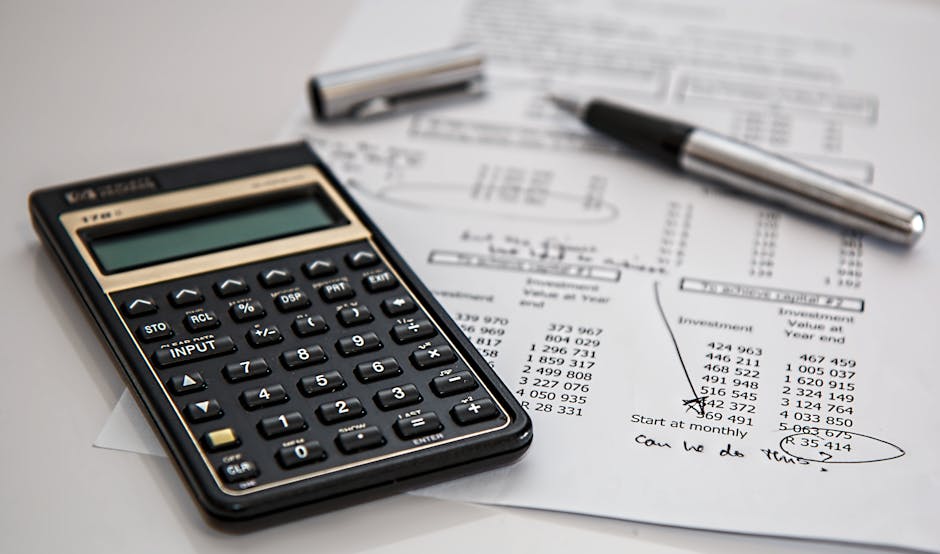
Next, consider using a project expense tracker template. Templates can streamline the tracking process, allowing you to enter data quickly without starting from scratch. Many templates are available online, tailored for different types of projects, so you can find one that suits your needs.
- Simple Excel templates for small projects
- Advanced software solutions for larger teams
- Customizable options for specific industries
Once you have your template, it’s time to input your data. Regularly update your project costs to reflect any changes. This will help you stay on top of your budget and avoid overspending. Remember, timely updates are key to effective tracking.
But what if you’re not sure how to categorize your expenses? Here’s a simple table to help you:
| Expense Type | Examples |
|---|---|
| Direct Costs | Materials, Labor |
| Indirect Costs | Overhead, Utilities |
With your expenses categorized and tracked, you can analyze your spending patterns. This analysis can help you make informed decisions about resource allocation and identify areas where you can cut costs. Are you spending too much on certain aspects of your project?
Finally, consider using digital tools to enhance your tracking. Many project management software options offer built-in expense tracking features. These tools can automate calculations, generate reports, and provide insights into your project’s financial health.

In summary, tracking project expenses and costs efficiently requires a systematic approach. Utilize templates, categorize your expenses, and leverage technology to streamline the process. With the right tools and practices, you can ensure your project stays within budget and achieves its financial goals.
Project Expense Tracking: Best Practices for Success
Effective project expense tracking is crucial for maintaining a healthy budget and ensuring project success. By keeping a close eye on costs and expenses, you can make informed decisions throughout the project lifecycle. But where do you start?
First, consider using a reliable project expense tracker template. A well-structured template can streamline your tracking process and help you monitor expenses in real-time. Whether you prefer Excel or a specialized software solution, having a template in place is a game changer.
Next, establish a clear budget at the project’s outset. This involves estimating costs for labor, materials, and any unforeseen expenses. By outlining these costs upfront, you create a financial roadmap that guides your spending.
Consider these key elements when setting your budget:
- Labor costs
- Material costs
- Contingency funds
Tracking expenses against your budget will provide insights into where you stand financially. Remember, regular monitoring is essential. Aim to review your expenses weekly or bi-weekly to catch any discrepancies early.
Another best practice is to categorize your expenses. By grouping similar costs-like materials, labor, and overhead-you can identify areas where you might be overspending. This categorization not only simplifies your tracking but also helps you make adjustments as necessary.
| Expense Category | Description |
|---|---|
| Labor | Costs associated with employee hours |
| Materials | Physical items needed for the project |
Lastly, leverage technology. There are numerous tools available that can assist in project expense tracking. From dedicated apps to advanced Excel templates, these resources can help automate calculations and provide visual representations of your spending.
Have you thought about how automation can save you time? By utilizing these tech solutions, you can focus more on project management rather than getting bogged down in spreadsheets.
In conclusion, effective project expense tracking hinges on a solid template, a well-defined budget, and the right tools. By following these best practices, you’ll be well on your way to managing your project costs successfully. Remember, the key to effective expense management is not just tracking but also making informed decisions based on the data you gather.
Key Components of a Project Expense Tracking Template
When managing a project, keeping track of expenses is crucial. A well-structured project expense tracker helps ensure you stay within budget while providing insights into where your money is going. So, what are the key components that make up an effective project expense tracking template?
First, you’ll want to include sections for project details. This includes the project name, start and end dates, and the project manager’s contact information. Having this information readily available helps in organizing your expenses and understanding the context of your costs.
Next, consider a section dedicated to expense categories. Categorizing expenses-such as labor, materials, and overhead-allows for better analysis of where your funds are allocated. This can be especially useful for identifying areas where you might be overspending.
- Project Name
- Start and End Dates
- Project Manager Contact
Additionally, you should have a budget overview section. This is where you can outline your total budget and compare it against actual expenses. Establishing a clear budget helps you set financial boundaries and provides a reference point for evaluating your expenses.
Furthermore, a cost tracking table is essential. This table should include columns for the date, description of the expense, category, amount spent, and payment method. By regularly updating this table, you can easily monitor your spending and ensure it aligns with your budget.
| Date | Description | Category | Amount | Payment Method |
|---|---|---|---|---|
| 01/01/2023 | Office Supplies | Materials | $150 | Credit Card |
Another important component is receipt tracking. Attach digital copies or links to receipts within your template. This not only helps in keeping your records organized but also simplifies the process during audits or when reviewing expenses later.
Lastly, incorporating a summary section can be beneficial. This section can highlight total expenses by category and provide an overall view of your financial standing. It can also include visual representations, like charts or graphs, to make the data more digestible.

In summary, an effective project expense tracking template should encompass project details, expense categories, a budget overview, cost tracking tables, receipt tracking, and a summary section. By incorporating these components, you’ll be well-equipped to manage your project expenses efficiently and effectively.
Benefits of Using a Project Expense Tracking Template
Using a project expense tracking template can significantly enhance your project management capabilities. It provides a structured way to monitor costs, ensuring you stay within budget. Why struggle with manual calculations when a template can simplify the process?
A well-designed template allows you to easily input your expenses, categorize them, and analyze spending patterns. This not only saves time but also minimizes errors that can occur with manual entries. Imagine having a clear overview of your project costs at your fingertips!
- Streamlined expense tracking
- Improved budget management
- Enhanced financial visibility
Furthermore, using a project expense tracker can help you identify areas where you might be overspending. With a template, you can quickly see which categories are consuming more resources than planned. This insight allows for timely adjustments to keep your project on track.
Additionally, many templates come with built-in formulas, especially in Excel, making it easy to calculate totals and averages automatically. This feature is a game changer for those managing multiple projects at once.
| Feature | Benefit |
|---|---|
| Automated Calculations | Reduces manual errors |
| Categorization | Easier tracking of spending |
In conclusion, a project expense tracking template is not just a tool; it’s a strategic asset. By utilizing it, you gain better control over your project finances, ensuring that you can deliver results without unexpected financial surprises. Are you ready to take your project management to the next level?
In conclusion, a project expense tracker is an invaluable tool for anyone looking to gain control over their project finances. By systematically tracking expenses, you not only enhance your budgeting capabilities but also improve your overall project management. The ability to visualize spending patterns, identify potential cost overruns, and ensure that resources are allocated efficiently can make a significant difference in the success of any project. Whether you choose to utilize a simple spreadsheet or invest in sophisticated project management software, the key is to find a solution that fits your specific needs and workflow. Remember that the earlier you start tracking your expenses, the better prepared you will be to make informed decisions that can lead to successful project outcomes. So, take the time to implement a project expense tracker today and watch how it transforms your approach to managing finances, allowing you to focus more on delivering quality results and achieving your project goals. By embracing this essential practice, you position yourself for not only immediate success but also long-term growth and sustainability in your projects.
Leave a Reply