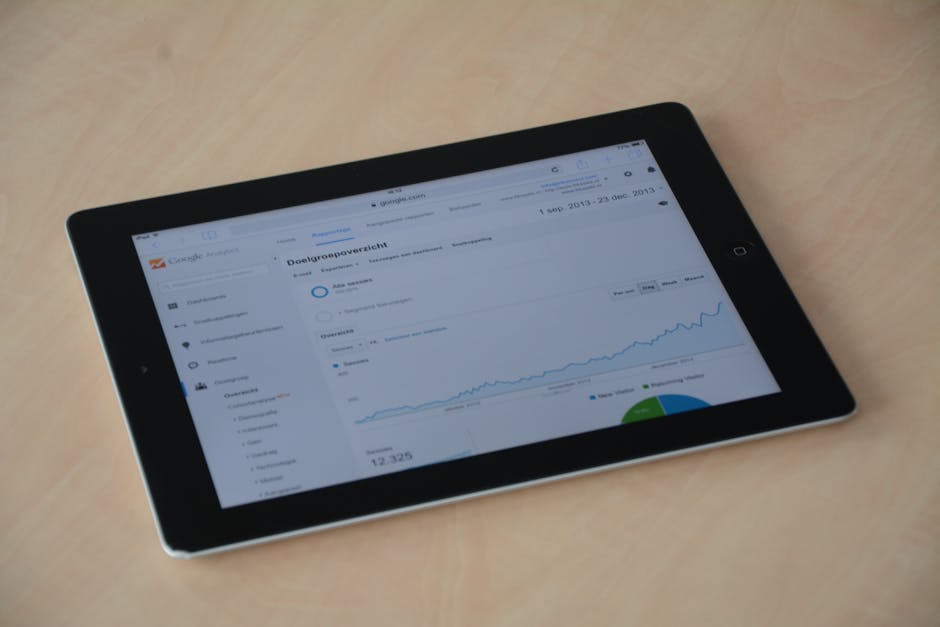
In today’s fast-paced business environment, understanding your company’s performance at a glance can be a game-changer. A KPI business dashboard not only visualizes critical metrics but also empowers decision-makers to act swiftly and effectively. This article will walk you through everything you need to know about KPI dashboards, from their fundamental concepts to how to create one tailored to your needs. By the end, you’ll be equipped with the knowledge to transform raw data into actionable insights that drive your business forward.
What Is a KPI Dashboard and Its Purpose?
A KPI business dashboard is a visual representation of key performance indicators (KPIs) that helps organizations track their performance over time. It allows businesses to monitor various metrics, providing insights into how well they are achieving their goals.
Essentially, a KPI dashboard aggregates data from multiple sources, presenting it in an easily digestible format. This enables decision-makers to quickly assess the health of the business and make informed choices.
Why is this important? Well, in today’s fast-paced environment, having real-time access to metrics can make all the difference. A well-designed dashboard can highlight trends, pinpoint areas for improvement, and track progress toward objectives.
Here are some common metrics that businesses might track on their KPI dashboards:
- Sales growth
- Customer satisfaction rates
- Employee productivity
- Website traffic
- Conversion rates
The purpose of a KPI dashboard goes beyond just displaying data. It serves as a tool for storytelling. By visualizing data, stakeholders can grasp complex information at a glance. This clarity can lead to more strategic discussions and better decision-making.
So, what makes a KPI dashboard effective? Here are a few key elements:
| Element | Description |
|---|---|
| Clarity | Information should be easy to understand. |
| Relevance | Metrics displayed should align with business goals. |
| Interactivity | Users should be able to drill down into data. |
A KPI dashboard can also be customized to fit the unique needs of a business. Different departments may have different metrics that matter most. For example, the sales team might focus on conversion rates, while the customer service team may prioritize customer satisfaction scores.
Ultimately, the goal of a KPI business dashboard is to empower teams with data-driven insights. By regularly reviewing these metrics, businesses can adapt quickly and stay competitive.
In summary, a KPI dashboard is not just a collection of numbers; it’s a vital tool for success. When used effectively, it can transform the way businesses operate, making them more agile and informed. So, is your business leveraging a KPI dashboard to its fullest potential?
Types of KPI Dashboards Explained
KPI dashboards are essential tools for businesses looking to track performance effectively. They provide a visual representation of key metrics, allowing you to make informed decisions. But did you know there are different types of KPI dashboards tailored to specific needs?
Understanding these types is crucial for leveraging their full potential. Let’s dive into the primary categories of KPI dashboards.
- Operational Dashboards: Focus on real-time data for daily operations.
- Strategic Dashboards: Provide insights into long-term goals and overall business performance.
- Analytical Dashboards: Offer deep dives into data, helping identify trends and patterns.
Operational dashboards are like the pulse of your business. They display metrics that require immediate attention, such as sales figures, customer inquiries, or production levels. This type of dashboard is updated frequently, often in real-time, making it ideal for managers who need to respond quickly to changes.
On the other hand, strategic dashboards are designed for high-level executives. They aggregate data over time to show how the business is performing against its long-term goals. These dashboards often include metrics like revenue growth, market share, and customer retention rates.
| Dashboard Type | Purpose |
|---|---|
| Operational | Real-time monitoring of daily metrics |
| Strategic | Long-term performance tracking |
| Analytical | In-depth analysis of data trends |
Analytical dashboards serve a different purpose. They delve into the data to uncover insights that might not be immediately obvious. For example, you might analyze customer behavior over time or assess the effectiveness of a marketing campaign. These dashboards are less about real-time data and more about understanding the “why” behind the numbers.
So, which type of dashboard is right for you? It often depends on your role and what you need to achieve.
- Performance Tracking: What metrics matter most for your goals?
- Data Visualization: How can you best represent your data?
- User Accessibility: Who will use the dashboard and how often?
When implementing a KPI business dashboard, consider the audience. A dashboard for the sales team will look different from one designed for the finance department. Tailoring the dashboard ensures that everyone gets the insights they need to drive performance.
In summary, understanding the various types of KPI dashboards is vital for maximizing their effectiveness. Each type serves a unique purpose, and choosing the right one can significantly impact your business’s success.
Benefits of Using KPI Dashboards for Businesses
KPI dashboards are powerful tools that can transform how businesses monitor their performance. They provide a clear visual representation of key performance indicators, allowing teams to track metrics in real-time. But what exactly makes these dashboards so beneficial?
First and foremost, KPI dashboards consolidate data from various sources. This means that instead of sifting through multiple reports, you can see all your essential metrics in one place. This not only saves time but also enhances decision-making.
- Real-time data visualization
- Improved collaboration among teams
- Faster decision-making processes
Another advantage is the ability to customize dashboards to fit specific business needs. Whether you are looking to track sales performance, customer satisfaction, or operational efficiency, a KPI dashboard can be tailored accordingly. This customization ensures that the most relevant metrics are always front and center.
With the right KPI dashboard, businesses can also identify trends over time. By regularly monitoring these metrics, you can spot patterns that may not be immediately obvious. This can lead to proactive strategies rather than reactive measures.
| Benefit | Description |
|---|---|
| Time Efficiency | Consolidates data for quick access |
| Customization | Tailored to specific business metrics |
| Trend Analysis | Identifies patterns over time |
Moreover, KPI dashboards can enhance accountability within teams. When everyone has access to the same metrics, it becomes easier to understand how individual contributions impact overall performance. This transparency fosters a culture of responsibility.
Have you ever wondered how your team can stay aligned? A KPI dashboard can serve as a central point of reference, ensuring that everyone is working towards the same goals.
In addition, these dashboards can improve communication across departments. With a unified view of metrics, teams can discuss performance insights more effectively. This leads to more informed strategies and better collaboration.
Lastly, KPI dashboards can significantly boost customer satisfaction. By tracking customer-related metrics, businesses can quickly respond to issues and enhance the overall customer experience. After all, happy customers are the backbone of any successful business.
In summary, the benefits of using KPI dashboards for businesses are numerous. From saving time and improving collaboration to enhancing accountability and customer satisfaction, these tools are invaluable. Are you ready to leverage a KPI dashboard for your business?
How to Create an Effective KPI Dashboard
Creating a KPI business dashboard is essential for tracking your organization’s performance. A well-designed dashboard enables you to visualize key metrics and make informed decisions. But how do you create one that truly works for your business?
First, start by identifying the key performance indicators (KPIs) that matter most to your organization. These metrics should align with your business goals. For instance, if you aim to increase sales, consider tracking metrics like sales growth rate, customer acquisition cost, and customer lifetime value.
Next, gather the necessary data. This includes both historical and real-time information. Make sure your data sources are reliable and up-to-date. After all, accurate data is the backbone of any effective KPI dashboard.
- Sales figures
- Customer feedback
- Website traffic
- Marketing campaign performance
Once you have your KPIs and data in place, it’s time to choose the right dashboard software. There are numerous dashboard tools available, each with its own strengths. Look for one that offers customization options, user-friendly interfaces, and the ability to integrate with your existing data sources.
But what makes a dashboard effective? It’s not just about displaying numbers. An effective KPI dashboard should present data in a visually appealing way. Use charts, graphs, and color coding to highlight important metrics. This will help you quickly identify trends and areas that need attention.
| KPI | Visualization Type |
|---|---|
| Sales Growth Rate | Line Chart |
| Customer Acquisition Cost | Bar Chart |
| Website Traffic | Area Chart |
Regularly update your KPI dashboard to reflect the most current data. This ensures that you are always making decisions based on the latest information. Set a schedule for updates, whether it’s daily, weekly, or monthly, depending on your business needs.
Finally, don’t forget to involve your team. Encourage feedback from users to refine your dashboard over time. After all, the best dashboards are those that evolve with your business.
Creating an effective KPI dashboard might seem daunting, but with the right approach, it can become a powerful tool for your organization. So, take the time to design one that works for you, and watch how it transforms your decision-making process.
KPI Dashboard Examples by Industry
When it comes to KPI business dashboards, the needs can vary significantly across different industries. Understanding these unique requirements is crucial for effectively tracking performance metrics. Let’s explore some tailored examples.
1. Retail Industry
In retail, a KPI dashboard typically focuses on sales metrics. You might want to track daily sales volume, average transaction value, and customer footfall. These metrics help businesses understand trends and make informed decisions.
- Daily Sales Volume
- Average Transaction Value
- Customer Footfall
By analyzing this data, retailers can adjust their strategies in real-time. For instance, if foot traffic is high but sales are low, it might indicate issues with product placement or pricing.
2. Healthcare Sector
In healthcare, KPI dashboards are essential for monitoring patient care and operational efficiency. Key metrics might include patient wait times, readmission rates, and staff performance.
| Metric | Importance |
|---|---|
| Patient Wait Times | Indicates efficiency and patient satisfaction |
| Readmission Rates | Reflects quality of care |
Tracking these metrics helps healthcare providers enhance service quality and operational effectiveness. How can you improve patient care if you don’t know where the bottlenecks are?
3. Manufacturing Industry
Manufacturers often use KPI dashboards to track production efficiency and quality control. Key metrics include production output, defect rates, and machine downtime.
- Production Output
- Defect Rates
- Machine Downtime
By monitoring these metrics, manufacturers can identify inefficiencies and enhance their production processes. It’s all about maximizing performance while minimizing waste.
4. Technology Sector
In tech, KPI dashboards might focus on user engagement and product performance. Metrics like monthly active users, churn rate, and customer satisfaction scores are crucial.
| Metric | Purpose |
|---|---|
| Monthly Active Users | Tracks user engagement |
| Churn Rate | Measures customer retention |
These metrics help tech companies adjust their offerings and improve user experience. After all, staying ahead in technology means constantly evolving based on data insights.
Conclusion
Each industry has its specific needs when it comes to KPI business dashboards. By tailoring your dashboard to the relevant metrics, you can gain invaluable insights that drive performance and success. What metrics are most important for your business?
Best Practices for Designing KPI Dashboards
Creating an effective KPI business dashboard is essential for tracking performance and making data-driven decisions. But how do you ensure your dashboard is both functional and user-friendly? Here are some best practices to consider.
First, define your key performance indicators (KPIs). What metrics matter most to your business? These should align with your overall goals. A clear understanding of your objectives will guide your data selection.
- Sales growth
- Customer satisfaction rate
- Operational efficiency
Next, think about the layout. A cluttered dashboard can overwhelm users. Instead, prioritize the most important metrics. Use a logical flow that guides the viewer’s eye from one section to the next.
Consider grouping related metrics together. For example, sales KPIs can be clustered in one section, while customer metrics can occupy another. This organization helps users quickly find the information they need.
| Metric Type | Example KPIs |
|---|---|
| Sales | Revenue, Conversion Rate |
| Customer | Net Promoter Score, Customer Churn Rate |
After establishing your layout, focus on visualization. Charts, graphs, and gauges can make complex data easier to digest. Choose visuals that best represent your data.
Ask yourself: What story do you want to tell with your data?
Be mindful of color choices. Use a consistent color scheme that enhances readability. Avoid overwhelming users with too many colors. Instead, use shades to distinguish between different data sets.
Also, ensure your dashboard is interactive. Allow users to drill down into metrics for more detailed insights. This interactivity can make your KPI dashboard a powerful tool for analysis.
- Interactive charts
- Filter options
- Real-time data updates
Finally, regularly review and update your dashboard. Business needs change, and so should your metrics. Ensure that your KPI dashboard evolves to reflect the latest goals and data trends.
In conclusion, designing a KPI business dashboard is about clarity, organization, and user engagement. By following these best practices, you can create a dashboard that not only tracks performance but also drives business success.
Top KPI Dashboard Tools and Platforms
In today’s data-driven world, having the right tools to visualize your metrics is essential. A KPI business dashboard can help you track performance, sales, and customer engagement in real-time. But with so many options available, how do you choose the right one?
Let’s explore some of the top KPI dashboard tools and platforms that can elevate your business insights.
- Tableau: Known for its powerful data visualization capabilities, Tableau allows users to create interactive dashboards that can handle complex data sets.
- Power BI: A Microsoft product that integrates seamlessly with other Microsoft services, Power BI is user-friendly and offers robust analytics features.
- Google Data Studio: This free tool lets you create customizable dashboards using various data sources, making it accessible for businesses of all sizes.
Each of these platforms offers unique features tailored for different business needs. Tableau excels in visual storytelling, while Power BI is great for organizations already using Microsoft products. Google Data Studio, on the other hand, is perfect for those just starting out with data visualization.
When selecting a KPI dashboard tool, consider the following factors:
| Factor | Importance |
|---|---|
| Ease of Use | High |
| Integration Capabilities | Medium |
| Cost | Variable |
These factors can greatly affect how well the dashboard serves your business. A user-friendly interface can save you time and frustration, while integration with existing tools can streamline your workflow.
Another important aspect to consider is how the dashboard presents data. A good KPI dashboard should not only display information but also provide actionable insights.
For instance, look for features like:
- Real-time data updates
- Customizable views
- Alerts for key metrics
These features can help you stay on top of your business performance and make informed decisions quickly.
So, what’s the best choice for your needs? It often depends on your specific business requirements and the metrics you want to track.
In conclusion, investing in a quality KPI business dashboard can provide tremendous value. By choosing the right tool, you can enhance your ability to monitor performance, understand customer behavior, and drive sales growth.
Take the time to evaluate your options, and you’ll find a dashboard that fits seamlessly into your business strategy. Happy dashboarding!
Choosing the Right KPI Dashboard Software
Selecting the right KPI business dashboard software can significantly impact your ability to track performance metrics. With so many options available, it’s essential to understand what features you need to make an informed decision.
First, consider your business goals. What specific metrics are you looking to measure? Are you focused on sales performance, customer engagement, or operational efficiency? Identifying your primary objectives will help narrow down your options.
Next, think about the type of data you’ll be using. Some dashboards excel at visualizing complex data sets, while others may focus on simplicity and ease of use. The right KPI dashboard should present your data in a way that is both informative and easy to understand.
Here are some essential features to look for in dashboard software:
- Customizable templates
- Real-time data integration
- User-friendly interface
- Collaboration tools
Consider also how the software integrates with your existing systems. Will it seamlessly pull data from your CRM, ERP, or other business applications? The ability to consolidate data from various sources is crucial for a comprehensive view of your performance metrics.
Another critical factor is scalability. As your business grows, your dashboard needs to evolve with it. Look for software that can handle increasing amounts of data and metrics without sacrificing performance.
You might also want to evaluate the level of customer support offered. Is there a dedicated team available to assist you? Having reliable support can make a significant difference when you’re troubleshooting issues or learning how to use new features.
| Feature | Importance |
|---|---|
| Real-time updates | High |
| Custom reporting | Medium |
| Mobile access | Medium |
Finally, don’t overlook the importance of user feedback. Check reviews and testimonials from other businesses that have used the software. Their experiences can provide valuable insights into the software’s strengths and weaknesses.
In summary, choosing the right KPI dashboard software involves a thoughtful assessment of your business needs, data sources, and future growth. By focusing on these key areas, you can select a dashboard that not only meets your current requirements but also adapts as your business evolves.
Common Mistakes to Avoid in KPI Dashboards
Creating an effective KPI business dashboard is crucial for tracking performance and making informed decisions. However, many organizations stumble into common pitfalls that can undermine their effectiveness. Let’s explore these mistakes and how to avoid them.
One of the biggest mistakes is overloading the dashboard with too much data. While it might seem beneficial to include every possible metric, this can lead to confusion. Users may struggle to identify what’s truly important.
Instead, focus on a few key metrics that align with your business goals. This helps to maintain clarity and ensures that users can quickly grasp the performance status.
- Limit metrics to those that drive action.
- Prioritize clarity over quantity.
- Regularly review the relevance of metrics.
Another mistake is neglecting the visualization aspect of the dashboard. Poorly designed dashboards can make it hard to interpret data. For instance, using complex graphs or inappropriate chart types can obscure the message.
Visual elements should enhance understanding, not complicate it. Consider using simple bar charts or line graphs to represent trends over time. This makes it easier for users to see changes in performance at a glance.
| Common Visualization Mistakes | Better Alternatives |
|---|---|
| Using 3D charts | Simple 2D charts |
| Too many colors | Consistent color scheme |
Another common error is failing to update the KPI dashboard regularly. Data can become stale quickly, making your insights irrelevant. If users can’t trust the data, they may ignore the dashboard altogether.
Establish a routine for updating the dashboard. This could be daily, weekly, or monthly, depending on your business needs. Keeping data fresh ensures that stakeholders can make timely decisions.
- Set reminders for regular updates.
- Involve team members in the process.
- Review data accuracy frequently.
Lastly, don’t forget about user training. A beautifully designed KPI dashboard is useless if users don’t know how to interpret it. Investing time in training can significantly enhance the effectiveness of your dashboard.
Consider holding workshops or creating user guides. This helps users feel confident in navigating the dashboard and understanding the metrics.
In conclusion, by avoiding these common mistakes, you can create a more effective KPI business dashboard. Remember, clarity, relevance, and user engagement are key to maximizing the value of your data. So, what will you focus on improving today?
In conclusion, a KPI business dashboard serves as an essential tool for organizations striving for data-driven decision-making and performance optimization. By consolidating key performance indicators into a single, easy-to-understand interface, businesses can gain real-time insights into their operations, identify trends, and make informed strategic decisions. The ability to visualize data not only enhances comprehension but also empowers teams to take action based on actionable insights. As the business landscape continues to evolve, leveraging a KPI business dashboard will become increasingly critical for maintaining a competitive edge. Companies that prioritize data analysis and visualization will find themselves better equipped to adapt to changes, optimize processes, and ultimately achieve their goals. Whether you are a small startup or a large enterprise, investing in a robust KPI business dashboard can drive efficiency, accountability, and growth. Embracing this technology is not just about monitoring metrics; it’s about fostering a culture of performance excellence that aligns with your organization’s vision and objectives. As you move forward, consider how a well-designed KPI business dashboard can transform your data into a powerful asset that guides your business toward sustained success.
Leave a Reply