
Understanding user behavior is crucial for creating seamless experiences, and a user flow template is your roadmap to achieving that. This article will guide you through the essentials of user flow diagrams, their importance, and practical steps to create your own. By leveraging a user flow template, you can visualize key user journeys, identify pain points, and ultimately design a more user-friendly interface. Get ready to transform your approach to user experience and make informed decisions that resonate with your audience.
What is a User Flow Diagram?
 user flow diagram”
loading=”lazy”
style=”max-width:720px;width:100%;height:auto;border-radius:12px;margin:20px 0;”>
A user flow diagram is a visual representation of the steps a user takes to achieve a specific goal within a product, website, or application. It outlines the user’s journey, detailing the various paths they can take and the decisions they make along the way. This is crucial for understanding user behavior and improving user experience.
Think of it as a roadmap for users. By mapping out the flow, teams can identify potential roadblocks and optimize the experience. A well-structured user flow template can save time and resources by clarifying the user’s path from start to finish.
- Visualizes user interactions
- Identifies pain points
- Enhances team collaboration
Creating a user flow diagram involves several steps. First, you need to define the user’s goals. What do they want to achieve? Next, outline the various steps they might take to reach that goal. This can include actions like clicking buttons, filling out forms, or navigating through different pages.
Using tools like Miro can simplify this process. Miro offers user flow templates that help teams collaborate in real-time. This is especially beneficial for remote teams, allowing everyone to contribute to the user flow without being in the same room.
| Step | Description |
|---|---|
| 1 | Define user goals |
| 2 | Outline user steps |
| 3 | Create flow diagram |
Once you have your flow diagram, it’s essential to test it. Gather feedback from real users to see if the flow makes sense to them. Are there any confusing parts? This feedback loop is crucial for refining the user experience.
In summary, a user flow diagram is more than just a visual aid. It’s a strategic tool that helps teams understand user behavior, streamline processes, and ultimately create a better product. By using a user flow template, you can ensure that your design decisions are user-centered and data-driven.
When to Use a User Flow Template
Understanding when to implement a user flow template is essential for creating a seamless user experience. A user flow diagram helps visualize the steps a user takes to achieve a specific goal on your website or product.
But when should you actually use this template? Let’s break it down.
First, consider using a user flow template during the initial stages of product design. This is when you want to map out the user’s journey from start to finish. By visualizing each step, your team can identify potential roadblocks and streamline the process.
Additionally, if you’re redesigning a website, a user flow template can help you assess the current experience. It allows you to pinpoint where users may be dropping off and optimize those areas for better engagement.
- Initial product design
- Website redesigns
- Identifying user pain points
- Enhancing overall user experience
Another important time to use a user flow template is during team collaboration. When multiple stakeholders are involved, a clear flow diagram can ensure everyone is on the same page. It serves as a visual reference that can guide discussions and decision-making.
Moreover, user flow templates are beneficial when conducting user testing. By outlining the expected paths users will take, you can observe how they interact with your product. This insight is invaluable for making data-driven improvements.
| Use Case | Benefit |
|---|---|
| Initial product design | Identifies user paths early |
| Website redesigns | Pinpoints drop-off areas |
| User testing | Gathers actionable insights |
Lastly, if you’re launching a new feature, a user flow template can help clarify how this feature fits into the overall user journey. It allows you to visualize how users will interact with it and what steps they need to take to access it.
In essence, using a user flow template at the right moments can dramatically enhance the user experience. It helps you create a more intuitive product, ensuring users can navigate effortlessly.
So, the next time you’re in the planning phase or facing user experience challenges, remember the power of a well-structured user flow template. It might just be the tool you need to elevate your product.
How to Create a User Flow Diagram
Creating a user flow diagram is an essential step in designing a seamless user experience. It helps visualize how users interact with your product, guiding them through various paths to achieve their goals. So, how do you get started?
First, define the purpose of your user flow. Are you mapping out a specific task on your website? Or perhaps you’re visualizing the entire user journey? Knowing your objective will help you create a focused user flow template.
Next, gather all necessary information about your users. Consider their goals, pain points, and the actions they need to take. This understanding is crucial for creating an effective flow diagram.
Here’s a quick checklist to help you gather this information:
- User personas
- Common tasks
- User feedback
Once you have all the data, it’s time to start sketching. You can use tools like Miro to create your user flow diagram. Miro is great because it allows for easy collaboration with your team.
Start by outlining the main entry points for your users. These could be landing pages, app features, or even advertisements. From there, map out the steps users will take to complete their tasks.
Now, let’s discuss the structure of your flow. Each step in the user flow should be clear and concise. Use shapes like circles for decisions and rectangles for actions. This keeps your diagram organized and easy to follow.
Consider this simple structure:
| Shape | Meaning |
|---|---|
| Circle | Decision Point |
| Rectangle | Action Step |
After you’ve mapped out the flow, review it with your team. Getting feedback is crucial. They might spot gaps or suggest improvements that you missed.
Remember, the goal is to make the user experience as smooth as possible.
Lastly, iterate on your user flow diagram. As you gather more insights and user feedback, don’t hesitate to make adjustments. A user flow is a living document that evolves with your product.
In summary, creating a user flow diagram involves defining your purpose, gathering information, sketching the flow, structuring it clearly, and iterating based on feedback. By following these steps, you’ll craft a user flow that not only enhances the user experience but also aligns with your product goals.
So, are you ready to create your own user flow diagram?
User Flow Template FAQs
When it comes to user flow templates, many questions arise. Understanding these can help you create better experiences for your users. Let’s dive into some frequently asked questions.
What is a user flow template?
A user flow template is a visual representation that outlines the steps a user takes to complete a specific task within a product or website. It helps teams understand the journey from the user’s perspective.
This template typically includes various stages of interaction, like entry points, decision-making moments, and possible outcomes. By mapping these flows, you can identify areas for improvement.
- Visualizes user interactions
- Identifies pain points
- Improves user experience
Why should I use a user flow template?
Using a user flow template can significantly enhance your design process. It allows your team to visualize how users navigate through your product, which is crucial for creating intuitive designs.
By analyzing these flows, you can pinpoint where users might struggle. This insight can guide you in refining your website or product to better meet user needs.
How do I create a user flow diagram?
Creating a user flow diagram starts with defining the goal. What task do you want the user to accomplish? Once you have that, outline the steps involved.
You can use tools like Miro to create your diagram. Miro offers a collaborative space for teams to design user flows visually. Make sure to include decision points and alternative paths to provide a comprehensive view.
| Step | Description |
|---|---|
| 1 | Identify user goal |
| 2 | Outline steps |
| 3 | Design the flow |
What tools can I use to create user flow templates?
There are several tools available for creating user flow templates. Besides Miro, you might consider using Figma, Lucidchart, or even simple drawing tools. Each has its strengths.
Miro is excellent for collaboration, allowing teams to work together in real-time. Figma is great for integrating with other design processes. Choose the tool that best fits your team’s workflow.
- Miro – Collaborative design
- Figma – Design integration
- Lucidchart – Flowchart-focused
How often should I update my user flow template?
It’s wise to revisit and update your user flow template regularly. As your product evolves, so do user needs and behaviors. Regular updates ensure that your flow remains relevant.
Consider reviewing your user flow after major product updates or user feedback sessions. This keeps your design aligned with the current user experience.
In summary, a user flow template is a powerful tool for understanding and improving user interactions. By addressing these FAQs, you can better navigate the creation of effective user flows.
Understanding Key User Journeys
User journeys are essential for creating a seamless experience. They help us understand how users interact with a product or website. By mapping out these journeys, you can identify pain points and opportunities for improvement.
A user flow template serves as a guide to visualize these journeys. It outlines the steps a user takes from the first interaction to achieving their goal. This clarity can significantly enhance the user experience.
When creating a user flow, it’s crucial to consider various aspects of the user’s experience. Start by identifying the key actions users take. Are they signing up, making a purchase, or looking for information? Each action is a part of the larger flow.
Here’s a quick list of elements to include in your user flow template:
- User goals
- Key actions
- Pain points
- Decision points
The flow diagram not only highlights these elements but also illustrates the connections between them. It’s a visual representation that can be easily shared with your team. Tools like Miro make creating these diagrams straightforward and collaborative.
Understanding user flows can also help you prioritize features. When you see where users drop off, you can make informed decisions about what to improve. This approach ensures that the product evolves based on actual user needs.
Consider this table comparing different user flow stages:
| Stage | User Action |
|---|---|
| Awareness | Discovering the product |
| Consideration | Evaluating options |
| Conversion | Making a purchase |
By analyzing these stages, you can refine your user flow template. Each stage presents unique opportunities to enhance the experience.
Remember, user flows are not set in stone. They should be revisited regularly as user behavior changes. Keeping your flow updated ensures that your website or product remains relevant and user-friendly.
In conclusion, understanding key user journeys is vital for any product or website. A user flow template provides a clear framework to visualize and optimize these journeys. By focusing on user actions and experiences, you can create a more intuitive and engaging product.
So, are you ready to map out your user flows? The journey to a better user experience starts with understanding where your users are coming from and where they want to go.
Tips for Running a User Flow Template Workshop
Organizing a user flow template workshop can be a game-changer for your team. It’s a fantastic way to visualize the user experience and streamline your product development process. But how do you get started?
First, gather the right people. Your team should include designers, developers, and stakeholders who understand the product. This diverse mix ensures you capture all aspects of the user flow.
Next, set clear objectives for your workshop. What do you want to achieve? Are you mapping out a new user flow for a website or refining an existing one? Having a focused goal helps guide the session.
- Define the target audience.
- Identify key user tasks.
- Outline the desired outcomes.
Once your objectives are clear, it’s time to choose the right tools. Many teams use Miro for creating user flow diagrams. It’s user-friendly and allows for real-time collaboration. Plus, you can easily share your flow diagrams with others for feedback.
When you start the workshop, begin by brainstorming. Encourage your team to share ideas about the user’s journey. What steps do users take? What obstacles might they encounter? This discussion is crucial for creating a comprehensive user flow.
| User Stage | Key Actions |
|---|---|
| Awareness | Discover product |
| Consideration | Evaluate features |
| Decision | Make a purchase |
As you progress, start sketching the flow diagram. Use sticky notes or digital tools to represent different steps. Make sure to visualize not only the actions users take but also their thoughts and feelings at each stage. This helps in understanding the overall experience.
After completing the user flow, gather feedback. What worked? What didn’t? This reflection is vital for continuous improvement. You might want to iterate on your flow based on team input.
Finally, document everything. Keep a record of your user flow template and any insights gained during the workshop. This documentation will serve as a reference for future projects and help maintain consistency across your product development efforts.
By following these tips, you can run an effective user flow template workshop that enhances your team’s understanding of user experience. So, are you ready to dive into your next workshop?
Decide on Business and User Objectives

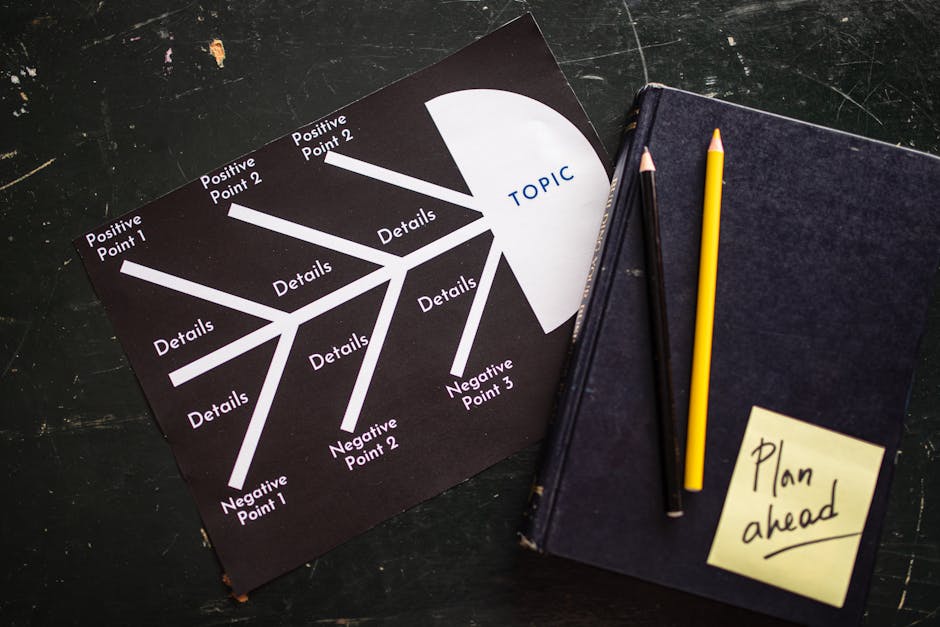


When creating a user flow template, the first step is to clearly define both business and user objectives. This foundational understanding will guide your entire flow design process. Without these objectives, your user flow may lack direction and purpose.
Start by asking yourself: What do you want to achieve with your product or website? Are you looking to increase sales, improve user engagement, or enhance customer satisfaction? Each of these goals will shape the way you design your user flows.
- Define specific business goals.
- Identify user needs and expectations.
- Align objectives with overall strategy.
Once you’ve established your business objectives, turn your attention to the user. What are their goals when they interact with your website or product? Understanding user intent is crucial for creating effective user flows.
For instance, if your users are looking to find information quickly, your flow should minimize unnecessary steps. Conversely, if the goal is to educate users about a product, your flow may need to include more detailed information and additional steps.
| Business Objective | User Goal |
|---|---|
| Increase sales | Quickly find products |
| Improve engagement | Explore content deeply |
Now, let’s talk about how to visualize these objectives through user flows. A user flow diagram can help you map out the steps users need to take to achieve their goals. This visualization is not just for your team; it’s also a communication tool that can clarify objectives for stakeholders.
Using tools like Miro can make this process easier. You can create a flow diagram that outlines each step a user takes, from landing on your website to completing a purchase or finding information. This clarity helps ensure everyone is aligned on both business and user objectives.
- Visualize user journeys with flow diagrams.
- Use tools like Miro for collaboration.
- Ensure alignment among team members.
In summary, deciding on business and user objectives is a critical first step in the user flow creation process. By clearly defining what you want to achieve and understanding your users’ needs, you set the stage for effective and efficient user flows. Remember, a well-structured user flow template can make all the difference in achieving both business and user goals.
Map Out Your User Flow Effectively
Mapping out your user flow is crucial for creating a seamless experience. A well-structured user flow template helps visualize how users navigate through your product or website. But how do you start?
First, identify the key steps in your user flow. Think about the journey your users take, from the moment they land on your site to the point they achieve their goals. This clarity will guide your team in designing a more intuitive experience.
- Define user goals
- Identify key touchpoints
- Map out the steps
Next, consider using a user flow diagram. A diagram can visually represent the steps users take, making it easier to spot potential bottlenecks or areas for improvement. Tools like Miro are excellent for creating these diagrams collaboratively with your team.
What elements should your flow diagram include?
| Element | Purpose |
|---|---|
| Start Point | User entry on the website |
| Decision Nodes | Points where users make choices |
| End Point | Goal completion |
Once you have the basic structure down, it’s time to refine your user flow. Ask yourself: Are there any unnecessary steps? Can the flow be simplified? The goal is to make the journey as smooth as possible.
You might also want to gather feedback from real users. Testing your user flow with actual users can reveal insights you might not have considered. Their experiences can highlight pain points, allowing you to tweak your flow for better usability.
When you implement changes based on user feedback, it’s essential to update your user flow template accordingly. This ensures that your team is always on the same page and can track improvements over time.
- Gather user feedback
- Iterate on your flow
- Document changes in your template
Lastly, remember that mapping out user flows is not a one-time task. As your product evolves, so should your user flow. Regularly revisiting and updating your user flow diagram will help maintain a positive user experience.
By following these steps, you can create a user flow template that not only meets user expectations but also enhances your overall product strategy. Happy mapping!
Get Feedback from Your Team on User Flows
Getting feedback from your team on user flows is crucial for refining your user experience. A user flow template can serve as a great starting point for these discussions. It helps visualize how users interact with your product, making it easier to identify pain points and areas for improvement.
Engaging your team in this process can lead to valuable insights. After all, they may have different perspectives that can enhance the user flow. Consider holding a collaborative session where everyone can share their thoughts on the flow diagrams you’ve created.
- Encourage open dialogue about the user experience.
- Utilize tools like Miro to create interactive user flow diagrams.
- Document all feedback for future reference.
One effective way to gather feedback is to present your user flow template visually. A flow diagram can highlight each step a user takes while navigating your website or product. This visual representation makes it easier for your team to spot inefficiencies or confusing elements in the flow.
Consider asking questions such as: “Does this flow make sense to you?” or “What steps do you think could be streamlined?” This approach not only fosters collaboration but also empowers your team to contribute to the overall user experience.
| Feedback Type | Purpose |
|---|---|
| User Experience | Identify usability issues |
| Flow Efficiency | Streamline user actions |
| Visual Appeal | Enhance engagement |
After gathering feedback, make sure to iterate on your user flow. A user flow template is not static; it should evolve as you receive new insights. Regular updates will ensure that your product remains user-centric and continues to meet the needs of your audience.
Ultimately, involving your team in the feedback process enriches the user flow and enhances the overall experience. So, why not take the time to collaborate and refine your flows together?
In conclusion, a well-designed user flow template is an invaluable asset for any project aimed at enhancing user experience and optimizing conversion rates. By mapping out the user’s journey from the initial interaction to the final goal, businesses can identify potential bottlenecks, streamline processes, and ultimately guide users towards desired outcomes more effectively. The benefits of implementing a user flow template extend beyond mere aesthetics; they provide clear insights into user behavior, allowing teams to make informed decisions based on data rather than assumptions. As you embark on your next project, consider investing time in creating and refining your user flow template. This strategic approach not only fosters better communication among team members but also aligns everyone’s efforts towards a common goal—delivering an intuitive and engaging experience for your users. Remember, the easier you make it for users to navigate your website or application, the more likely they are to convert, remain loyal, and advocate for your brand. So, take the first step today by crafting your user flow template and watch as it transforms the way you design user experiences.
Leave a Reply