
In today’s fast-paced world, staying organized and managing tasks effectively can feel overwhelming. The right task tracking app can be a game-changer, transforming how you prioritize and complete your daily responsibilities. This article will guide you through the best task tracking apps of 2026, offering in-depth comparisons and insights to help you find the perfect solution for your personal or team needs. Whether you’re looking for features that enhance productivity, collaboration, or simplicity, we’ve got you covered. Get ready to take control of your tasks and boost your efficiency!
Top 5 Task Tracking Apps for 2026
Finding the best task tracking app can feel overwhelming with so many options available. But don’t worry! We’ve narrowed it down to the top five apps that stand out in 2026. Each of these apps offers unique features designed to help users manage their tasks efficiently.
1. Todoist
Todoist remains a favorite among users for its sleek interface and powerful features. This app allows you to organize tasks into projects, set deadlines, and even collaborate with others. The premium version offers additional features like reminders and labels, making it a great choice for both personal and professional task management.
2. Trello
Trello is all about visual task management. Using boards, lists, and cards, it helps users see the big picture while keeping track of every detail. It’s especially great for team projects where collaboration is key. Plus, the app integrates with many other platforms, enhancing its functionality.

3. Asana
Asana offers a robust set of features for task management, including timelines, task dependencies, and progress tracking. It’s perfect for teams looking to improve their workflow. Users appreciate its ability to break down large projects into manageable tasks, ensuring that nothing falls through the cracks.
4. Microsoft To Do
For users already integrated into the Microsoft ecosystem, Microsoft To Do is an excellent choice. It syncs seamlessly with Outlook tasks, making it easy to manage personal and professional tasks in one place. The app’s simple design makes it user-friendly, even for those new to task management.
5. ClickUp
ClickUp is a versatile app that combines task management with project management features. Users can customize their workspace to fit their needs, whether for personal tasks or team projects. Its wide array of features, including goal tracking and time management tools, makes it a top contender in 2026.
Here’s a quick comparison of these top task tracking apps:
| App | Key Features |
|---|---|
| Todoist | Project organization, deadlines, collaboration |
| Trello | Visual boards, lists, cards, integrations |
| Asana | Timelines, dependencies, progress tracking |
| Microsoft To Do | Outlook sync, simple design |
| ClickUp | Customizable workspace, goal tracking |
Choosing the best task tracking app depends on your specific needs. Consider what features matter most to you-whether it’s collaboration, simplicity, or advanced project management. With any of these top apps, you’ll be well-equipped to manage your tasks and boost your productivity in 2026!
Best Task Management Apps Compared
When it comes to organizing your tasks, the right app can make all the difference. With so many options available, it can be overwhelming to find the best task tracking app for your needs. Let’s break down some of the top contenders.
First up, we have Todoist. Known for its clean interface, Todoist allows users to create tasks, set deadlines, and even collaborate with others. The app’s ability to integrate with various platforms, including Google Calendar and Slack, makes it a favorite among busy professionals.
Next, there’s Trello. This app uses a card-based system that visually represents tasks. Users can create boards for different projects, making it easy to track progress. Trello’s flexibility is one of its key features, allowing users to customize their workflows to suit their needs.
| App | Key Features |
|---|---|
| Todoist | Task creation, deadlines, integrations |
| Trello | Visual boards, card system, customizable workflows |
If you’re looking for something more straightforward, Microsoft To Do might be the app for you. It allows users to create simple task lists and offers features like reminders and due dates. Plus, it syncs seamlessly with other Microsoft products, making it a great choice for existing users of the Microsoft ecosystem.
Another notable mention is Asana. Asana is perfect for teams looking to collaborate on projects. Its task management features allow users to assign tasks, set priorities, and track progress in real-time. The app also provides useful reporting tools to help users measure productivity.

When evaluating these apps, consider what features are most important to you. Do you need collaboration tools? Or are you looking for a simple list-making app? Here’s a quick list of things to think about:
- Ease of use
- Integration with other tools
- Customization options
- Pricing (free vs. paid features)
Lastly, let’s not forget about ClickUp. This app has gained popularity for its all-in-one approach. Users can manage tasks, docs, goals, and even chat within the app. It’s designed to cater to diverse workflows, making it a versatile choice for both individuals and teams.
In summary, the best task tracking app depends on your specific needs. Whether you prioritize collaboration, simplicity, or advanced features, there’s an app out there for you. Take the time to explore these options, and you’ll find the perfect fit for managing your tasks effectively.
Best Overall Task Tracker App
Finding the best task tracking app can feel overwhelming with so many options available. However, one app consistently stands out for its user-friendly interface and robust features: Todoist. This app has garnered praise from users for its ability to manage tasks efficiently while remaining intuitive.
Todoist allows users to create tasks, set deadlines, and organize their to-do lists with ease. The app’s design is sleek, making it a pleasure to use. Plus, it’s available on multiple platforms, including Apple and Android devices, ensuring you can access your tasks wherever you are.
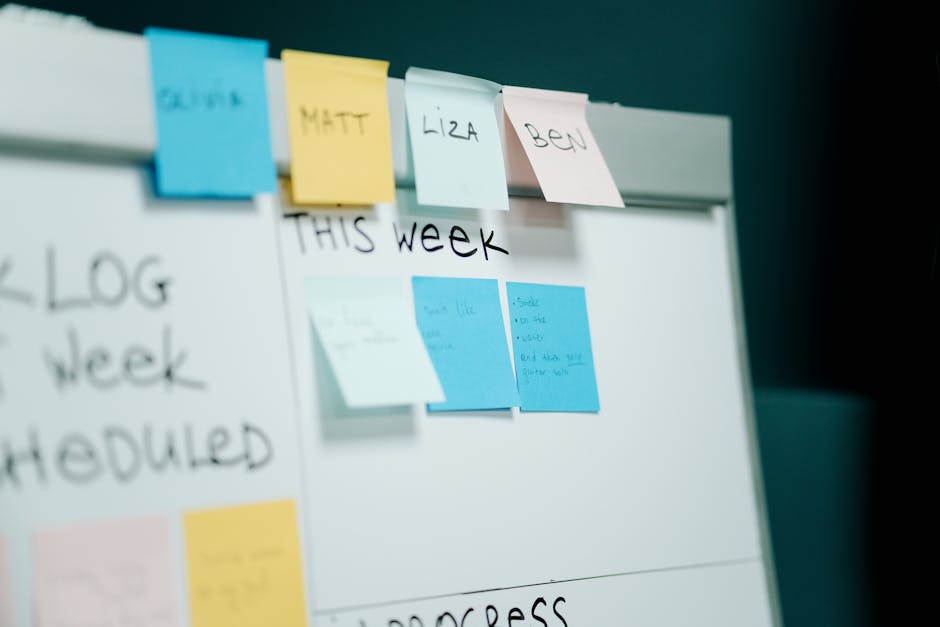
One of the standout features of Todoist is its ability to categorize tasks using labels and filters. This helps users prioritize their workload effectively. You can also set recurring tasks, which is perfect for things like weekly meetings or daily reminders.
Here’s a quick look at some key features of Todoist:
| Feature | Benefit |
|---|---|
| Recurring Tasks | Set reminders for regular activities |
| Labels and Filters | Organize tasks based on priority |
| Collaboration Tools | Share tasks with team members |
With a free version available, users can explore its basic features, making it accessible for anyone looking to improve their task management. For those wanting more advanced capabilities, the premium version unlocks additional features like reminders and productivity tracking.
Why is task tracking important, you ask? Well, managing tasks effectively can significantly enhance your productivity. When you have a clear list of things to accomplish, it reduces stress and helps you stay focused.
Another notable aspect of Todoist is its compatibility with other apps. It integrates seamlessly with tools like Google Calendar, Slack, and even your email. This means you can keep everything synchronized and avoid missing important deadlines.
Moreover, the app provides a visual representation of your productivity trends over time. This feature is particularly helpful for users looking to understand how they spend their time and where they can improve.
In summary, if you’re searching for the best task tracking app, Todoist is worth considering. Its blend of simplicity and powerful features makes it a top choice for both personal and professional task management. Whether you’re juggling daily tasks or managing projects with a team, Todoist can help streamline your workflow and keep you organized.
So, are you ready to take control of your tasks with Todoist?
Best Task App for Teams
When it comes to managing tasks within a team, finding the best task tracking app can make all the difference. The right app not only helps in organizing tasks but also enhances collaboration among team members. Whether you are a small startup or a large enterprise, the features of these apps cater to various needs.
Imagine a scenario where everyone on your team knows exactly what they need to do. A good task app can turn that vision into reality. It centralizes all tasks, deadlines, and communications, streamlining the workflow. But with so many options available, how do you choose the best one?
Here are some key features to look for in the best task tracking app for teams:
- Task assignment and delegation
- Real-time collaboration tools
- Integration with other apps
- Progress tracking and reporting
- User-friendly interface
It’s also essential to consider whether the app offers a free version. Many task management apps have free tiers that allow teams to explore their features before committing financially. This is particularly useful for small teams or those just starting out.

Another aspect to consider is the platform compatibility. Most apps are available on both Apple and Android devices, ensuring that all team members can access their tasks on the go. This flexibility is crucial in today’s fast-paced work environment.
When evaluating apps, it’s helpful to compare their features side by side. Here’s a quick comparison of a few popular task tracking apps:
| App Name | Key Features |
|---|---|
| Trello | Visual boards, card system, integrations |
| Asana | Task assignments, timelines, reporting |
| Monday.com | Custom workflows, automation, dashboards |
Choosing the best task tracking app for your team ultimately depends on your specific needs. Do you need advanced features, or will a simple list suffice? Take the time to explore different options, read user reviews, and perhaps even try out a few free versions.
Remember, the best app is the one that fits seamlessly into your team’s workflow. With the right task management tool, you can enhance productivity and ensure that everyone is on the same page. So, what are you waiting for? Start exploring today!
Best Task Tracker for Getting Things Done
Finding the best task tracking app can significantly enhance your productivity. With so many options available, it’s essential to choose an app that aligns with your specific needs. Whether you’re managing personal tasks or coordinating a team project, the right task tracker can make all the difference.
A great task tracking app should have features that simplify your workflow. Look for intuitive interfaces, customizable lists, and seamless integration with other tools. These features not only help in managing tasks but also in keeping everything organized.
- Intuitive User Interface
- Customizable Task Lists
- Integration Capabilities
When evaluating apps, consider their ability to manage tasks effectively. Some apps allow you to categorize tasks by priority, set deadlines, and even assign tasks to team members. This level of management can significantly streamline your process.
Have you ever felt overwhelmed by your to-do list? The best task tracking app can help alleviate that stress. Many apps offer features like reminders and notifications to keep you on track. This ensures that nothing slips through the cracks.
Another vital aspect is the availability of a free version. Many users appreciate being able to test an app without financial commitment. Look for task trackers that provide robust free features before deciding to invest in premium options.
| App Name | Free Version Available? |
|---|---|
| Todoist | Yes |
| Asana | Yes |
| Trello | Yes |
It’s also worth considering user reviews and community feedback. This can provide insights into how well the app performs in real-world scenarios. Many users share their experiences on forums or social media, making it easier to gauge which apps are truly effective.
When selecting an app, think about your specific needs. Do you need a simple task list, or do you require more advanced management features? The best task tracking app will cater to your unique workflow.
Lastly, consider the platform compatibility. Whether you’re an Apple user or prefer Android, ensure the app is available on your device. Cross-platform functionality can enhance your task management experience, allowing you to access your lists anytime, anywhere.
In conclusion, the best task tracker for getting things done is one that fits your personal or team needs. Take the time to explore the options available, and don’t hesitate to try a few before settling on the perfect fit. Happy task tracking!
Best Pomodoro Technique Task App
The Pomodoro Technique is a popular time management method that can significantly boost productivity. If you’re looking for the best task tracking app to implement this technique, you’re in the right place. With a variety of apps available, choosing the right one can make all the difference in how you manage your tasks.
Using a Pomodoro app allows users to break their work into intervals, traditionally 25 minutes in length, separated by short breaks. This method not only enhances focus but also helps in tackling large projects by making tasks feel more manageable.
Here are some key features to look for in the best Pomodoro Technique task app:
- Timer functionality for Pomodoro intervals
- Task lists to keep track of what needs to be done
- Break reminders to ensure you take necessary pauses
- Progress tracking to visualize your productivity
When selecting an app, consider how it integrates with your daily routine. Some users prefer simple interfaces, while others might look for advanced features like analytics to track their productivity over time.
Many apps also offer cross-platform functionality, allowing you to manage your tasks on both mobile and desktop devices. This flexibility can be a game changer for users who are always on the go.
| App Name | Key Features |
|---|---|
| Focus Keeper | Customizable timers, task management, analytics |
| TomatoTimer | Simple interface, web-based, easy to use |
Integrating the Pomodoro Technique into your daily routine can lead to a more structured approach to managing tasks. The right app will not only help you stay focused but also make the entire process of task management more enjoyable.
As you explore the best task tracking apps, think about what features matter most to you. Do you need reminders? Do you prefer a clean design? Finding the right fit can transform how you manage your time.
In conclusion, the best Pomodoro Technique task app is one that aligns with your personal workflow. Whether you’re a student, a professional, or someone juggling multiple responsibilities, the right app can help you stay organized and productive.
So, are you ready to boost your productivity with a Pomodoro app? Dive in and find the one that suits your needs!
Best Task Management App for Apple Users
If you’re an Apple user looking for the best task tracking app, you’re in luck! There are several outstanding options designed specifically for the Apple ecosystem. These apps not only help you manage your tasks efficiently but also integrate seamlessly with your devices.
One of the standout features of these apps is their user-friendly interface. Whether you’re using a Mac, iPhone, or iPad, the experience remains consistent and intuitive. But what makes a task management app truly great? Let’s explore some key features to look for.
- Cross-device synchronization
- Customizable task lists
- Collaboration tools for teams
- Reminders and notifications
- Integration with other apps
When choosing the best task management app, consider how it can enhance your productivity. For instance, do you need a simple to-do list, or are you managing complex projects with multiple tasks? Many apps offer templates to help you get started quickly.
A popular choice among Apple users is Todoist. This app provides a clean interface and powerful features, such as recurring tasks and labels. Plus, it synchronizes across all your devices, ensuring you never miss a beat.

Another contender is Things 3, which is known for its elegant design and robust functionality. It allows you to create projects, set deadlines, and even track your progress. Plus, its focus on simplicity makes it a favorite among users who want to minimize distractions.
| App | Key Features |
|---|---|
| Todoist | Recurring tasks, labels, cross-device sync |
| Things 3 | Project management, elegant design, progress tracking |
Don’t overlook the importance of collaboration features, especially if you’re working in a team. Apps like Trello and Asana are excellent for managing tasks collectively, allowing you to assign tasks, set deadlines, and track progress together.
When it comes to pricing, many of these apps offer free versions with essential features. However, investing in a premium subscription often unlocks advanced capabilities that can significantly enhance your task management experience.
In conclusion, the best task tracking app for Apple users ultimately depends on your specific needs. Whether you value simplicity, collaboration, or advanced features, there’s an app out there for you. So, why not explore your options and find the perfect fit for your task management journey?
Best Habit Tracking Apps of 2026
In today’s fast-paced world, finding the best task tracking app can make a significant difference in how effectively you manage your daily responsibilities. With so many options available, it’s essential to know which apps stand out for their features, usability, and overall performance.
Let’s dive into some of the best habit tracking apps of 2026 that can help you stay on top of your tasks.

Many users find that a good habit tracking app not only keeps them organized but also motivates them to stick to their goals. Here are some key features to look for when choosing the best app for your task management needs:
- User-friendly interface
- Customizable task lists
- Reminders and notifications
- Progress tracking
- Integration with other tools
When evaluating the best task tracking app, consider whether it offers both free and premium features. Many apps provide a free version that includes essential functionalities, while a subscription may unlock advanced features. For instance, some apps allow you to track multiple projects simultaneously, which can be a game-changer for busy professionals.
One popular option among users in 2026 is “Todoist.” This app excels in task management and integrates seamlessly with other platforms, making it a favorite for those who juggle various responsibilities. Another contender is “Habitica,” which gamifies the habit tracking experience, allowing users to earn rewards for completing tasks.
Here’s a quick comparison of some top habit tracking apps:
| App Name | Key Features |
|---|---|
| Todoist | Task management, project tracking, collaboration tools |
| Habitica | Gamification, rewards system, community challenges |
As you explore the best task tracking apps of 2026, think about what features matter most to you. Do you need simple task lists, or are you looking for something more comprehensive?

Another noteworthy app is “Notion,” which offers a versatile workspace for managing tasks, notes, and projects all in one place. Its flexibility allows users to customize their experience, making it a top choice for those who appreciate personalization.
In conclusion, the best task tracking app for you will depend on your specific needs and preferences. Whether you prioritize user experience, collaboration features, or gamification, there’s an app out there designed to help you succeed. So, which one will you choose to boost your productivity in 2026?
How We Tested Task Management Apps
To find the best task tracking app, we put a variety of task management apps through rigorous testing. Our goal was to assess their features, usability, and overall effectiveness for users with varying needs. We wanted to ensure that these apps could help users manage their tasks efficiently.
First, we compiled a list of popular task management apps, focusing on those that are well-reviewed and widely recommended. We looked for apps that offered both free and premium versions, as many users prefer to start with a free option before committing to a paid plan.

Next, we analyzed the core features of each app. Key aspects included task organization, collaboration capabilities, and integration with other tools. We also evaluated the user interface, ensuring that it was intuitive and easy to navigate.
- Task organization and categorization
- Collaboration features for team projects
- Integration with popular tools like Google Drive and Slack
After testing the features, we turned our attention to user experience. We gathered feedback from real users to see how each app performed in everyday scenarios. This included assessing how well users could manage their tasks and track their time.
In our testing, we also looked at the mobile versions of these apps, particularly for Apple users. With so many people using their phones for task management, it was crucial that these apps performed well on mobile devices.
To summarize our findings, we created a comparison table showcasing the top contenders, highlighting their standout features and any limitations they might have.
| App Name | Key Features |
|---|---|
| App A | Task lists, reminders, collaboration |
| App B | Time tracking, reporting, integrations |
Through this comprehensive testing process, we aimed to identify which app truly deserves the title of the best task tracking app. Each app has its strengths and weaknesses, making it essential for users to find the right fit for their specific task management needs.
In conclusion, selecting the best task tracking app is crucial for enhancing productivity, streamlining workflows, and ensuring that nothing falls through the cracks. With a multitude of options available, it’s essential to consider your specific needs, whether you’re managing personal tasks, collaborating with a team, or overseeing complex projects. The right app should not only cater to your organizational style but also provide features that enhance communication, facilitate easy tracking, and integrate seamlessly with other tools you use. As you explore the various task tracking apps on the market, remember to take advantage of free trials and user reviews to find the perfect fit that aligns with your goals. Ultimately, investing time in choosing the best task tracking app will pay dividends in the form of increased efficiency, better time management, and a more structured approach to achieving your objectives. Embrace the power of technology to take control of your tasks, and watch your productivity soar.
Leave a Reply