
Are you tired of feeling overwhelmed by your daily tasks and responsibilities? The right to-do list app can be a game-changer, helping you streamline your life and regain control of your time. In this article, we will explore the best to-do list options available today, highlighting their unique features and benefits. Whether you’re a busy professional, a student juggling multiple assignments, or simply someone looking to stay organized, you’ll find the perfect app to enhance your productivity and simplify your life. Embrace a more efficient way of managing your tasks and unlock your potential with the best to-do list solutions on the market.
Best To-Do List Apps of 2026
In 2026, staying organized has never been easier, thanks to a plethora of innovative to-do list apps. These apps not only help users manage their tasks but also enhance productivity with unique features. Whether you’re a busy professional, a student juggling multiple assignments, or a mother trying to keep track of family activities, there’s a perfect app for you.
So, what makes a to-do list app the best? It usually comes down to user-friendly design, task management features, and the ability to integrate with other tools. Here are some of the standout apps this year:
- Todoist
- Microsoft To Do
- Any.do
- TickTick
- Google Tasks
Each of these apps offers something unique. For instance, Todoist is known for its intuitive interface and powerful features, while Microsoft To Do allows seamless integration with other Microsoft products.
Many users appreciate apps that offer free versions. The ability to manage tasks without a financial commitment can be a game-changer. For example, apps like Google Tasks and Microsoft To Do provide essential features at no cost, making them accessible for everyone.
But what about premium features? Some users may find that investing in a paid version enhances their experience significantly. Here’s a quick comparison of features across popular apps:
| App | Unique Features |
|---|---|
| Todoist | Karma points system, project templates |
| Any.do | Voice entry, daily planner |
| TickTick | Pomodoro timer, habit tracking |
With these features, users can tailor their task management experience to fit their lifestyle.
Additionally, many of these apps allow for collaboration. This is particularly useful for teams or families who need to share lists and tasks. Imagine coordinating a family event or a project at work with everyone on the same page!

As you explore the best to-do list apps of 2026, consider what features matter most to you. Do you prioritize simplicity, or do you want advanced task management tools?
Ultimately, the best to-do list app is the one that aligns with your needs and enhances your productivity. Don’t hesitate to try out a few options to see which one feels right. Happy task organizing!
What Makes the Best To-Do List App?
When searching for the best to-do list app, it’s essential to consider what features will truly enhance your productivity. A great app should not only help you manage your tasks but also make the process enjoyable.
First and foremost, usability is key. The best to-do list apps are user-friendly, allowing users to quickly add, edit, and delete tasks without any hassle. Nobody wants to waste time figuring out how to use an app when there are things to get done!
Here are some features that stand out in top-rated apps:
- Intuitive interface
- Customizable lists
- Task prioritization
- Collaboration options
- Reminders and notifications
Another crucial aspect is integration. The best to-do list apps seamlessly integrate with other tools you may already use, such as calendars or project management software. This connectivity ensures that all your tasks are in one place, making it easier to stay organized.

Moreover, consider the flexibility of the app. Can it handle various types of tasks? Whether you’re managing personal errands, work projects, or even collaborative tasks with others, the best to-do list app should cater to all your needs.
A good balance between simplicity and functionality is vital. An app that’s too complicated can be overwhelming, while one that’s too basic might not have the features you require.
| Feature | Importance |
|---|---|
| User-Friendly Interface | Helps in quick task management |
| Task Prioritization | Ensures critical tasks are completed first |
Lastly, don’t overlook the importance of offline accessibility. The best to-do list apps allow users to access their lists even without an internet connection. This feature is particularly useful for busy individuals who may not always have reliable internet access.
In conclusion, the best to-do list app is one that combines usability, flexibility, and essential features tailored to your specific needs. So, what are you waiting for? Start exploring the options available and find the app that will transform the way you manage your tasks!
Best To-Do List App for Balancing Power and Simplicity
Finding the best to-do list app can be a game changer for your productivity. With so many options available, it’s essential to choose one that balances powerful features with simplicity. After all, you want an app that helps you manage your tasks without overwhelming you.
Many users often seek a straightforward interface that allows them to quickly add tasks and check them off. The best to-do list apps provide this functionality while also offering additional features that enhance the user experience.

When considering the best to-do list app, think about what features are most important to you. Here are some common ones:
- Task prioritization
- Reminders and notifications
- Collaboration options
- Integration with other apps
Some apps excel in specific areas, like collaboration, making them ideal for teams. Others might focus on personal task management, perfect for individuals juggling multiple responsibilities.
One of the best to-do list apps on the market is Todoist. It combines a clean design with powerful features. Users love how easy it is to create tasks and organize them into projects. Plus, its ability to set recurring tasks helps keep everything on track.
Another strong contender is Microsoft To Do. This app stands out for its seamless integration with other Microsoft products. If you’re already in the Microsoft ecosystem, this app can be a natural fit.
| App | Key Features |
|---|---|
| Todoist | Task organization, recurring tasks, collaboration |
| Microsoft To Do | Integration with Microsoft apps, reminders |
What about free options? If you’re not ready to invest, there are excellent free to-do list apps available. For instance, Google Keep is a fantastic choice for those who want simplicity and ease of use. Its straightforward interface allows users to jot down tasks quickly.
Additionally, Trello offers a unique visual approach to task management. It uses boards and cards to help you see your tasks at a glance. This can be particularly helpful for users who prefer a more visual layout.

In summary, the best to-do list app for you will depend on your specific needs. Whether you prioritize simplicity, collaboration, or integration with other tools, there’s an app out there that can help you manage your tasks effectively. Don’t hesitate to try a few options to find the perfect fit!
Best To-Do List App with Embedded Calendars and Timers
Finding the best to-do list app can feel overwhelming, especially with so many options available. However, an app that integrates calendars and timers truly stands out. It helps users manage their tasks more effectively and ensures nothing slips through the cracks.
Imagine having a single platform where you can organize your tasks, set deadlines, and even schedule reminders. This combination of features not only boosts productivity but also reduces stress. Who wouldn’t want that?
One of the key features to look for in the best to-do list app is the ability to embed calendars. This allows users to visualize their tasks in a more structured way. Instead of just listing things to do, you can see when each task needs to be completed.
Additionally, timers are another fantastic feature. They can help users stay focused and manage their time better. With a timer, you can allocate specific periods to work on tasks, making it easier to avoid distractions.
- Integrated calendar view
- Customizable timers
- Task prioritization
Some of the top apps in this category also offer collaborative features. This is perfect for teams or families who want to share tasks. Imagine a mother coordinating school projects with her kids or a team managing a work project efficiently.
When comparing different apps, consider the following:
| Feature | App A | App B |
|---|---|---|
| Embedded Calendar | Yes | Yes |
| Timer Feature | No | Yes |
| Collaboration Tools | Yes | No |
As you evaluate these features, think about what matters most to you. Do you prioritize collaboration, or is a robust timer more essential? The best to-do list app for you will depend on your unique needs.
Another important aspect to consider is the pricing model. Many apps offer free versions with basic features, while premium versions unlock advanced functionalities. A free option is a great way to test an app before committing financially.
Ultimately, the best to-do list app with embedded calendars and timers can transform how you manage tasks. By choosing the right app, you can streamline your workflow and stay on top of your commitments. With the right tools at your disposal, you’ll tackle your to-do list like a pro!
Best To-Do List App for Microsoft Power Users
When it comes to managing tasks efficiently, finding the best to-do list app can make a world of difference. For Microsoft power users, the right app enhances productivity and streamlines workflows. But what features should you look for in a task management app?
First, consider the integration capabilities. The best to-do list apps seamlessly connect with other Microsoft applications like Outlook and OneNote. This integration allows users to sync tasks across platforms, ensuring you never miss a deadline.
Another essential feature is the ability to categorize tasks. A well-organized list not only helps in prioritizing workload but also makes it easier to focus on what matters. Look for apps that allow users to create multiple lists and prioritize tasks based on urgency or importance.
- Task categorization
- Integration with Microsoft apps
- Cross-platform synchronization
Additionally, many of the best to-do list apps offer customizable reminders and notifications. These features keep users accountable and on track with their tasks. Imagine having a gentle nudge when a deadline approaches or a friendly reminder for a scheduled meeting.

It’s also worth considering the user interface. A clean, intuitive design can make managing your list a breeze. You want an app that feels natural to use, allowing you to focus on your tasks rather than figuring out how to navigate the software.
Here’s a quick comparison of some top contenders for the best to-do list app for Microsoft users:
| App Name | Key Features |
|---|---|
| Microsoft To Do | Integration with Microsoft 365, customizable lists |
| Todoist | Powerful task organization, labels, and filters |
| Trello | Visual boards, collaborative features |
As you explore different apps, consider your personal workflow. Do you prefer a simple list or a more complex project management tool? The right choice will depend on your specific needs and how you approach your tasks.
Lastly, many of these apps offer free versions, which is a bonus for users looking to try before they buy. Testing out a few different options can help you find the best fit for your task management style.
So, what are you waiting for? Dive into the world of to-do list apps and discover how they can transform your productivity!
Best To-Do List App for Most Apple Users
When it comes to managing tasks on Apple devices, finding the best to-do list app can make a significant difference. With a plethora of options available, it’s essential to choose an app that aligns with your specific needs.
Many users appreciate apps that seamlessly integrate with their existing Apple ecosystem. Therefore, let’s explore some of the top contenders that stand out in terms of features, usability, and design.
One of the most popular choices among Apple users is Todoist. This app offers a clean interface and a variety of features that cater to both casual and serious task managers. You can easily create lists, set deadlines, and even collaborate with others.
Another strong contender is Things. Known for its elegant design, Things provides a unique way to manage tasks through its intuitive interface. Users can organize tasks into projects, making it ideal for both personal and professional use.
- Todoist: Great for collaboration
- Things: Elegant and user-friendly
- Apple Reminders: Built-in and straightforward

What sets these apps apart? Firstly, the features they offer play a crucial role. Todoist, for instance, allows users to set recurring tasks and prioritize them using a color-coded system. Things, on the other hand, excels in providing a distraction-free environment, which can be particularly useful when focusing on important tasks.
Another noteworthy app is Microsoft To Do. This app integrates well with Microsoft 365, making it a solid choice for users who rely on Microsoft products. It also offers a straightforward interface, which is perfect for managing daily tasks without any hassle.
| App | Key Features |
|---|---|
| Todoist | Collaboration, recurring tasks |
| Things | Distraction-free, project organization |
| Microsoft To Do | Integration with Microsoft 365 |
Choosing the best to-do list app ultimately depends on your personal preferences and the types of tasks you manage. Some users might prioritize collaboration features, while others may seek a more minimalist approach.
Additionally, many of these apps offer free versions, allowing you to test them out before committing. This flexibility is a significant advantage for users who want to explore various options without financial pressure.
In summary, the best to-do list app for most Apple users should not only fit seamlessly into their daily routines but also enhance productivity. Whether you prefer the robust features of Todoist or the elegant simplicity of Things, there’s an app out there that can help you manage your tasks more effectively. So, which one will you choose?
Best To-Do List App with Elegant Design
Finding the best to-do list app can be a game changer for managing your tasks. With so many options available, it’s important to choose one that not only helps you organize your tasks efficiently but also offers an elegant design. A visually appealing app can make the process of tracking your things more enjoyable and less of a chore.
The best to-do list apps typically come with a variety of features that enhance user experience. For instance, you might look for apps that allow you to create subtasks, set deadlines, or categorize your tasks into different lists. These features can help users prioritize their tasks and stay focused on what really matters.
- Intuitive interface
- Customizable lists
- Collaboration options
One standout option in the realm of task management is Todoist. This app has gained a reputation for its sleek design and robust functionality. Users can easily create lists, set reminders, and even integrate with other applications. The clean layout makes it simple to navigate through your daily tasks without feeling overwhelmed.
Another notable contender is Any.do. This app not only allows you to create to-do lists but also offers a calendar feature to help you visualize your schedule. The elegant design is easy on the eyes, making it a pleasure to use. Plus, it has a free version, which is a significant advantage for users looking to try before they buy.
| App Name | Key Features |
|---|---|
| Todoist | Task categorization, reminders, integrations |
| Any.do | Calendar integration, elegant design, free version |
For those who prefer a more collaborative approach, Microsoft To Do might be the best to-do list app for you. It allows users to share lists and assign tasks to others, making it perfect for team projects or family chores. The integration with other Microsoft products enhances its functionality, especially for users already in that ecosystem.
Evernote is another versatile option that goes beyond just lists. While it’s primarily a note-taking app, its task management features make it a strong contender. Users can create to-do lists within their notes, which allows for a more integrated approach to managing both tasks and information.
- Collaboration features
- Integration with other tools
- Versatile task management
In conclusion, the best to-do list app for you will depend on your specific needs and preferences. Whether you prioritize a beautiful design, collaborative features, or robust task management, there’s an app out there that can help streamline your daily activities. Don’t hesitate to explore these options and find the one that feels just right for you!

Best To-Do List App for Google Power Users
For those who rely heavily on Google services, finding the best to-do list app can significantly enhance productivity. A well-integrated app can streamline tasks and keep everything organized. But what features should you look for?
First, consider an app that seamlessly syncs with Google Calendar. This integration allows you to manage your tasks alongside your schedule, making it easier to visualize your day. Imagine having your tasks and appointments in one place!
Another crucial feature is the ability to categorize tasks. A good to-do list app should let you create multiple lists, such as work, personal, and even shopping. This organization helps you focus on what matters most at any given moment.
- Sync with Google Calendar
- Task categorization
- Custom reminders
- Collaboration features
When searching for the best to-do list app, you might come across options like Todoist, Google Tasks, or Any.do. Each of these apps has its unique strengths. For example, Todoist offers powerful project management features, while Google Tasks is perfect for users who want simplicity.
Consider how you work. Do you prefer a minimalist interface, or do you need advanced features to manage complex projects? The app you choose should align with your workflow.
| App | Key Features |
|---|---|
| Todoist | Project management, labels, and reminders |
| Google Tasks | Simplicity, Google integration |
| Any.do | Task sharing, calendar view |
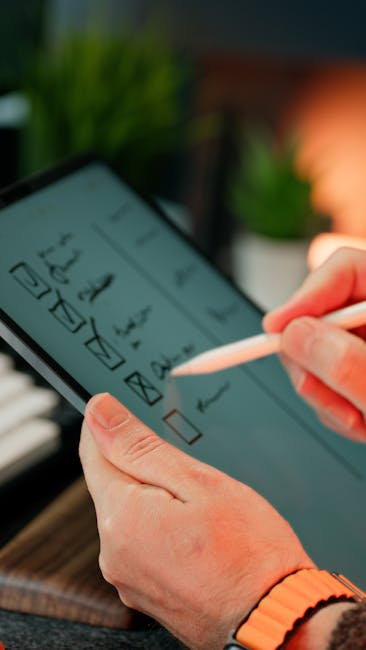
Another important aspect is the availability of mobile apps. A great to-do list app should work seamlessly across devices. Whether you’re at your desk or on the go, having access to your tasks can make a world of difference.
Don’t forget to check if the app offers a free version. Many popular to-do list apps provide basic features at no cost, allowing you to test them before committing to a paid plan.
- Mobile compatibility
- Free version availability
- Cross-device sync
- User-friendly interface
Ultimately, the best to-do list app for Google power users is one that fits your unique needs. By focusing on features like integration, categorization, and device compatibility, you can enhance your productivity and keep your tasks organized.
So, what will you choose? The right app can transform how you manage your day-to-day activities, helping you stay on top of everything you need to accomplish.
Best To-Do List App for People Who Forget to Use To-Do Apps
Finding the best to-do list app can be a game changer, especially for those of us who often forget to use them. If you’re a busy individual juggling multiple tasks, having an effective app can help keep your life organized. But what features should you look for to ensure you actually use it?
First and foremost, the app should be simple and intuitive. If it feels complicated, you might just skip using it altogether. Look for apps that have a clean interface and easy navigation. This way, you can add tasks quickly without feeling overwhelmed.
Here are some essential features to consider:
- Reminders: Set notifications for your tasks.
- Recurring tasks: For those things you do regularly.
- Collaboration: Share lists with friends or family.
Additionally, look for apps that allow you to categorize your tasks. This can help you prioritize what needs to be done first. For example, you might have categories for work, home, and personal tasks. Users often find that visual organization makes a big difference.
Some popular options in this space include:
| App Name | Key Feature |
|---|---|
| Todoist | Powerful task management |
| Microsoft To Do | Integration with Office |
Remember, the best to-do list app is the one that fits your unique style of working. Do you prefer something minimalistic or feature-rich? Try a few options to see which one resonates with you.
In conclusion, finding the best to-do list that fits your needs can significantly enhance your productivity and organization. Whether you prefer a digital app that syncs across all your devices or a classic pen-and-paper method that allows for a tactile experience, the key is to choose a system that resonates with your personal workflow. Remember to consider features like task prioritization, reminders, and collaborative options, as these can make a substantial difference in how effectively you manage your tasks.
As you explore different options, don’t hesitate to experiment with various styles and formats. You might discover that a hybrid approach—combining digital tools for planning and a physical planner for daily tasks—works best for you. The best to-do list is one that evolves with your changing needs and helps you stay focused on what truly matters.
Additionally, regularly reviewing and updating your to-do list can ensure that it remains relevant and aligned with your goals. Set aside time each week to assess what you’ve accomplished and adjust your priorities accordingly. This habit not only helps you stay organized but also provides a sense of achievement and motivation as you check off completed tasks.
Ultimately, the best to-do list is one that empowers you to take control of your time and responsibilities. It should serve as a tool that alleviates stress rather than adding to it. By investing time in finding and perfecting your ideal to-do list system, you are investing in your productivity, well-being, and overall success. So take the leap, explore your options, and discover how the right to-do list can transform your daily routine and help you reach your goals with ease.
Leave a Reply