
In today’s fast-paced environment, managing multiple projects can feel overwhelming, leading to stress and missed deadlines. Effective project tracking is essential for keeping teams organized and projects on schedule, allowing for clarity and focus amidst chaos. This article will guide you through the best practices and tools for project tracking, helping you streamline processes and boost collaboration. Whether you’re a seasoned project manager or new to the field, you’ll find valuable insights to enhance your project management skills and drive your team’s success. Embrace the power of project tracking and take control of your workflow today.
Understanding Project Tracking Methodologies
Project tracking is an essential part of managing any project, regardless of its size or complexity. It helps teams monitor progress, allocate resources effectively, and ensure that deadlines are met. But what exactly does project tracking entail? Let’s dive into some popular methodologies that can enhance your project tracking efforts.
First, let’s talk about Agile project tracking. This methodology is especially popular in software development. Agile emphasizes flexibility and iterative progress. Teams work in short sprints, allowing for quick adjustments based on feedback. This method not only keeps the project on track but also encourages collaboration among team members.

Another widely used methodology is Waterfall. This approach is linear and sequential, where each phase must be completed before moving on to the next. It’s straightforward and works best for projects with well-defined requirements. However, the rigidity of this method can sometimes lead to challenges if unexpected changes arise.
- Agile: Flexible and iterative.
- Waterfall: Linear and sequential.
- Scrum: Focused on delivering small, functional pieces of the project.
Scrum is another popular methodology that falls under the Agile umbrella. It breaks down the project into manageable chunks called “sprints.” Each sprint typically lasts two to four weeks, allowing teams to deliver small, functional pieces of the project regularly. This not only keeps the project on track but also provides opportunities for continuous improvement.
When it comes to project tracking templates, choosing the right one can streamline your workflow. A well-designed template can help you visualize progress, assign tasks, and manage deadlines effectively. Many templates are available online, tailored for various methodologies.
 project management template”
loading=”lazy”
style=”width:400px;max-width:100%;height:auto;border-radius:10px;margin:20px auto;display:block;”>
Here’s a simple comparison of popular project tracking methodologies:
| Methodology | Key Features |
|---|---|
| Agile | Flexible, iterative, focuses on collaboration. |
| Waterfall | Linear, sequential, best for well-defined projects. |
| Scrum | Short sprints, continuous improvement, regular feedback. |
In conclusion, understanding project tracking methodologies is crucial for any team aiming for success. Whether you choose Agile, Waterfall, or Scrum, each method has its strengths and weaknesses. The key is to find a system that aligns with your project goals and team dynamics. With the right approach, your project can not only stay on track but also thrive.
How to Choose the Right Project Tracking Template
Choosing the right project tracking template can significantly enhance your team’s productivity. With so many options available, it’s essential to find one that fits your specific needs. But where do you start?
First, consider the type of project you’re managing. Different projects have different requirements. For instance, a software development project may require a more detailed tracking template compared to a simple marketing campaign.
Think about the size of your team as well. A small team might benefit from a straightforward tracking template that focuses on essential tasks, while a larger team may need something more robust that includes multiple layers of information.
- Assess the complexity of your project.
- Determine your team’s size and structure.
- Identify specific features you need.
Next, look for templates that allow for customization. A flexible project tracking template can adapt as your project’s needs evolve. You might want to include specific data points or tracking metrics that are unique to your work.
Another critical factor is the user interface. A template that is easy to navigate will save you and your team time. If it’s too complicated, it could lead to frustration and confusion.
When evaluating project tracking templates, consider the following features:
| Feature | Importance |
|---|---|
| Customizability | High |
| User-Friendly Interface | High |
| Collaboration Tools | Medium |
Collaboration tools are another feature to look for. If your team is scattered across different locations, having a template that supports real-time updates and communication can make a world of difference.
Lastly, don’t forget to consider the cost. While free templates can be appealing, they may lack essential features. Investing in a quality project tracking template can pay off in the long run by streamlining your workflow.
In conclusion, choosing the right project tracking template involves understanding your project’s specific needs and your team’s dynamics. By focusing on customizability, user-friendliness, and collaboration, you’ll be well on your way to selecting a template that enhances your project management experience.

Benefits of Using Project Tracking Tools
Project tracking tools have become essential for teams looking to enhance their efficiency and collaboration. By implementing these tools, you can streamline your project management processes and ensure that everyone is on the same page.
One of the primary benefits of project tracking is improved visibility. With a clear tracking template, all team members can see the project’s progress, deadlines, and responsibilities. This transparency helps to reduce misunderstandings and keeps everyone accountable.
Additionally, project tracking allows for better resource management. It helps teams allocate their time and skills effectively. By using a project tracking tool, you can identify which team members are overburdened and adjust workloads accordingly.
- Increased accountability among team members
- Enhanced communication and collaboration
- Better time management and scheduling
Another significant advantage is the ability to analyze data. Project tracking tools provide valuable insights into how your team operates. By reviewing this data, you can identify trends, such as which tasks take longer than expected or which team members excel in specific areas.
Imagine being able to predict potential roadblocks before they occur. With project tracking, you can spot issues early and make adjustments. This proactive approach can save time and resources in the long run.
| Benefit | Description |
|---|---|
| Enhanced Communication | Keeps all team members informed |
| Time Savings | Reduces time spent on updates |
| Informed Decision-Making | Data-driven insights for better choices |
Moreover, project tracking tools can help in maintaining a clear timeline. With deadlines and milestones clearly marked, teams can focus on what needs to be done next. This clarity reduces the chances of tasks being overlooked or delayed.
Have you ever faced a situation where deadlines were missed? A project tracking tool can help you avoid that by sending reminders and alerts about upcoming due dates.

Lastly, using a project tracking tool can foster a culture of continuous improvement. As teams utilize the data collected, they can refine their processes and templates to become more efficient over time. This not only benefits the current project but also sets a solid foundation for future endeavors.
In summary, the benefits of using project tracking tools are clear: improved visibility, better resource management, enhanced communication, and the ability to analyze data. By adopting these tools, your team can navigate the complexities of project management with greater ease and success.
Key Features of Effective Project Tracking Software
Effective project tracking software is essential for any team aiming to enhance productivity and ensure project success. Understanding the key features can help you choose the right tool for your needs.
First and foremost, a user-friendly interface is crucial. If team members struggle to navigate the software, they may not utilize its full potential. Look for platforms that offer intuitive dashboards and easy access to project data.
Another vital feature is real-time collaboration. In today’s fast-paced work environment, teams need to communicate and share updates instantly. This capability allows for timely adjustments and keeps everyone on the same page.
- User-friendly interface
- Real-time collaboration
- Customizable tracking templates
- Data visualization tools
Additionally, customizable tracking templates can significantly enhance your project management experience. These templates allow you to tailor the tracking process to fit your specific project needs, making it easier to monitor progress and milestones.
Data visualization tools are also essential. They transform complex data into easily digestible formats, such as charts and graphs. This feature helps teams quickly understand project status and make informed decisions.

When evaluating project tracking software, consider the following features:
| Feature | Benefit |
|---|---|
| User-friendly interface | Easy navigation for all team members |
| Real-time collaboration | Instant updates and communication |
| Customizable templates | Tailored tracking for specific projects |
| Data visualization | Clear understanding of project status |
Finally, don’t overlook the importance of integration capabilities. The ability to connect your project tracking software with other tools-like calendars, email, and file storage-can streamline workflows and enhance overall efficiency.
Choosing the right project tracking software involves assessing these features and how they align with your team’s needs. After all, the goal is to simplify your work processes and foster collaboration.
With the right tools, your team can navigate the ocean of project demands with ease, ensuring that every species of task is accounted for and completed on time.
Step-by-Step Guide to Project Tracking in Excel
Tracking projects effectively is crucial for successful outcomes. Excel is a powerful tool that can help you manage your projects seamlessly. Let’s dive into a step-by-step guide on how to set up a project tracking system using Excel.
First, open a new Excel workbook. Start by creating a table that includes essential columns such as Task Name, Assigned To, Start Date, End Date, Status, and Comments. These columns will help you keep track of all the necessary information related to each project.

Once you’ve set up the columns, begin entering your project data. Each row will represent a task within your project. It’s essential to fill out each field to ensure comprehensive tracking. This way, you can easily see who is responsible for what and when tasks are due.
Next, consider using a tracking template. This can save you time and ensure consistency across your projects. You can find many free templates online or create your own tailored to your specific needs. A good template should allow for easy updates and provide a clear overview of your project’s status.
### Benefits of Using a Tracking Template
- Standardizes project management across your team.
- Simplifies data entry and updates.
- Enhances visibility of project progress.
After entering your data, it’s time to format your table for better readability. You can use color coding to indicate the status of tasks. For instance, green for completed tasks, yellow for in-progress, and red for overdue. This visual representation helps your team quickly assess the project’s health.
Consider adding a Gantt chart to your Excel sheet. A Gantt chart visually represents your project timeline and can help you track progress over time. You can create one by using Excel’s built-in chart features, making it easier to see how tasks overlap and where resources may be needed.

### Key Columns for Effective Project Tracking
| Column Name | Purpose |
|---|---|
| Task Name | Identifies the specific task. |
| Assigned To | Shows who is responsible for the task. |
| Start Date | Indicates when the task begins. |
| End Date | Shows the deadline for the task. |
As your project progresses, regularly update your tracking sheet. This ensures that all team members are aware of the current status. It also helps in identifying any potential bottlenecks early on.
In conclusion, project tracking in Excel not only organizes your tasks but also enhances your team’s productivity. By following these steps, you can create a robust project tracking system that keeps everyone on the same page. Remember, the key to successful project management is clear communication and consistent tracking.
Best Practices for Project Task Tracking
Effective project tracking is crucial for any team aiming to achieve its goals. When you have a clear understanding of your tasks and progress, it becomes easier to manage resources and timelines. So, what are some best practices for project task tracking that can help you stay organized?
First, consider using a project tracking template. A well-designed template can streamline your workflow and ensure that all team members are on the same page. It helps you visualize tasks, deadlines, and responsibilities. Plus, it can be customized to fit the unique needs of your project.

Another best practice is to set clear milestones. Milestones are significant points in your project timeline that indicate progress. They provide a sense of accomplishment and help keep your team motivated. By tracking these milestones, you can easily identify if you’re on schedule or if adjustments are needed.
- Define clear goals for each milestone.
- Communicate milestones to your entire team.
- Regularly review progress towards these milestones.
Next, make use of project tracking tools. There are many software options available that can aid in tracking tasks, such as Trello, Asana, or Microsoft Project. These tools allow you to assign tasks, set deadlines, and monitor progress in real-time. They also facilitate communication among team members, making it easier to collaborate.

Data is another essential aspect of effective project tracking. By collecting and analyzing data on your project’s progress, you can make informed decisions. For instance, if you notice that a particular task is consistently delayed, it may indicate a need for additional resources or a reassessment of priorities.
| Data Type | Purpose |
|---|---|
| Task Completion Rates | Measure efficiency |
| Time Tracking | Identify bottlenecks |
| Resource Allocation | Optimize team workload |
Regular check-ins with your team can also enhance project tracking. Schedule weekly or bi-weekly meetings to discuss progress and any challenges that may arise. This open line of communication fosters accountability and allows for quick problem-solving.
In conclusion, adopting these best practices for project task tracking can significantly improve your project management skills. By utilizing a tracking template, setting milestones, leveraging tools, analyzing data, and maintaining communication, you can navigate through your projects like a pro. Remember, effective project tracking is not just about keeping tabs; it’s about fostering collaboration and ensuring success.
How to Monitor Project Progress Effectively
Monitoring project progress is crucial for ensuring that your team stays on track and meets deadlines. But how do you do it effectively? There are several methods and tools available that can help streamline your project tracking process.
First, consider using a project tracking template. A well-designed template can serve as a roadmap for your team, providing a clear outline of tasks, deadlines, and responsibilities. This not only helps in tracking progress but also enhances accountability among team members.

To monitor progress effectively, you can implement regular check-ins and updates. Schedule weekly meetings where team members can discuss their current tasks and any challenges they face. This creates an open line of communication and allows for quick adjustments if needed.
- Establish clear deadlines for each task.
- Encourage team collaboration to solve problems.
- Use visual aids to track progress, like Gantt charts or Kanban boards.
Another effective method is to leverage project management software. Tools like Trello, Asana, or Monday.com offer features that allow you to visualize project progress in real-time. You can see which tasks are completed, which are in progress, and which are yet to start.
| Tool | Key Feature |
|---|---|
| Trello | Card-based task management |
| Asana | Task assignments and tracking |
| Monday.com | Customizable workflows |
Regularly updating these tools not only helps in tracking the project but also keeps everyone on the same page. But remember, the key to effective project tracking is consistency. Make it a habit to log updates daily or weekly, depending on your project’s pace.

Lastly, don’t forget to celebrate milestones. Recognizing achievements, no matter how small, boosts team morale and keeps everyone motivated. Whether it’s completing a major task or reaching a project milestone, take a moment to acknowledge the hard work of your team.
In summary, effective project tracking involves using the right tools and maintaining open communication. By implementing these strategies, you can ensure that your project stays on track, your team remains engaged, and your goals are achieved.
Creating a Custom Project Tracking Template
Creating a custom project tracking template is a game-changer for any team. It helps streamline your work, ensuring everyone knows their roles and deadlines. But where do you start?
First, think about the specific needs of your project. What data do you need to track? Are you focusing on timelines, resources, or perhaps the species of tasks at hand? Tailoring your template to your project’s unique requirements will make it much more effective.
Consider these essential elements to include in your tracking template:
- Project Name
- Team Members
- Task Descriptions
- Deadlines
- Status Updates
Next, choose a format that works best for your team. You can create a simple spreadsheet, use project management software, or even design a visual dashboard. Each has its advantages, so pick what feels right for your workflow.
A spreadsheet is often the easiest starting point. You can set it up to include columns for each of the elements mentioned earlier. This allows for easy data entry and quick updates as the project progresses.

Once your template is set up, it’s crucial to keep it updated. Regularly check in with your team to ensure everyone is on the same page. This not only helps with accountability but also keeps the tracking process transparent.
Here’s a simple table to illustrate how you might organize your project tracking:
| Task | Status |
|---|---|
| Design Phase | In Progress |
| Development Phase | Not Started |
As you fill out your template, remember that the goal is to make tracking your project as seamless as possible. If something doesn’t work, don’t hesitate to make adjustments.
Lastly, consider incorporating visual elements. Charts or graphs can help represent data trends and make it easier to digest. Think about how you can turn numbers into a story that resonates with your team.
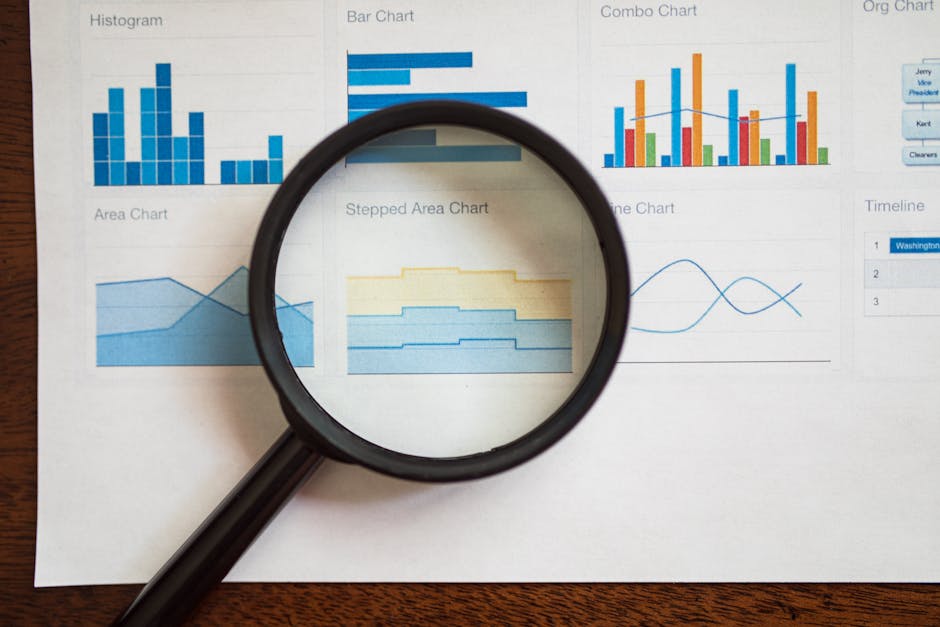
By creating a custom project tracking template tailored to your needs, you’ll set your team up for success. So, are you ready to dive into your next project with a clear plan?
Integrating Agile Methodologies in Project Tracking
Agile methodologies have revolutionized the way teams approach project tracking. By emphasizing flexibility and collaboration, Agile allows teams to adapt to changes quickly and efficiently. This is particularly important in today’s fast-paced work environment, where project requirements can shift unexpectedly.
One of the fundamental aspects of Agile is the use of iterative cycles, often referred to as sprints. These short, focused periods of work enable teams to track progress and make adjustments as needed. But how can you effectively integrate Agile into your project tracking system?
- Establish clear goals for each sprint.
- Use a project tracking template that supports Agile practices.
- Encourage regular communication within the team.
To start, consider utilizing a project tracking template specifically designed for Agile methodologies. This template should allow for easy updates and visibility into the current status of tasks. By keeping everyone on the same shelf, teams can ensure that all members are aware of their responsibilities and deadlines.
Incorporating tools like Kanban boards or Scrum boards can also enhance your project tracking efforts. These visual tools help teams see the flow of work and identify any bottlenecks in real-time. Wouldn’t it be great to visualize your progress and keep everyone aligned?
| Agile Tool | Purpose |
|---|---|
| Kanban Board | Visualize work in progress |
| Scrum Board | Track sprints and tasks |
Moreover, regular retrospectives at the end of each sprint allow teams to reflect on their processes and make necessary adjustments. This practice not only improves project tracking but also fosters a culture of continuous improvement.
As you adopt Agile methodologies, remember to keep the lines of communication open. Whether through daily stand-ups or collaborative tools, ensuring that everyone is on the same page is key to successful project tracking.
In conclusion, integrating Agile methodologies into your project tracking can lead to more efficient workflows and better team dynamics. By utilizing the right tools and templates, your team can navigate the complexities of project management with ease. So, are you ready to take your project tracking to the next level?
In conclusion, effective project tracking is an indispensable element for the success of any project, regardless of its size or complexity. By implementing robust project tracking methodologies, teams can enhance visibility, foster collaboration, and ensure that resources are allocated efficiently. The ability to monitor progress in real-time allows for timely interventions, minimizing the risks of project delays and budget overruns. As we navigate an increasingly complex project landscape, adopting advanced tracking tools and techniques not only streamlines workflows but also empowers teams to make data-driven decisions. Whether utilizing Gantt charts, Kanban boards, or sophisticated project management software, the key lies in selecting the right approach that aligns with your team’s specific needs and project goals. Ultimately, prioritizing project tracking not only drives accountability but also cultivates a culture of continuous improvement, paving the way for future successes. As you move forward, remember that the true strength of project tracking lies in its ability to transform potential challenges into opportunities for growth and innovation.
Leave a Reply