
In today’s fast-paced world, staying organized and on top of your tasks is more crucial than ever. Task tracking tools not only simplify the process of managing assignments but also enhance collaboration among team members, ensuring everyone stays aligned and productive. This article will guide you through the best task tracking tools available, highlighting their features and benefits, so you can choose the perfect solution to elevate your workflow and achieve your goals.
Best Task Tracking Tools for 2026
In today’s fast-paced world, effective task tracking tools are essential for managing projects and ensuring that teams stay on track. With so many options available, it can be overwhelming to choose the right one. Let’s dive into some of the best task tracking tools for 2026 that can streamline your workflow and enhance productivity.
Task management tools come with various features designed to help users organize their tasks efficiently. Whether you’re managing a small team or a large organization, these tools offer solutions tailored to your needs. Key features to look for include time tracking, collaboration capabilities, and integration with other software.

One of the standout tools in 2026 is Asana. Known for its intuitive interface, Asana allows teams to break down projects into manageable tasks. Users can assign tasks, set deadlines, and track progress in real-time. This visibility helps teams stay aligned and focused on their goals.
Another popular option is Trello, which uses a card-based system for task management. Trello is particularly effective for visual learners, as it allows users to see their tasks and projects at a glance. The flexibility of Trello makes it suitable for various types of projects, from marketing campaigns to software development.
| Tool | Key Features |
|---|---|
| Asana | Task assignments, deadlines, progress tracking |
| Trello | Card-based system, visual task management |
When considering task tracking tools, it’s important to evaluate how they fit within your existing workflow. Some tools excel in collaboration features, while others may offer better time tracking capabilities.
For instance, ClickUp is a robust tool that combines task management with time tracking and goal setting. Its versatility makes it a great choice for teams that require comprehensive project management solutions.
Additionally, Monday.com stands out for its customizable workflows. Users can tailor the platform to their specific needs, making it a favorite among diverse teams. This flexibility allows for better task management across various projects.
- Asana: Best for task assignments and tracking
- Trello: Ideal for visual project management
- ClickUp: Comprehensive tool for time and task management
- Monday.com: Highly customizable for team needs
Ultimately, the best task tracking tool for you will depend on your specific requirements and the size of your team. Consider testing a few options to see which one resonates best with your workflow.
The right tool can make all the difference in managing your tasks effectively and keeping your projects on track. So, which task tracking tool will you choose for 2026?
Top Features to Look for in Task Management Apps
When choosing the right task tracking tools, it’s vital to consider the features that will best support your workflow. The right task management app can transform the way teams collaborate and manage their work. So, what should you look for?
First and foremost, a user-friendly interface is crucial. No one wants to spend hours figuring out how to use a tool. The best task management apps offer intuitive navigation that allows users to jump right in.
Another essential feature is the ability to assign tasks to team members. This not only clarifies responsibilities but also enhances accountability. Look for tools that allow you to set deadlines and priorities for each task. This way, everyone knows what to focus on and when.
- User-friendly interface
- Task assignment capabilities
- Deadline and priority settings
Collaboration features are also a must-have. Effective task management relies on communication. The best tools integrate chat or comment sections directly within tasks. This means teams can discuss details without losing track of the work itself.
Additionally, consider tools that offer time tracking. Knowing how much time is spent on each task can provide valuable insights into productivity and help teams optimize their workflow.
| Feature | Importance |
|---|---|
| User-friendly interface | Easy navigation for all users |
| Task assignment | Clarifies responsibilities |
| Time tracking | Optimizes workflow |
Integration capabilities are another feature to consider. Your task management app should seamlessly integrate with other tools your team already uses, like calendars, email, or file storage services. This helps keep everything connected and reduces the need to switch between platforms.
Lastly, analytics and reporting features can provide insights into team performance. Understanding how tasks are progressing and where bottlenecks occur can help improve efficiency and productivity over time.
In summary, when evaluating task tracking tools, prioritize user experience, collaboration, and integration. These features can make all the difference in how effectively your team manages tasks and projects.
With the right task management app, you can empower your team to work smarter, not harder. So, what features will you prioritize in your search for the perfect tool?
Best Task Management Apps for Teams
In today’s fast-paced work environment, effective task tracking tools are essential for teams striving to enhance productivity. With numerous apps available, finding the right one can be overwhelming. Let’s explore some of the best task management apps that can help your team stay organized and focused.
First up, we have Trello. This user-friendly app utilizes boards, lists, and cards to help teams manage their tasks visually. Its drag-and-drop feature allows users to easily move tasks between different stages of a project. Plus, Trello integrates with various other tools, making it a flexible option for diverse workflows.

Another popular choice is Asana. This app provides a comprehensive task management system where users can assign tasks, set deadlines, and track progress in real-time. The ability to create subtasks and dependencies makes it particularly valuable for complex projects. Asana’s reporting features also allow teams to analyze their performance over time.
To give you a clearer picture, here’s a quick comparison of these two apps:
| Feature | Trello | Asana |
|---|---|---|
| Visual Task Management | Yes | No |
| Subtasks | Limited | Yes |
| Integration Options | Extensive | Moderate |
Moving on, Monday.com is another robust option. It offers a highly customizable interface that allows teams to tailor their task management processes. Users can choose from various templates and automate repetitive tasks, saving valuable time. Its visual dashboards provide insights into project timelines and team workloads.
What about ClickUp? This app combines task management with document collaboration, making it a versatile choice for teams. With features like time tracking, goal setting, and reminders, ClickUp ensures that everyone stays on the same page. Its ability to consolidate multiple tools into one platform is a big plus.
Here’s a brief overview of Monday.com and ClickUp:
| Feature | Monday.com | ClickUp |
|---|---|---|
| Customization | High | Moderate |
| Document Collaboration | No | Yes |
| Time Tracking | No | Yes |
Choosing the right task management app ultimately depends on your team’s specific needs. Whether you prioritize visual task management, reporting, or collaboration features, there’s a solution out there for you. So, what will you choose to elevate your team’s productivity?
How to Choose the Right Task Tracking Tool
Choosing the right task tracking tool can be a game changer for your productivity. With so many options available, it’s essential to find a tool that aligns with your specific needs. But how do you navigate through the myriad of choices?
First, consider the size and structure of your team. If you work in a small team, a simple task management tool might suffice. However, larger teams often require more robust features to manage complex projects effectively. Think about your team’s workflow. Do you need real-time collaboration features, or is asynchronous communication sufficient?
- Assess your team size
- Determine your workflow needs
- Identify key features required
Next, let’s talk about features. A good task tracking tool should offer essential functionalities such as task assignment, deadline tracking, and progress monitoring. Look for tools that allow you to customize workflows to fit your project management style.
For instance, if you’re managing multiple projects, features like Gantt charts or Kanban boards can help visualize progress and dependencies. Additionally, integrations with other tools you already use can enhance your team’s efficiency.
Another critical factor is user experience. A user-friendly interface can significantly reduce the learning curve for your team. If a tool is complicated, it can lead to frustration and decreased productivity. Look for task tracking tools that offer intuitive navigation and easy onboarding processes.
You might also want to explore mobile accessibility. If your team is often on the go, having a mobile app can help keep everyone connected and informed about tasks and deadlines.
| Feature | Importance |
|---|---|
| Task Assignment | High |
| Progress Tracking | High |
| Custom Workflows | Medium |
Now, think about your budget. Task tracking tools come in various price ranges, from free versions with limited features to premium subscriptions with advanced capabilities. Evaluate what you truly need and what you’re willing to spend.
It might be helpful to take advantage of free trials offered by many tools. This way, you can test out the features and see how well they integrate into your team’s workflow before making a commitment.
Finally, consider the level of customer support provided by the tool. Reliable support can make a significant difference, especially during the initial setup phase or when troubleshooting issues.
In summary, when choosing a task tracking tool, keep these factors in mind: team size, essential features, user experience, budget, and customer support. By carefully evaluating these aspects, you’ll be well on your way to selecting the best tool for your task management needs.
Are you ready to enhance your team’s productivity with the right task tracking tool?
Top 10 Task Management Tools Reviewed
When it comes to managing your tasks, the right tools can make all the difference. Whether you’re a freelancer juggling multiple projects or part of a larger team, task tracking tools help streamline your workflow. Let’s dive into the top ten task management tools that can elevate your productivity.
1. Trello
Trello is known for its user-friendly interface and visual approach to task management. It uses boards, lists, and cards to help teams organize tasks effectively. The drag-and-drop feature makes moving tasks around seamless.
2. Asana
Asana is a robust tool that allows teams to plan, organize, and track work. Its features include task assignments, due dates, and project timelines, making it ideal for collaborative efforts. Plus, the integration with other apps enhances its functionality.
3. Monday.com
With its customizable workflows, Monday.com caters to various industries. It offers automation features that can save time on repetitive tasks. The visual dashboards provide a clear overview of project statuses.
| Tool | Key Features |
|---|---|
| Trello | Visual boards, drag-and-drop |
| Asana | Task assignments, timelines |
| Monday.com | Custom workflows, automation |

4. ClickUp
ClickUp is an all-in-one task management tool that offers a myriad of features. From time tracking to goal setting, it’s designed to accommodate various work styles. Its flexibility makes it suitable for both personal and professional use.
5. Notion
Notion combines note-taking and task management in one platform. It allows users to create databases, wikis, and calendars. This versatility makes it a favorite among creative teams.
6. Wrike
Wrike is geared towards teams that need detailed project tracking. It offers Gantt charts, time tracking, and reporting features. This makes it an excellent choice for project managers who require in-depth analysis.
- Trello: Best for visual task management
- Asana: Ideal for team collaboration
- Monday.com: Great for customizable workflows
7. Basecamp
Basecamp is a simple yet effective task management tool. It focuses on communication and collaboration, making it perfect for remote teams. With to-do lists and message boards, it keeps everyone on the same page.
8. Todoist
Todoist is perfect for individuals looking to manage personal tasks. Its clean interface and priority levels help users focus on what matters most. It also integrates with various apps, enhancing its usability.
9. Microsoft To Do
This tool is great for users who are already integrated into the Microsoft ecosystem. It offers task lists, reminders, and collaboration features, making it a solid choice for users who value simplicity.
10. Jira
Primarily used in software development, Jira helps teams track tasks and projects efficiently. Its customizable workflows and reporting features make it a powerful tool for agile project management.

In conclusion, choosing the right task tracking tools depends on your specific needs. Each tool offers unique features that can help you manage tasks more effectively. Consider your team’s workflow and goals when selecting the best fit. Happy task managing!
Best Free Task Management Apps for 2026
In today’s fast-paced world, managing tasks effectively is crucial for both individuals and teams. Luckily, there are numerous task tracking tools available, many of which are free to use. In this section, we’ll explore some of the best free task management apps for 2026, highlighting their features and how they can enhance your productivity.
Whether you’re juggling personal tasks or coordinating with a team on a project, the right management app can make all the difference. These tools not only help you keep track of your tasks but also streamline your workflow, ensuring that nothing falls through the cracks.
- Easy to use interfaces
- Collaboration features for teams
- Customizable task lists
- Integration with other tools
One standout option is Trello. This app uses a card-based system that allows users to create boards for different projects. Each task can be represented as a card, making it easy to move them through various stages of completion. Trello is particularly effective for teams, as it offers features for collaboration, commenting, and file sharing.
Another popular choice is Asana. Known for its robust task management features, Asana allows users to create tasks, assign them to team members, and set deadlines. The visual layout makes it easy to see what everyone is working on, which is essential for project management. Plus, its time tracking capabilities help users stay on top of their work.

When considering task tracking tools, it’s important to think about the specific features you need. Here’s a quick table comparing some of the top free apps:
| App Name | Key Features |
|---|---|
| Trello | Card-based system, collaboration tools |
| Asana | Task assignments, deadlines, time tracking |
| ClickUp | Customizable views, goal tracking |
Next up is ClickUp, which has gained popularity for its flexibility and extensive features. Users can customize their views according to their needs, whether it’s a list, board, or calendar format. It also includes goal tracking, making it ideal for teams aiming to achieve specific outcomes.
Lastly, Todoist is a fantastic choice for personal task management. Its clean interface allows users to create simple to-do lists and set recurring tasks. For those who prefer a minimalist approach, Todoist is a great way to keep your work organized without unnecessary distractions.
- Mobile and desktop accessibility
- Integration with calendars and email
- Custom reminders and notifications
In conclusion, selecting the right task management tool can significantly improve your productivity in 2026. By considering the features that align with your needs, you can enhance your workflow and ensure that both personal tasks and team projects are managed efficiently. So, which app will you choose to help you stay organized this year?
Task Management Apps vs. Project Management Apps
When it comes to organizing work, both task management apps and project management apps play vital roles. However, they serve different purposes and cater to varying needs.
Task management apps focus primarily on individual tasks. They are designed to help users track their daily activities efficiently. These tools allow you to create, assign, and prioritize tasks, making it easier for teams to stay on top of their workload.
On the other hand, project management apps encompass a broader scope. They manage entire projects, including timelines, resources, and team collaboration. While task management is a component of project management, the latter provides a more comprehensive framework for overseeing complex projects.
So, which one should you choose? It really depends on your specific needs. If you’re focusing on personal productivity or managing simple tasks, a task management tool might be the right fit. However, for larger projects that require detailed planning and team collaboration, a project management app would be more suitable.
Here’s a quick comparison of features:
| Feature | Task Management Apps | Project Management Apps |
|---|---|---|
| Task Assignment | Yes | Yes |
| Collaboration Tools | Limited | Comprehensive |
| Time Tracking | Optional | Usually Included |
As you can see, the choice largely comes down to the complexity of your work. If your team is small and tasks are straightforward, a task management app might suffice. But if your projects involve multiple stakeholders and detailed timelines, investing in a robust project management app can save you time and effort.
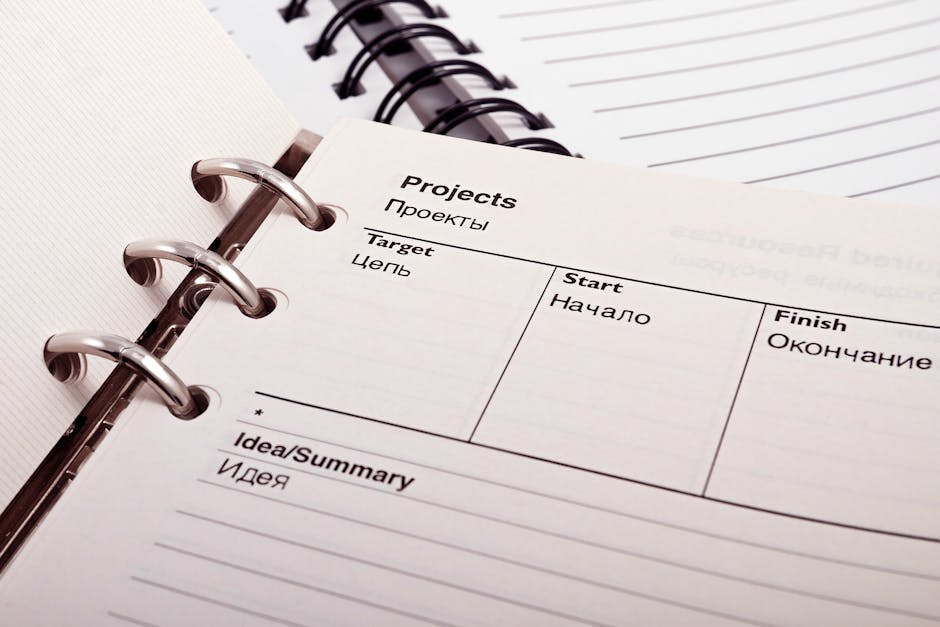
Ultimately, the best approach is to assess your team’s needs. Consider how you manage tasks and projects currently. What are the pain points?
A good task tracking tool can streamline your workflow, whether it’s through simple checklists or more advanced features like deadlines and reminders. Meanwhile, project management tools often include dashboards and reporting features that can provide insights into team performance and project progress.
Take the time to explore your options. With the right tools, you can enhance productivity and ensure that your tasks and projects are completed efficiently.
Best Task Tracking Tools for Remote Teams
In today’s fast-paced work environment, effective task tracking tools are essential for remote teams. They help streamline project management, enhance productivity, and ensure that everyone is on the same page. But how do you choose the right one for your team? Let’s explore some of the best options available.

When selecting task tracking tools, consider the features that best suit your team’s needs. Look for tools that offer intuitive interfaces, integration capabilities, and robust reporting options. Here are a few popular task tracking tools that have gained recognition for their effectiveness:
- Asana
- Trello
- Monday.com
- ClickUp
Each of these tools provides unique features tailored for task management. For instance, Asana is known for its user-friendly layout, while Trello uses a card-based system that’s great for visual learners.
It’s crucial to think about your team’s workflow. Do you prefer a Kanban-style board, or does a list view work better for you? The right task tracking tool will align with your team’s natural work habits.
| Tool | Best Feature |
|---|---|
| Asana | Task Dependencies |
| Trello | Visual Boards |
| Monday.com | Custom Workflows |
Time tracking is another important aspect of task management. Many of these tools integrate time tracking features, allowing your team to monitor how long tasks take. This can provide valuable insights into productivity and help identify bottlenecks.

Moreover, consider how these tools facilitate communication within your team. A good task tracking tool should encourage collaboration, making it easy for users to comment on tasks, share documents, and provide updates.
- Real-time notifications
- Commenting features
- File sharing capabilities
Ultimately, the best task tracking tools for remote teams are those that enhance collaboration, streamline management, and adapt to your specific needs. By exploring the options available and understanding their features, you can find a solution that empowers your team to work efficiently and effectively.
So, which task tracking tool will you choose to elevate your team’s productivity? The right choice can make all the difference in achieving your project goals.
In conclusion, the right task tracking tools can significantly enhance your productivity and streamline your workflow, whether you’re working individually or as part of a team. With a plethora of options available, it’s crucial to identify a tool that aligns with your specific needs and preferences. From simple to-do lists to comprehensive project management platforms, the variety of features offered can cater to diverse work styles and project complexities. By integrating task tracking tools into your daily routine, you can gain better visibility over your tasks, prioritize effectively, and ensure that deadlines are met without the last-minute rush. Additionally, many of these tools provide collaborative features that foster communication and transparency among team members, which can lead to improved outcomes and a more cohesive work environment. As you explore different solutions, consider factors such as user interface, integration capabilities, and customer support, which can all impact your overall experience. Ultimately, investing time in the right task tracking tools not only helps you stay organized but also empowers you to take control of your projects, making your work life more efficient and fulfilling. Embrace the digital age of task management, and watch as your productivity soars to new heights.
Leave a Reply