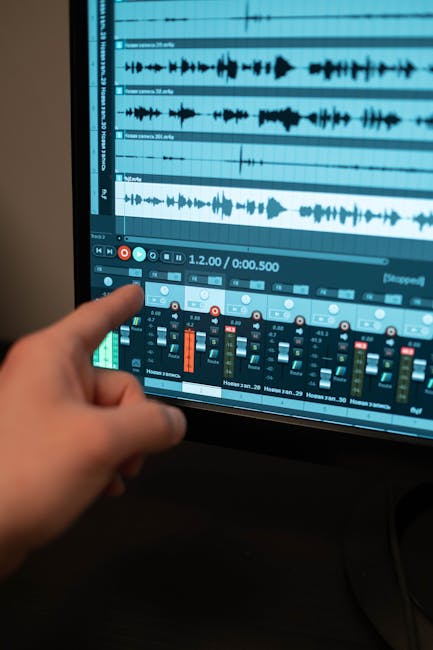
In today’s fast-paced work environment, effectively managing time has become more crucial than ever. A time tracking app can be your best ally in optimizing productivity, ensuring accountability, and simplifying project management. This article delves into the evolving landscape of time tracking software, exploring key features, benefits, and the latest trends that shape how businesses operate. Whether you are a freelancer, a small business owner, or part of a larger team, understanding these tools will empower you to make informed decisions that drive success. Join us as we navigate the world of time tracking apps and uncover the solutions that can transform your workflow.
What is a Time Tracking App?
A time tracking app is a software tool designed to help individuals and teams monitor how much time they spend on various tasks and projects. These apps can be incredibly useful, especially in today’s fast-paced work environment where managing time effectively is crucial for productivity.
With the rise of remote work, time tracking has become even more relevant. Many professionals are looking for ways to optimize their hours and ensure that they’re working efficiently. But what exactly can a time tracking app do for you?
- Monitor hours spent on tasks
- Generate detailed reports
- Integrate with project management tools
- Help in billing clients accurately
Time tracking apps come with a variety of features that cater to different needs. For instance, some apps offer simple timers, while others provide advanced analytics and reporting capabilities. This flexibility allows users to choose an app that suits their specific requirements.
When selecting a time tracking app, consider the features that are most important to you. Do you need a simple way to track hours, or are you looking for comprehensive data analysis? The right app can make a significant difference in how you manage your time.
| Feature | Benefit |
|---|---|
| Automatic Tracking | No need to start/stop timers manually |
| Reporting Tools | Visualize data for better decision making |
One of the main advantages of using a time tracking app is the ability to analyze how time is spent. This data can reveal trends that may not be immediately obvious. For instance, you might discover that you spend more time on emails than on actual project work.
Understanding these patterns can help you make informed decisions about reallocating your time. It’s all about working smarter, not harder.
Many time tracking apps also allow for collaboration among team members. This means that not only can you track your own hours, but you can also keep an eye on your team’s productivity.
This feature is particularly beneficial for project managers who need to ensure that projects are on track and deadlines are met. After all, effective project management relies heavily on understanding how time is allocated across tasks.
So, whether you’re a freelancer, a small business owner, or part of a larger organization, a time tracking app can be a valuable asset. It not only helps you keep tabs on your hours but also provides insights that can lead to improved efficiency and productivity.
In conclusion, a time tracking app is more than just a digital stopwatch. It’s a comprehensive tool that can transform the way you manage your time and, ultimately, your projects. With the right app, you can unlock your potential and achieve your goals more effectively.
Key Features of Time Tracking Software
Time tracking apps have become essential tools for businesses of all sizes. They help in monitoring the hours spent on various projects, allowing teams to manage their time effectively. But what features should you look for in a time tracking app?
First and foremost, a good time tracking software should offer accurate time recording. This means that users can easily start and stop timers for different tasks. The simplicity of tracking time can significantly impact productivity. After all, who wants to waste time fiddling with complicated interfaces?
- Automatic time tracking
- Manual time entry options
- Integration with project management tools
Next, consider the reporting features. A time tracking app should generate detailed reports that help analyze how time is spent across different projects. This data allows teams to identify bottlenecks and optimize their workflows. Wouldn’t it be great to see where your time goes each week?
Another key feature is integration capabilities. The best time tracking software seamlessly connects with other apps you already use, like project management or accounting tools. This integration helps streamline processes and reduces the need for manual data entry.
| Feature | Benefit |
|---|---|
| Automatic Time Tracking | Reduces manual input and errors |
| Reporting Tools | Provides insights for better decision-making |
Additionally, look for a user-friendly interface. The easier it is to track time, the more likely users will engage with the app. If your team finds the app cumbersome, they might not use it consistently. Consistency is key in effective time tracking.
Mobile accessibility is also crucial. Many time tracking apps offer mobile versions, allowing users to log their hours on the go. This is especially useful for teams that work remotely or are often away from their desks.
- Mobile app availability
- User-friendly design
- Customizable settings
Lastly, consider the ability to set budgets and deadlines. A time tracking app that allows you to monitor project timelines and costs can help keep your projects on track. You can easily see if you’re within budget and adjust as needed.
In summary, when choosing a time tracking app, ensure it has features that enhance productivity, like accurate tracking, reporting, integration, and user-friendly design. These elements can significantly impact your team’s efficiency and project success.
Benefits of Using Time Tracking Apps
Time tracking apps have gained significant popularity in recent years. With a growing emphasis on productivity, these tools offer valuable insights into how time is spent. But what exactly are the benefits of using a time tracking app?
First and foremost, time tracking apps help individuals and teams understand their work habits. By logging hours spent on various tasks, users can identify patterns and make informed decisions. This data can be a game changer for improving efficiency.
Consider this: when you know how much time you spend on specific projects, you can allocate your hours more effectively. This leads to better project management and prioritization of tasks.
- Enhanced productivity
- Better time allocation
- Informed decision-making
Another significant advantage of time tracking software is its ability to provide accountability. When team members track their hours, it fosters a sense of responsibility. This can lead to improved performance and a more transparent work environment.
Moreover, many time tracking apps come with features that allow for effortless reporting. Users can generate reports that showcase how time is distributed across projects. This is particularly useful for freelancers and consultants who need to bill clients accurately.
| Feature | Benefit |
|---|---|
| Automatic Tracking | Reduces manual entry errors |
| Reporting Tools | Easily visualize time spent |
Time tracking apps also promote better work-life balance. By understanding how much time is spent on work versus personal activities, users can make adjustments to their schedules. This is crucial for avoiding burnout.
Additionally, many modern apps integrate seamlessly with other software. This means you can track time while working in your favorite project management tools. It simplifies the process and keeps everything organized.
- Improved work-life balance
- Seamless software integration
- Reduced burnout risk
Lastly, let’s not forget the financial benefits. For businesses, accurate time tracking can lead to better budgeting and forecasting. Knowing where time is spent allows for more precise project estimates and resource allocation.
In summary, the benefits of using a time tracking app are vast. From enhancing productivity to improving work-life balance, these tools are invaluable for anyone looking to optimize their time management.
Types of Time Tracking Software Available
Time tracking apps have become essential tools for businesses and freelancers alike. They help manage hours, ensure accurate billing, and improve productivity. But did you know there are various types of time tracking software available? Each type offers unique features and benefits.
First, we can categorize time tracking apps into three main types: standalone apps, integrated solutions, and web-based tools.
- Standalone Apps: These are dedicated time tracking applications focusing solely on tracking time and hours worked.
- Integrated Solutions: These apps combine time tracking with project management or accounting features.
- Web-Based Tools: Accessible from any device with an internet connection, these tools often offer collaborative features.
Standalone time tracking apps are perfect for those who need simplicity. They allow users to log hours quickly without any extra features that might complicate things. Think of apps like Toggl or Clockify; they provide straightforward interfaces for tracking time spent on tasks.
On the other hand, integrated solutions like Harvest or Hubstaff blend time tracking with project management. This means you can track time while also managing projects, tasks, and even invoices. It’s a great way to keep everything organized in one place.
| Type | Description |
|---|---|
| Standalone Apps | Focus solely on time tracking. |
| Integrated Solutions | Combine time tracking with project management. |
| Web-Based Tools | Accessible from any device, often collaborative. |
Web-based tools are increasingly popular because they allow teams to collaborate in real-time. Imagine being able to see what your colleagues are working on, all while tracking your own hours! Apps like TimeCamp or ClockShark offer these features, making them suitable for teams that need constant communication.
When choosing a time tracking app, consider your specific needs. Do you want simple hour tracking, or do you need project management features? Understanding what you need will help you select the right software.
Another aspect to consider is the reporting features of time tracking apps. Some software offers in-depth analytics, allowing you to see where your time is spent. This can be invaluable for improving productivity.
Key reporting features to look for include:
- Daily and weekly reports
- Project-specific time tracking
- Billable vs. non-billable hours
In conclusion, whether you need a simple standalone app or a comprehensive integrated solution, there’s a time tracking app out there for you. By understanding the different types available, you can choose one that aligns with your work style and needs. Time tracking doesn’t have to be complicated; with the right software, it can be a breeze!
How to Choose the Right Time Tracking App
Choosing the right time tracking app can feel overwhelming. With so many options available, how do you know which one fits your needs? Let’s break it down into manageable steps.
First, consider your specific requirements. Are you tracking hours for a project, or do you need to monitor employee productivity? Different apps cater to different needs. Some focus on simple time tracking, while others offer advanced features like reporting and project management.
Here are some essential features to look for in a time tracking app:
- Ease of use
- Integration with other software
- Reporting capabilities
- Mobile accessibility
- Flexible billing options
Next, think about the user experience. A time tracking app should be intuitive. If it takes too long to learn how to use it, you might waste more time than you save. Look for apps that offer a user-friendly interface and easy navigation.
Do you need to track time across multiple projects? Some apps allow you to manage various tasks seamlessly. This can be a lifesaver for freelancers or teams juggling multiple clients.
Consider the data reporting features. You want an app that can provide insights into how your time is spent. This can help you identify areas for improvement and optimize your workflow.
| Feature | Importance |
|---|---|
| User-Friendly Interface | High |
| Reporting Tools | High |
When evaluating time tracking apps, consider your budget as well. Many options are available at different price points. Some offer free trials, which can be a great way to test the waters before committing.
What about integration? If you already use specific project management software, look for a time tracking app that integrates well with it. This can save you significant time and effort.
Lastly, read reviews and gather feedback. User experiences can provide valuable insights into the app’s performance. Look for reviews that discuss both strengths and weaknesses.
By considering these factors, you’re on your way to finding the right time tracking app for your needs. Remember, the goal is to enhance productivity and make tracking time a hassle-free process.
Challenges in Implementing Time Tracking Solutions
Implementing a time tracking app can be a game changer for businesses looking to optimize their productivity. However, the journey isn’t always smooth. Many organizations face unique challenges that can hinder the adoption of effective time tracking solutions.
One significant hurdle is the resistance from employees. Some may feel that tracking their time is an invasion of privacy. They might worry about being micromanaged or judged based on the hours they log.
This can lead to a lack of engagement with the time tracking software. If employees don’t see the benefits, they may not use the app as intended.
Another challenge is the integration of the time tracking app with existing project management tools. Businesses often use multiple software solutions, and ensuring they work seamlessly together can be complicated.
If the time tracking software doesn’t sync with other tools, it can create data silos. This makes it difficult to get a holistic view of project progress and resource allocation.
- Employee resistance to tracking
- Integration issues with existing tools
- Data accuracy concerns
Moreover, data accuracy is a critical concern. If employees forget to log their hours or input incorrect information, the data can become unreliable. This undermines the very purpose of using a time tracking app.
Businesses need to implement training and incentives to encourage accurate time tracking. Without proper education, the software may not be used to its full potential.
Another aspect to consider is the selection of the right features in a time tracking app. Not all apps are created equal, and some may lack essential functionalities.
For instance, a good time tracking app should offer reporting features, project tracking capabilities, and even mobile access for remote teams. If a chosen solution doesn’t meet these needs, it can lead to frustration.
| Essential Features | Benefits |
|---|---|
| Reporting Tools | Gain insights into project performance |
| Mobile Access | Track hours from anywhere |
Lastly, the complexity of the time tracking app itself can be a barrier. If the software is not user-friendly, employees may struggle to adapt.
A steep learning curve can lead to frustration, which might result in low adoption rates.
So, how can businesses overcome these challenges?
Engaging employees in the decision-making process can foster a sense of ownership. Providing training and resources can also help mitigate the issues surrounding implementation.
In the end, choosing the right time tracking app and addressing these challenges head-on can lead to improved productivity and efficiency.
The Evolution of Time Tracking Software
Time tracking apps have come a long way since their inception. Initially, they were simple tools that allowed users to log hours spent on various tasks. Now, they have evolved into sophisticated software solutions that help businesses and individuals optimize productivity and manage projects more effectively.
In the early days, time tracking was often a manual process. Users would jot down hours on paper or spreadsheets, which could lead to errors and inconsistencies. As technology advanced, so did the features of time tracking software. Today, apps can automatically track time spent on specific tasks, providing detailed reports and analytics.
- Automatic time tracking
- Integration with project management tools
- Detailed reporting and analytics
With the rise of remote work, the demand for effective time tracking apps has surged. Businesses need to ensure that their teams remain productive, even when working from home. This has led to the development of features that allow for real-time tracking of hours and project progress.
Many modern time tracking apps now offer integrations with other tools, like project management software. This seamless connection allows users to track time spent on projects without switching between multiple applications. Isn’t it amazing how technology simplifies our work?
| Feature | Benefit |
|---|---|
| Automatic Time Tracking | Reduces manual entry errors |
| Reporting Tools | Helps analyze productivity |
| Project Integrations | Streamlines workflow |
As we look to the future, the potential for time tracking apps seems limitless. With advancements in artificial intelligence, we can expect even smarter apps that not only track hours but also provide insights into work habits. Imagine an app that can suggest when to take breaks based on your productivity patterns!
Moreover, the emphasis on data privacy is becoming increasingly important. Users want assurance that their data is secure while they track their time. This has prompted many developers to enhance the security features of their time tracking software.
The evolution of time tracking software reflects broader trends in the workplace. As companies strive for efficiency, these apps will continue to adapt and grow.
In conclusion, the journey from simple time logging to complex tracking solutions illustrates the importance of understanding how we spend our time. After all, time is one of our most valuable resources, and managing it effectively can lead to greater success in our personal and professional lives.
Current Trends in Time Tracking Apps
Time tracking apps have seen significant evolution in recent years. As remote work becomes more prevalent, the demand for effective time tracking software has surged. Companies are increasingly recognizing the importance of tracking hours to boost productivity and manage projects efficiently.
One key trend is the integration of artificial intelligence in time tracking apps. AI can help automate the tracking process, making it less cumbersome for users. Imagine a time tracking app that learns your habits and automatically logs your time based on your activities. This not only saves time but also reduces the likelihood of errors.
Another trend is the rise of mobile-first time tracking apps. With more professionals working on the go, having a time tracking app that is mobile-friendly is essential. Users want to track their hours seamlessly, whether they’re in the office or at a coffee shop.
Here are some features that are becoming increasingly popular in time tracking apps:
- Automatic time tracking
- Project-based time tracking
- Detailed reporting and analytics
- Integration with other productivity tools
- User-friendly interfaces
Additionally, data privacy and security are top concerns for users. As more businesses adopt time tracking software, they want assurance that their data is protected. Developers are responding by enhancing security features, ensuring that sensitive information remains safe.
The focus on user experience is also evident. Many time tracking apps are streamlining their interfaces to make tracking hours as easy as possible. Users appreciate a clean design that allows them to log their time without unnecessary distractions.
Let’s take a look at some popular time tracking apps and their key features:
| App Name | Key Features |
|---|---|
| Toggl | Simple interface, reporting, integrations |
| Harvest | Invoicing, project tracking, team collaboration |
| Clockify | Free plan, unlimited users, reporting |
As we look ahead, the future of time tracking apps appears bright. More features will likely emerge, focusing on enhancing productivity and user satisfaction.
Isn’t it exciting to think about how these advancements can help individuals and teams manage their time more effectively? The landscape of time tracking is constantly changing, and staying informed about these trends is essential for anyone looking to optimize their workflow.
In summary, the current trends in time tracking apps highlight a shift towards user-friendly, secure, and intelligent solutions. As these tools continue to evolve, they promise to make tracking time easier and more efficient than ever before.
Top 6 Time Tracking Apps for 2026
As we move into 2026, the landscape of time tracking apps is evolving rapidly. Businesses and freelancers alike are realizing the importance of accurately tracking time to boost productivity and manage projects effectively. With so many options available, how do you choose the best time tracking app for your needs?
Here are six standout time tracking apps that are making waves this year:
| App Name | Key Features |
|---|---|
| Toggl Track | User-friendly interface, reporting tools, integrations |
| Clockify | Unlimited users, project tracking, timesheet template |
| Harvest | Invoicing, expense tracking, team management |
| RescueTime | Productivity tracking, goal setting, detailed reports |
| Everhour | Budgeting, team collaboration, project management |
| TimeCamp | Automated time tracking, reporting, integrations |
Each of these apps offers unique features tailored to different types of users. For instance, Toggl Track is known for its simplicity, making it perfect for freelancers. On the other hand, Harvest provides robust invoicing capabilities, ideal for businesses.
When selecting a time tracking app, consider what features matter most to you. Do you need detailed reports? Or perhaps seamless project management integration is your priority?
Here’s a quick checklist to guide your decision:
- Ease of use
- Integration capabilities
- Reporting features
- Pricing plans
In 2026, investing in the right time tracking app can make all the difference in how you manage your time and projects. With the right tools, you can maximize productivity and ensure that every hour is spent wisely.
In conclusion, a time tracking app is not merely a tool for monitoring hours worked; it is a powerful ally in enhancing productivity, fostering accountability, and driving business growth. By implementing such an app, individuals and teams can gain invaluable insights into their work habits, identify inefficiencies, and streamline their processes. Whether you are a freelancer juggling multiple clients, a small business owner managing a team, or a large organization aiming to optimize workflows, the right time tracking app can transform the way you approach your projects and time management.
Choosing the right time tracking app involves considering various factors, including user-friendliness, integration capabilities, and the specific features that cater to your unique needs. The best apps provide not only tracking functionalities but also reporting tools that help visualize work patterns and outcomes. This data can be instrumental in making informed decisions, improving resource allocation, and ultimately boosting profitability.
Moreover, the integration of a time tracking app with other productivity tools can create a seamless workflow that enhances collaboration and communication among team members. As remote work continues to rise, having a reliable method to track time can bridge the gap between in-office and remote team dynamics, ensuring that everyone remains aligned and focused on their goals.
As we move further into a data-driven world, the importance of effective time management cannot be overstated. A time tracking app is an investment in your efficiency and success, providing the framework to analyze how time is spent and how it can be optimized for better outcomes. With numerous options available on the market, finding the right fit for your needs is essential. Take the time to explore different applications, read user reviews, and even take advantage of free trials to see firsthand how a time tracking app can elevate your productivity and help you achieve your objectives.
Ultimately, the journey towards mastering time management begins with awareness and adaptation. By embracing the features and capabilities of a time tracking app, you are not just tracking hours; you are making a commitment to work smarter, achieve more, and turn every minute into a step towards your goals. The future of productivity is here, and it starts with effectively managing your time—so why wait? Start exploring the options today and unlock your potential.
Leave a Reply