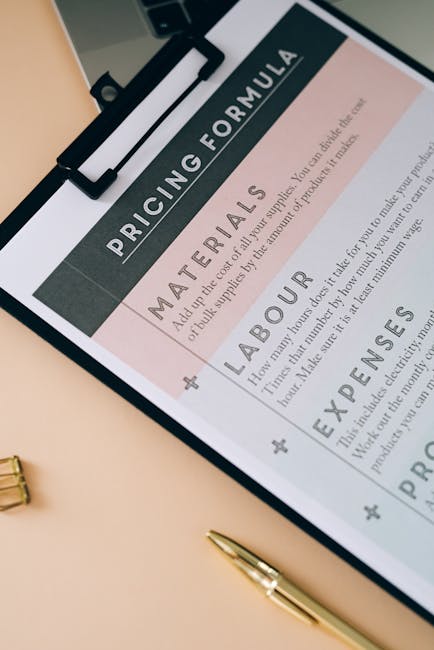
Are you overwhelmed by the myriad of project management tools available today? Understanding ClickUp pricing can be the key to transforming your team’s productivity while staying within budget. In this article, we’ll break down the various plans ClickUp offers, highlighting their unique features and the value they provide. By the end, you’ll have a clear understanding of which ClickUp pricing option is right for you and how it can help streamline your workflows and save your team time and money.
What Is ClickUp Pricing and Plans?
ClickUp is a versatile project management tool that offers a range of pricing plans to suit different needs. Understanding ClickUp pricing is essential for businesses and teams that want to maximize their productivity.
With various plans available, you can choose one that aligns with your requirements. Whether you are a solo user or part of a larger team, ClickUp has options that provide unlimited features tailored to your needs.
ClickUp offers a Free Plan that gives users a taste of what the platform can do. This plan is perfect for individuals or small teams just starting out. With this option, you can access several features without any cost.
However, as your needs grow, you might want to explore the paid plans. These plans come with additional features that can significantly enhance your team’s productivity.
- Free Plan: Basic features for individuals
- Unlimited Plan: Unlimited integrations and dashboards
- Business Plan: Advanced features for growing teams
The Unlimited Plan is one of the most popular choices. For a monthly fee, teams can enjoy unlimited integrations, dashboards, and a host of other features. This plan is particularly beneficial for businesses that require flexibility and scalability.
Many users find this plan ideal because it allows for an unlimited number of users. You can add team members without worrying about increasing costs every time you do.
For businesses looking for advanced functionalities, the Business Plan offers even more. This plan includes features like timelines, advanced reporting, and custom permissions.
Here’s a quick comparison of the main ClickUp plans:
| Plan | Key Features |
|---|---|
| Free | Basic features, limited integrations |
| Unlimited | Unlimited dashboards, integrations |
| Business | Advanced reporting, custom permissions |
When it comes to pricing, ClickUp is quite competitive. Most users find that the investment pays off quickly, especially if they leverage the platform’s features effectively.
Have you considered how much time your team could save with the right tools? ClickUp’s various plans cater to different budgets, making it accessible for startups and established businesses alike.
In summary, ClickUp pricing offers various plans that can cater to individuals and teams of all sizes. From the free option to the advanced business plan, there’s something for everyone.
Exploring these options will help you determine which plan aligns best with your goals. Whether you need unlimited features or specific tools, ClickUp has the right solution for your team.
How Much Does ClickUp Cost Per User?
When you’re considering ClickUp for your team, understanding the pricing structure is crucial. ClickUp offers several plans tailored to different needs, making it a versatile choice for various businesses.
The primary plans include Free, Unlimited, Business, and Enterprise. Each plan comes with its own set of features and pricing per user, which can significantly impact your decision. Let’s break it down.
- Free Plan: Ideal for individuals or small teams
- Unlimited Plan: Best for growing teams that need more features
- Business Plan: Designed for larger organizations with advanced needs
- Enterprise Plan: Custom solutions for large businesses
The Free plan allows you to explore ClickUp without any financial commitment. It’s a great way to test the waters, but it does come with limitations. You can have unlimited tasks and integrations, but some advanced features are restricted.
Once you’re ready to upgrade, the Unlimited plan starts at around $5 per user, per month when billed annually. This plan unlocks additional features like unlimited dashboards and custom fields, making it a popular choice for teams.
| Plan | Cost Per User |
|---|---|
| Free | $0 |
| Unlimited | $5/month |
| Business | $12/month |
| Enterprise | Custom Pricing |
For teams that require more advanced features, the Business plan is a strong contender. At approximately $12 per user, per month, it includes features like timelines, goal tracking, and advanced reporting. These capabilities are essential for larger teams to manage projects effectively.
Have you considered how many users will need access? The cost can add up quickly as your team grows, so it’s important to factor in how many users will be utilizing ClickUp.
With the Enterprise plan, pricing is customized based on your specific needs. This option is tailored for large organizations requiring extensive support and advanced features. If your business has unique requirements, reaching out to ClickUp for a quote might be the best route.
In summary, ClickUp offers a range of pricing options to suit different teams and businesses. Whether you’re a freelancer or part of a large enterprise, there’s a plan that can fit your needs.
Understanding ClickUp pricing per user is just the first step. Now, think about which features will be most beneficial for your team.
ClickUp Free Forever Plan Explained
If you’re exploring project management tools, you might have come across ClickUp. One of its most attractive offerings is the ClickUp Free Forever Plan. But what does this plan actually include, and is it right for you?
The ClickUp Free Forever Plan is designed to cater to teams of all sizes, whether you’re a solo user or part of a larger business. This plan allows unlimited users, which is a significant advantage over many other tools that limit the number of users on their free plans.
With the free plan, you get access to a variety of features that can help streamline your workflow. Some of the standout features include:
- Task management
- Time tracking
- Integrations with other tools
- Customizable dashboards
These features can be a game-changer for teams looking to enhance productivity without incurring costs. However, it’s essential to consider what you might be missing out on with this free option.
For instance, while the free plan offers unlimited tasks and users, certain advanced features are only available in the paid plans. Features like timelines, goals, and advanced reporting may require an upgrade. This is vital to keep in mind, especially if your business starts to grow and you need more robust functionalities.
| Feature | Availability in Free Plan |
|---|---|
| Unlimited Users | Yes |
| Time Tracking | Yes |
| Advanced Reporting | No |
It’s also worth noting that ClickUp is continually evolving. The company often updates its plans and features based on user feedback. This means that while the Free Forever Plan is a solid starting point, the features available may change over time.
In terms of ClickUp pricing, if you find yourself needing more than what the free plan offers, the paid plans are relatively affordable. They can scale with your business, making it easier to transition as your needs grow.
Ultimately, the ClickUp Free Forever Plan is a fantastic way to explore the platform without any financial commitment. It allows teams to collaborate effectively and manage tasks efficiently. So, if you’re considering a project management tool, why not give ClickUp a try? You might find that it’s just what you need to elevate your workflow.
Unlimited Plan Features and Benefits
When it comes to project management, ClickUp stands out with its Unlimited Plan. This plan is designed for teams that need flexibility and extensive features without the constraints of traditional pricing models. But what exactly does this plan offer?
First off, the Unlimited Plan allows you to add as many users as you want. This is a game-changer for businesses that are expanding or have fluctuating team sizes. Why pay for extra seats when you can have unlimited users for a flat monthly fee?
- Unlimited integrations to streamline your workflow
- Unlimited dashboards for better project visibility
- Unlimited tasks and documents to keep everything organized
Another major feature is the unlimited storage. You can upload as many files as necessary without worrying about hitting a cap. This is particularly beneficial for teams that rely heavily on documentation and file sharing.
The Unlimited Plan also includes advanced features like Gantt charts, time tracking, and goal tracking. These tools are essential for managing complex projects and ensuring that your team stays on track. Plus, you can customize views to suit your team’s workflow.
| Feature | Benefit |
|---|---|
| Unlimited Users | No extra costs as your team grows |
| Unlimited Storage | Easily manage all your files |
Additionally, the Unlimited Plan offers priority support. If you encounter any issues, you can rest assured that help is just a click away. This is particularly important for businesses that rely on ClickUp for their day-to-day operations.
With all these features, the pricing for the Unlimited Plan becomes incredibly attractive. It allows businesses to scale their operations without worrying about escalating costs. Isn’t that what every business wants?
- Customizable workflows to fit your team’s needs
- Time tracking for accurate billing
- Advanced reporting tools for performance analysis
In summary, ClickUp’s Unlimited Plan is packed with features that cater to growing teams and businesses. The ability to add unlimited users, coupled with advanced tools and priority support, makes it a compelling choice for anyone looking to enhance their project management.
Whether you’re a startup or an established business, the Unlimited Plan provides the flexibility and functionality to help you succeed. Why settle for limitations when you can have unlimited possibilities?
Business Plan Overview and Pricing
When it comes to managing projects, ClickUp stands out with its versatile features and user-friendly interface. One of the most important considerations for businesses is the ClickUp pricing. Understanding the different plans available can help you choose the best option for your team.
ClickUp offers several pricing tiers, each designed to cater to varying business needs. Whether you’re a small startup or a large organization, there’s a plan that can fit your requirements. Let’s break down the options!
| Plan Type | Monthly Price |
|---|---|
| Free Plan | $0 |
| Unlimited Plan | $5 per user |
| Business Plan | $12 per user |
The Free Plan is a great way to get started with ClickUp. It allows you to explore basic features without any financial commitment. However, as your team grows, you might find that you need more robust functionalities.
For those who want to unlock more features, the Unlimited Plan is an excellent choice. At just $5 per user per month, it offers unlimited integrations, dashboards, and more. This plan is particularly appealing for teams that require flexibility and scalability.
- Unlimited integrations
- Custom fields
- Dashboards and reporting
Now, if you’re looking for advanced features, the Business Plan is worth considering. At $12 per user per month, it includes everything from the Unlimited Plan, plus extra security features and advanced automation capabilities. This plan is tailored for businesses that need comprehensive project management tools.
But what if you’re still unsure about which plan is right for you? ClickUp offers a 14-day free trial for their Business Plan. This trial allows you to test out the premium features without any risk. It’s a fantastic opportunity to see how ClickUp can enhance your team’s productivity.
| Feature | Available in |
|---|---|
| Time Tracking | Unlimited, Business |
| Goal Tracking | Business |
| Custom Permissions | Business |
In summary, ClickUp pricing is structured to accommodate different business sizes and needs. From the free option to the comprehensive Business Plan, there’s something for everyone. Take the time to assess what features are essential for your team, and you’ll find the perfect plan to boost your productivity!
Enterprise Plan: Is It Worth It?
When considering ClickUp pricing, the Enterprise plan stands out as a premium option tailored for larger teams and organizations. But is it really worth the investment? Let’s explore the features, benefits, and value it offers.
The Enterprise plan is designed for businesses that need more than just basic project management. With unlimited users, you can scale your team without worrying about additional costs. This flexibility can be a game-changer for growing businesses.
Here are some key features of the ClickUp Enterprise plan:
- Advanced security features
- Custom onboarding and training
- Dedicated customer support
- Unlimited integrations
These features enhance not only productivity but also collaboration among team members. If your business operates with multiple teams, having unlimited access to these tools can streamline processes significantly.
Additionally, the Enterprise plan includes advanced reporting capabilities. This means you can gain insights into your team’s performance, track project progress, and identify bottlenecks-all essential for informed decision-making.
| Feature | Benefit |
|---|---|
| Advanced Security | Protect sensitive data |
| Custom Onboarding | Tailored training for your team |
| Dedicated Support | Quick resolution of issues |
If you’re managing a large team or a complex project, investing in the Enterprise plan can provide the necessary tools to keep everything on track. But how do you know if it’s the right choice for your business?
Consider your current needs. If you find that your team is frequently hitting limits on user accounts or features with other plans, it might be time to upgrade. The Enterprise plan offers the flexibility that many businesses crave.
Moreover, with ClickUp’s commitment to continuous improvement, you can expect regular updates and new features. This means your investment could pay off in the long run as the platform evolves.
In summary, the ClickUp Enterprise plan is worth considering if your business requires advanced features and unlimited access for a larger team. The combination of robust tools, dedicated support, and scalability makes it a strong contender for organizations looking to optimize their workflow.
Ultimately, the decision will come down to your specific needs and budget. But if you’re serious about project management and collaboration, the Enterprise plan could be a wise investment.
ClickUp Pricing Compared to Competitors
When it comes to project management tools, ClickUp stands out, especially in terms of pricing. Understanding ClickUp pricing compared to its competitors can help your business make an informed decision.
ClickUp offers various plans tailored to different user needs. The pricing model is designed to accommodate teams of all sizes, from small startups to large enterprises. This flexibility is a significant advantage.
Here’s a quick overview of ClickUp’s plans:
- Free Plan: Ideal for individuals or small teams.
- Unlimited Plan: Perfect for teams needing more features.
- Business Plan: Best for medium to large teams with advanced needs.
Each plan comes with its own set of features. The Free plan allows users to explore ClickUp’s basic functionalities without any cost. However, upgrading to the Unlimited plan provides access to more advanced tools that can enhance productivity.
Do you have a growing team? The Unlimited plan supports an unlimited number of users, making it a cost-effective choice for larger teams.
Let’s compare ClickUp pricing with some popular competitors:
| Tool | Starting Price |
|---|---|
| ClickUp | Free / $5 per user/month |
| Trello | Free / $10 per user/month |
| Asana | Free / $10.99 per user/month |
As you can see, ClickUp’s starting price is competitive. While others may charge more for similar features, ClickUp provides excellent value, especially with its Unlimited plan.
What about features? ClickUp offers unique tools that set it apart from the competition. For instance, ClickUp integrates time tracking, goal setting, and customizable dashboards, which many users find beneficial.
Another advantage of ClickUp is its scalability. As your business grows, you can easily upgrade your plan without losing any data or having to migrate to a different platform. This seamless transition is crucial for teams that rely heavily on project management tools.
The flexibility in user management also stands out. With ClickUp, you can add or remove users as needed, making it suitable for fluctuating team sizes.
In summary, ClickUp pricing offers a range of options that cater to both small teams and large organizations. Its competitive pricing and rich feature set make it a strong contender in the project management landscape.
So, which plan fits your team best? Consider your needs and explore ClickUp’s offerings today!
How to Choose the Right ClickUp Plan
Choosing the right ClickUp plan can feel overwhelming, especially with so many options available. Whether you’re a solo user or part of a larger team, understanding the pricing structure is crucial for making an informed decision.
First, consider your specific needs. Are you a freelancer looking for a simple task management solution? Or are you part of a business that requires advanced features for collaboration? ClickUp offers various plans, each designed to cater to different user requirements.
Here’s a quick overview of ClickUp plans:
| Plan | Key Features |
|---|---|
| Free | Basic features, limited integrations |
| Unlimited | Unlimited integrations, advanced features |
| Business | Custom features, priority support |
Next, think about the size of your team. If you have a small group of users, the Free plan might suffice initially. However, as your team grows, you might want to consider the Unlimited plan for its added features.
What features are essential for your workflow? The Unlimited plan allows for more integrations and advanced functionalities, which can be a game-changer for larger teams.
Here’s a list of features to consider when selecting a ClickUp plan:
- Task management tools
- Time tracking capabilities
- Customizable dashboards
- Reporting and analytics
- Integrations with other software
Another important factor is your budget. ClickUp’s pricing is competitive, with plans starting from a Free option up to premium tiers that cater to larger businesses. Assess how much you’re willing to spend each month and what features you can’t live without.
Don’t forget to take advantage of ClickUp’s free trial. This allows you to explore features without committing to a plan right away. It’s an excellent way to test if the Unlimited plan or any other tier fits your needs.
To summarize, here are some questions to guide your decision:
- How many users will be on the platform?
- What features are critical for your workflow?
- What is your budget for project management tools?
Ultimately, the right ClickUp plan will depend on your unique requirements. Whether you opt for the Free plan or decide to invest in the Unlimited plan, ensure it aligns with your business goals and enhances your team’s productivity.
By taking the time to evaluate your options, you can choose a ClickUp plan that not only meets your needs but also scales with your business as it grows.
Hidden Costs of ClickUp Pricing
When considering ClickUp pricing, many users focus on the basic plan costs. However, it’s essential to dig deeper into potential hidden costs that can arise. Understanding these can help you make a more informed decision.
One of the first things to note is that while ClickUp offers a free plan, it comes with limitations. Free users might find that certain features are restricted. If your team needs access to advanced functionalities, upgrading to a paid plan may be necessary.
Additionally, the pricing models are tiered. Each plan offers different features that can impact overall costs. For instance, the Unlimited plan provides more storage and integrations, which can be crucial for larger teams.
Consider the following factors when evaluating ClickUp pricing:
- Storage limits
- Integrations available
- Custom features for business needs
As your team grows, so might the number of users. Each additional user on a paid plan can increase your monthly expenses. While ClickUp pricing is competitive, this aspect can add up quickly.
It’s also worth considering potential add-ons. Some features, like advanced reporting or extra integrations, may incur additional costs. Always check the fine print to avoid surprises.
To illustrate how costs can accumulate, here’s a quick table comparing the main ClickUp plans:
| Plan | Monthly Cost (per user) |
|---|---|
| Free | $0 |
| Unlimited | $5 |
| Business | $12 |
As you can see, the differences in pricing can be substantial. If you’re part of a larger team, the costs can add up quickly.
Another hidden cost to consider is training. While ClickUp is user-friendly, getting your team up to speed may require some investment in training resources. Whether it’s time spent or actual training sessions, this aspect shouldn’t be overlooked.
Finally, think about the long-term commitment. ClickUp pricing is often structured on an annual basis for significant savings. However, committing to a year can be a financial strain if your needs change.
In conclusion, while ClickUp offers a range of pricing options, it’s vital to account for potential hidden costs. By examining the features, user limits, and additional expenses, you can better assess whether ClickUp is the right fit for your business needs.
Ultimately, it’s about finding the balance between functionality and budget. Are you ready to explore what ClickUp can do for you?
In conclusion, understanding ClickUp pricing is essential for businesses looking to optimize their project management processes. With a variety of plans available, from the free tier that offers basic functionalities to the more advanced paid options, ClickUp caters to a diverse range of needs and budgets. By carefully evaluating the features included in each pricing tier, organizations can make informed decisions that align with their project requirements and team size. The flexibility of ClickUp’s pricing structure allows teams to scale as they grow, ensuring that they only pay for what they need at any given time. Additionally, the comprehensive integrations and customizable features further enhance its value, making it a worthy investment for those seeking efficiency and productivity. As you weigh your options, consider not only the immediate costs but also the long-term benefits that ClickUp can bring to your workflow. Whether you’re a small startup or a large enterprise, ClickUp’s pricing plans are designed to provide the tools necessary for effective collaboration and project success, ultimately helping you achieve your goals while staying within budget. Embracing ClickUp could very well be the strategic move that propels your team to new heights, making the exploration of its pricing an essential step in your journey toward operational excellence.
Leave a Reply