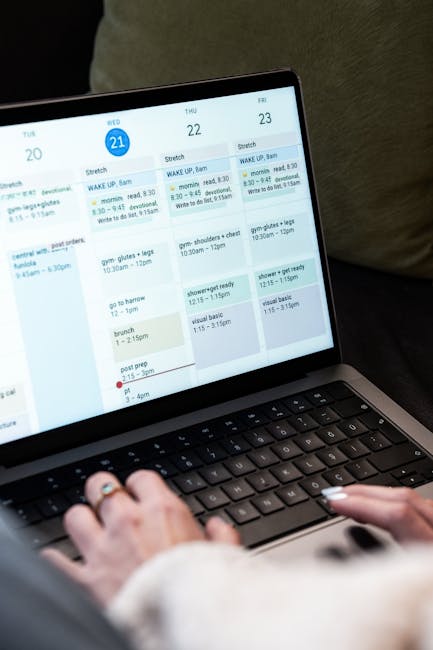
Are you tired of feeling overwhelmed by your to-do list? In today’s fast-paced world, finding the right task manager app can be a game changer, helping you reclaim control over your tasks and deadlines. This article dives deep into the evolving landscape of task management apps, analyzing the features that make them stand out and how they can enhance your productivity. Whether you’re a busy professional, a student, or someone juggling multiple responsibilities, you’ll find valuable insights that can guide you in choosing the perfect app to streamline your daily tasks. Get ready to unlock your potential and achieve your goals with the right tools!
The Best To-Do List Apps for 2026
As we look ahead to 2026, the landscape of task manager apps continues to evolve. With new features and integrations, users are finding innovative ways to manage their tasks. Whether you’re a busy professional or a student juggling multiple responsibilities, the right to-do list app can make all the difference.
One of the standout apps is Todoist. Known for its user-friendly interface, it allows users to add tasks quickly and categorize them effectively. You can create sub-tasks, set deadlines, and even collaborate with others. It’s no wonder Todoist remains a favorite among task management enthusiasts.
- Todoist: Great for collaboration and organization
- Microsoft To Do: Seamless integration with other Microsoft apps
- Things: A beautiful design and intuitive user experience
- Google Tasks: Perfect for users already in the Google ecosystem
- Apple Reminders: Ideal for Apple device users
Microsoft To Do is another app that has gained traction. Its integration with the Microsoft Office suite makes it a powerful tool for those who rely on Outlook and other Microsoft services. You can easily sync your tasks across devices, making it convenient for users on the go.
On the other hand, Google Tasks has been steadily improving. It’s simple and effective, especially for users who are already embedded in the Google ecosystem. Adding tasks is a breeze, and you can quickly check them off as you complete them.
| App | Key Features |
|---|---|
| Todoist | Collaboration, labels, and recurring tasks |
| Microsoft To Do | Integration with Microsoft Office, task prioritization |
| Things | Beautiful design, intuitive interface, project management |
| Google Tasks | Simple interface, integration with Gmail and Google Calendar |
| Apple Reminders | Siri integration, location-based reminders |
For Apple users, Apple Reminders offers a seamless experience. You can add tasks using Siri, making it easy to manage your to-do list hands-free. The app also allows for location-based reminders, which can be incredibly useful.
As we move closer to 2026, it’s exciting to see how these task manager apps will continue to innovate. Will they introduce new features that make managing our tasks even easier? Only time will tell, but for now, these apps are leading the way in helping us stay organized.
What Makes a Great Task Manager App?
When it comes to staying organized, a task manager app can be a game changer. But what really makes a task manager app stand out from the rest? Let’s dive into the key features that elevate these apps.
First and foremost, a great task manager app should have an intuitive interface. Users want to quickly add tasks without feeling overwhelmed. Whether you’re using Todoist, Microsoft To Do, or Things, a clean layout helps you focus on what really matters: getting things done.
Another crucial aspect is flexibility. Different users have different needs. Some people prefer a simple to-do list, while others might need advanced features like project management tools. A good task manager app should cater to both types of users.
- Intuitive Interface
- Flexibility in Features
- Seamless Integration with Other Apps
Moreover, integration with other tools is vital. A task manager app that works well with Google Calendar or Microsoft Outlook can streamline your workflow. Imagine adding a task in Todoist and having it automatically sync with your calendar. That’s efficiency at its best!
Collaboration features are also essential, especially for teams. Apps like Microsoft To Do allow users to share lists and assign tasks. This functionality can enhance teamwork, making it easier to track progress and meet deadlines.
| Task Manager App | Key Features |
|---|---|
| Todoist | Intuitive UI, Labels, and Filters |
| Microsoft To Do | Task Sharing, Integration with Outlook |
| Things | Focus Mode, Project Management |
Another feature to look for is the ability to prioritize tasks. A great task manager app should allow you to mark tasks as high, medium, or low priority. This helps users focus on what’s most important, rather than getting lost in a long list.
Notifications and reminders are also a must. An app that sends you timely alerts can significantly boost productivity. After all, who hasn’t forgotten about a crucial task?
In addition, customization options can enhance user experience. Some users like to personalize their task lists with colors or tags. This can make the task manager app feel more tailored to individual preferences.
- Prioritization of Tasks
- Timely Notifications
- Customization Options
Lastly, consider the availability across devices. A great task manager app should work seamlessly on mobile, tablet, and desktop. This ensures that you can access your tasks wherever you are, whether you’re on the go or at your desk.
In summary, the best task manager apps combine usability, flexibility, collaboration features, and robust integrations. Whether you choose Todoist, Google Tasks, or any other app, finding the right fit for your needs can make all the difference in staying organized and productive.
Top Features of Task Management Apps
In today’s fast-paced world, a task manager app is essential for keeping your life organized. Whether you’re managing personal tasks or collaborating on projects, the right app can make all the difference. So, what features should you look for in a task management app?
First and foremost, a good task manager app should offer intuitive task creation. You want to be able to add tasks quickly and easily, without unnecessary complications. Look for features that allow you to add due dates, tags, and priorities right from the start.
Integration capabilities are also crucial. Many people use multiple tools throughout their day. A task manager app that integrates with platforms like Google Calendar, Microsoft Outlook, or even Apple Reminders can streamline your workflow significantly.
- Easy task creation
- Integration with calendars
- Customizable task views
Another important feature is collaboration. If you work in a team, your task manager app should facilitate easy sharing of tasks and projects. Apps like Todoist and Microsoft To Do offer robust sharing options that allow team members to stay updated on their responsibilities.
Don’t forget about the mobile experience! A task manager app should have a mobile version that syncs seamlessly with its desktop counterpart. This ensures you can manage your tasks on the go, whether you’re using an iPhone, Android, or tablet.
| Task Management App | Key Features |
|---|---|
| Todoist | Collaboration, Prioritization, Recurring Tasks |
| Microsoft To Do | Integration with Microsoft Suite, Custom Lists |
| Things | Easy Task Creation, Beautiful Interface |
Next, consider the user interface. A clean, modern design makes it easier to navigate through your tasks. You want an app that feels intuitive, allowing you to focus on getting things done rather than figuring out how to use it.
Lastly, look for flexibility in task management. Features like recurring tasks, sub-tasks, and reminders can help you tailor the app to fit your unique workflow. For instance, if you’re using Google Tasks, you might appreciate the ability to add subtasks for better organization.
In summary, the best task manager apps combine functionality with ease of use. Whether you choose Todoist, Microsoft To Do, or any other app, ensure it meets your specific needs. After all, the right app can transform your productivity.
Comparing the Best Task Manager Apps
When it comes to managing tasks, a good task manager app can make all the difference. With so many options available, how do you choose the right one? Let’s dive into some of the top contenders in the market today.
First up is Todoist. This app stands out for its user-friendly interface and robust features. You can easily organize tasks into projects, set due dates, and even collaborate with others. It’s available on multiple platforms, making it a versatile choice for users on the go.
Another popular option is Microsoft To Do. This app integrates seamlessly with other Microsoft products, which is a huge plus if you’re already in the Microsoft ecosystem. The ability to create lists, set reminders, and prioritize tasks makes it a solid choice for both personal and professional use.
- Todoist: User-friendly and collaborative
- Microsoft To Do: Great for Microsoft users
- Google Tasks: Simple and effective
If you’re an Apple user, you might want to consider Things. This app is beautifully designed and offers a clean interface. It allows users to break tasks down into smaller steps, making it easier to manage larger projects. Plus, its integration with Apple devices is seamless.
But what about Google Tasks? This app is perfect for those who want something straightforward. With its no-frills approach, you can quickly add tasks and organize them by lists. It’s a great option if you’re looking for simplicity without sacrificing functionality.
| App Name | Key Features |
|---|---|
| Todoist | Project organization, collaboration |
| Microsoft To Do | Integration with Microsoft products |
| Things | Beautiful design, task breakdown |
| Google Tasks | Simple task management |
Each of these task manager apps has its strengths. If you need advanced features, Todoist might be your best bet. For those already using Microsoft products, Microsoft To Do is a natural fit.
But it’s not just about features. Consider how you prefer to organize your tasks. Do you like a clean, minimalist app, or do you want something rich in features? This decision will guide you in choosing the right task manager app for your needs.
In summary, the right task manager app can enhance your productivity significantly. Whether you choose Todoist, Microsoft To Do, Things, or Google Tasks, each offers unique benefits. Take some time to explore these options and see which one aligns with your workflow. Happy task managing!
Best Task Manager Apps for Productivity
In today’s fast-paced world, staying organized is more crucial than ever. A good task manager app can make all the difference in managing your tasks efficiently. With so many options available, how do you choose the right one? Let’s explore some of the best task manager apps that can significantly boost your productivity.
First up is Todoist. This app has gained immense popularity for its user-friendly interface and robust features. You can easily add tasks, set deadlines, and categorize them with labels. Its collaboration features allow you to share tasks with others, making it a great choice for teams.
Another standout is Microsoft To Do. This app integrates seamlessly with other Microsoft products, making it perfect for users already in that ecosystem. You can create tasks, set reminders, and even sync across devices. Plus, the My Day feature helps you focus on what needs to be done today.
- Todoist: Ideal for team collaboration
- Microsoft To Do: Great for Microsoft users
- Google Tasks: Simple and effective
If you prefer a more minimalist approach, consider Google Tasks. This app is straightforward and integrates well with Google Calendar. You can easily add tasks directly from your email, which can save you time and effort.
Then there’s Things, an app specifically designed for Apple users. It offers a clean interface and powerful features, allowing you to add tasks quickly and organize them into projects. The latest version has even improved its tagging system, making it easier to find what you need.
When comparing these apps, it’s important to consider what features matter most to you.
| App Name | Key Features |
|---|---|
| Todoist | Collaboration, Labels, Deadlines |
| Microsoft To Do | Integration with Microsoft, My Day feature |
| Google Tasks | Simple interface, Email integration |
| Things | Project organization, Tagging system |
Ultimately, the best task manager app for you depends on your specific needs. Are you looking for collaboration features, or do you prefer a simple interface?
Exploring these options will help you find the perfect fit to enhance your productivity. Remember, the right task manager can transform not just how you manage tasks, but also how you approach your daily life.
As you weigh your options, keep in mind that many of these apps offer free trials. This allows you to test their features and see what works best for you. Happy task managing!
Task Manager Apps for Microsoft Users
Microsoft users have a wealth of options when it comes to task manager apps. Whether you’re looking to manage personal tasks or collaborate with a team, there’s an app tailored for your needs.
Among the most popular choices are Todoist and Microsoft To Do. Both apps offer unique features that cater to different styles of task management. But how do they compare?
- Todoist: A versatile app that integrates well with various platforms.
- Microsoft To Do: Seamlessly integrates with other Microsoft services.
- Things: A favorite among Apple users looking for a sleek interface.
Microsoft To Do is particularly beneficial for those already entrenched in the Microsoft ecosystem. It allows users to sync tasks across devices and integrates with Outlook, making it easier to manage emails and tasks in one place.
On the other hand, Todoist shines with its project management capabilities. It allows users to create task lists, set deadlines, and even collaborate with others. This app is perfect for those who want to keep their work organized and efficient.
| App | Key Features |
|---|---|
| Todoist | Project management, collaboration, cross-platform |
| Microsoft To Do | Outlook integration, task syncing, simplicity |
Another noteworthy contender is Google Tasks. While it’s not as feature-rich as Todoist, it offers a simple, no-frills approach that many users appreciate. If you’re already using Google Workspace, it’s a natural fit.
For those who prefer a more minimalistic approach, Things is an excellent choice for Apple users. It’s beautifully designed and focuses on the essentials of task management without overwhelming the user.
- Integration: Consider how well the app integrates with your existing tools.
- Features: Think about what features are most important for your workflow.
- Usability: A user-friendly interface can make a big difference in daily task management.
Ultimately, the best task manager app for you will depend on your specific needs. Do you prioritize collaboration? Or is seamless integration with Microsoft services more important?
Experimenting with different apps can help you discover which one aligns best with your workflow. With options like Todoist, Microsoft To Do, and Google Tasks, there’s no shortage of tools to help you stay organized and efficient.
Best Task Manager Apps for Apple Devices
When it comes to managing your tasks on Apple devices, the options are plentiful. Whether you’re a student, a professional, or someone simply trying to keep life organized, a good task manager app can make a world of difference.
One of the most popular choices is Todoist. This app stands out for its user-friendly interface and robust features. You can easily add tasks, set deadlines, and even collaborate with others. Plus, it syncs seamlessly across all your Apple devices.
Another excellent option is Things. This app is designed specifically for Apple users, offering a beautifully crafted interface that enhances productivity. With Things, you can categorize tasks, set reminders, and even create projects for complex workloads.
- Todoist: Great for collaboration.
- Things: Perfect for Apple enthusiasts.
- Microsoft To Do: Integrates well with other Microsoft apps.
If you’re already using Google services, Google Tasks is a natural choice. It integrates smoothly with Gmail and Google Calendar, allowing you to manage tasks directly from your email or calendar view.
However, let’s not forget about Microsoft To Do. It’s a versatile app that allows you to manage tasks efficiently. You can add tasks, set reminders, and even share lists with friends or colleagues. Plus, it syncs across devices, which is a significant advantage.
| App Name | Key Features |
|---|---|
| Todoist | Collaboration, Labels, Priority Levels |
| Things | Project Management, Tags, Reminders |
| Google Tasks | Gmail Integration, Calendar Sync |
| Microsoft To Do | List Sharing, Reminders, Dark Mode |
As you can see, each app has its unique strengths. The best task manager app for you will depend on your specific needs.
Do you prioritize collaboration? Or is a clean interface more important?
Another noteworthy mention is Notion. While it’s primarily known as a productivity tool, it also excels at task management. You can create databases, to-do lists, and even integrate notes-all in one place.
In conclusion, the landscape of task manager apps for Apple devices is rich and varied. With options like Todoist, Things, Google Tasks, and Microsoft To Do, you have plenty of choices to help streamline your task management process.
Take a moment to evaluate what features matter most to you. With the right app, managing your tasks can become a breeze, allowing you to focus on what truly matters.
Top Free Task Management Software
In today’s fast-paced world, managing tasks efficiently is crucial. A reliable task manager app can make all the difference. With so many options available, it can be overwhelming to choose the right one. Let’s explore some of the top free task management software that can help you stay organized.
First up is Todoist. This app has gained immense popularity for its clean interface and robust features. You can easily add tasks, set due dates, and even prioritize them. Plus, it integrates well with other tools, making it a favorite among productivity enthusiasts.
Another strong contender is Google Tasks. If you’re already using Google Workspace, this app is a natural fit. It allows you to create lists, add subtasks, and sync seamlessly across devices. The simplicity of Google Tasks makes it an excellent choice for those who want a straightforward task management experience.
- Todoist – Great for task prioritization
- Google Tasks – Perfect for Google Workspace users
- Microsoft To Do – Integrates well with Microsoft apps
Next on our list is Microsoft To Do. This app stands out with its smart suggestions and daily planner feature. You can add tasks, set reminders, and even collaborate with others. It’s particularly useful for teams using Microsoft products.
Then we have Apple Reminders. For those in the Apple ecosystem, this app is a gem. It allows you to add tasks quickly and even set location-based reminders. The integration with Siri makes it easy to add tasks on the go.
Isn’t it nice to have options that fit your ecosystem?
| App Name | Key Features |
|---|---|
| Todoist | Task prioritization, integrations |
| Google Tasks | Simple interface, syncs with Google apps |
| Microsoft To Do | Smart suggestions, collaboration |
| Apple Reminders | Location-based reminders, Siri integration |
Lastly, let’s talk about Things. This app is tailored for Apple users and offers a beautiful design. With its focus on simplicity, you can quickly add tasks and organize them into projects. The unique “Today” view helps you focus on what’s important right now.
Each of these task manager apps has its strengths. Whether you prefer the robust features of Todoist or the simplicity of Google Tasks, there’s something for everyone.
So, what will you choose to keep your tasks in check? As we move forward, the trend of task management apps is likely to evolve, but these options remain solid choices for anyone looking to enhance their productivity.
Best Task Manager Apps with Calendar Integration
When it comes to managing your tasks effectively, a task manager app with calendar integration can be a game changer. These apps not only help you organize your to-do lists but also sync seamlessly with your calendar, making it easier to visualize deadlines.
A popular choice among users is Todoist. This app allows you to create tasks and set due dates that automatically appear on your calendar. Plus, its user-friendly interface makes it easy for anyone to navigate.
Another great option is Microsoft To Do. This app integrates well with Outlook, allowing you to manage tasks alongside your emails. It’s perfect for professionals who need to keep everything in one place.
Apple users can benefit from Things, which not only offers task management but also includes calendar features. It allows you to add reminders and deadlines, helping you stay on top of your schedule.
- Todoist: Great for flexibility and collaboration.
- Microsoft To Do: Perfect for Outlook users.
- Things: Ideal for Apple enthusiasts.
If you’re looking for something that integrates with Google, Google Tasks is a solid choice. It syncs directly with Google Calendar, making it easy to manage your daily tasks without any hassle.
Let’s not forget about the importance of visualizing your tasks. A modern task manager app should allow you to see your tasks in a calendar view. This feature helps you prioritize effectively and avoid last-minute rushes.
| App | Integration |
|---|---|
| Todoist | Google Calendar |
| Microsoft To Do | Outlook |
| Things | Apple Calendar |
In conclusion, selecting the right task manager app with calendar integration can greatly enhance your productivity. With options like Todoist, Microsoft To Do, and Things, there’s something for everyone. What will you choose to boost your task management?
In conclusion, a task manager app is not just a tool; it’s an essential companion for anyone striving to enhance productivity and streamline their daily activities. With the myriad of options available, it’s crucial to select an app that aligns with your specific needs, whether you’re an individual looking to organize personal tasks or a team aiming for collaborative efficiency. The right task manager can help you prioritize responsibilities, set deadlines, and track progress, ultimately leading to a more organized and less stressful life.
As we’ve explored throughout this article, the features that define an effective task manager app—such as intuitive design, seamless integration with other tools, and customizable workflows—play a pivotal role in how well you can manage your tasks. Moreover, many of these apps offer mobile compatibility, ensuring that you can stay on top of your responsibilities, even while on the go. This flexibility is invaluable in today’s fast-paced world where the ability to adapt is key to achieving both personal and professional goals.
Furthermore, embracing a task manager app is more than just about managing tasks; it’s about cultivating a mindset geared towards productivity and efficiency. By utilizing the features of these apps, you can develop better habits, reduce procrastination, and create a sense of accountability for your own task management. Whether you opt for a minimalist app that focuses solely on to-do lists or a comprehensive project management tool with advanced features, the goal remains the same: to empower you to take control of your time and tasks.
As you consider integrating a task manager app into your daily routine, take the time to explore different options, read user reviews, and even test a few to see which resonates with you. Remember, the best app is the one that fits your workflow and enhances your ability to stay organized. With the right choice, you’ll not only find yourself completing tasks more efficiently but also freeing up time for what truly matters in your life. So, embark on this journey towards better task management, and watch as your productivity soars, your stress levels decrease, and your overall satisfaction with your work and personal life improves significantly.
Leave a Reply